
Your Business Data Needs More Than a Hard Drive
If you run a small or mid-sized business in Trinidad and Tobago, you have probably had that moment where someone asks where the latest project files are and no one is completely sure. Or worse, a drive fails late on a Friday and critical documents, camera footage, accounting exports, or shared job files disappear with it.
Most businesses start with whatever storage is easy: external drives, a small NAS box, shared folders on a workstation, or cloud subscriptions added one department at a time. That works until the data grows, the team grows, or the first serious recovery event exposes how fragile the setup really is.
The better conversation is not “which box should we buy?” It is “how should the business store, protect, monitor, and recover its data?” That is why Ubiquiti's Enterprise NAS announcement is useful beyond the product itself. It points to where business storage is heading: resilient local storage, central management, secure employee access, multi-site backup planning, and fewer recurring software costs.
Why This Matters For SMBs
Enterprise storage used to sound like something reserved for banks, large campuses, and companies with a full infrastructure team. In practice, the problems it solves are now ordinary SMB problems.
- Files are larger. Design assets, surveillance footage, scans, databases, and backups consume space quickly.
- Teams are distributed. Many businesses now have branch offices, remote users, or departments that need controlled access to the same data.
- Internet links are not infinite. Restoring everything from the cloud can be painfully slow when the business is already down.
- Ransomware changed the backup discussion. A copy of data is not enough if it is online, unmonitored, and easy to delete.
- Downtime is expensive. Even a small company can lose serious money when quoting, invoicing, security, or operations are stuck waiting on file recovery.
That is the gap a proper NAS and backup design should close. Not just more storage, but storage that is planned around business continuity.
What UniFi-Managed Storage Could Fit
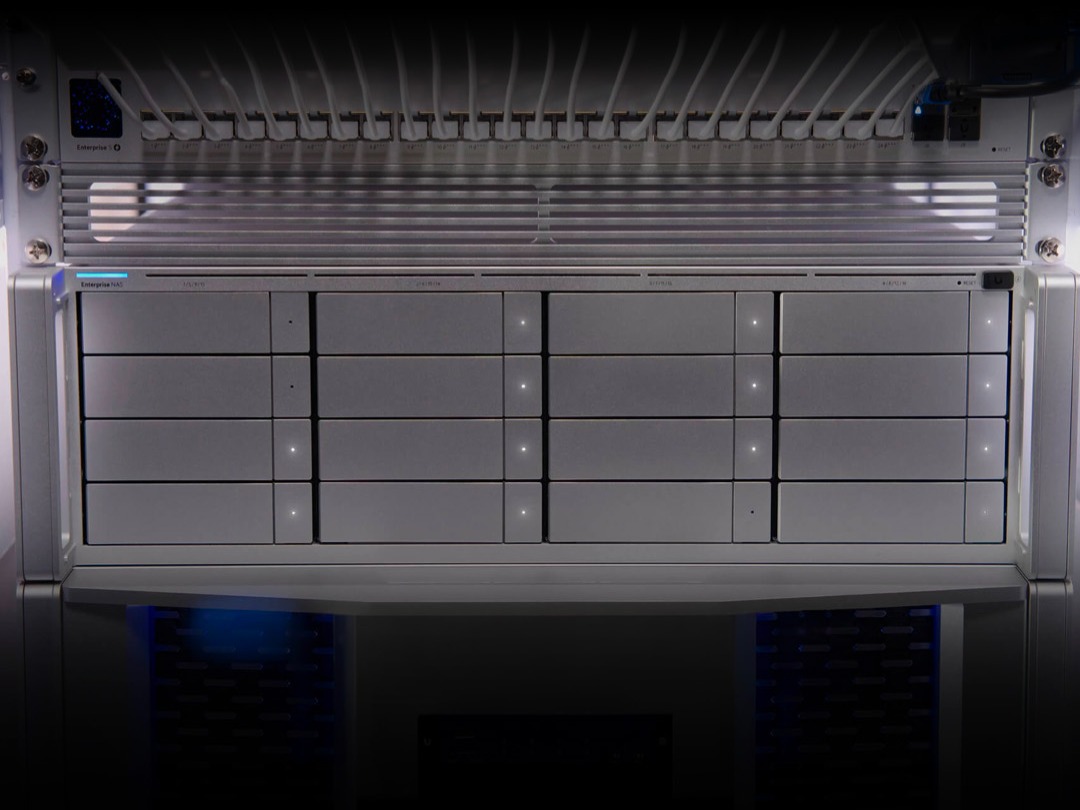
Ubiquiti is positioning Enterprise NAS around native ZFS, UniFi management, scalable capacity, multi-site backups, identity-driven access, shared iSCSI storage, and virtualisation workloads. For a local business, those ideas translate into practical use cases.
- Department file shares: Finance, operations, management, design, and sales can have separate access rules instead of one messy shared folder.
- Branch backup: A San Fernando office can back up important files to a main Port of Spain location, or the other way around, with retention rules in place.
- Camera and security storage: Businesses with surveillance needs can plan storage capacity and retention without mixing footage with ordinary office files.
- Virtual server storage: Shared block storage through iSCSI can support virtualisation and high-availability designs when the rest of the infrastructure is ready for it.
- Local recovery first: Restoring from a local NAS is usually faster than waiting on a cloud download, especially for large datasets.
The Backup Reality Check
A NAS does not automatically make a business safe. It is a tool. The design around it is what determines whether the business can recover.
Good backup planning should answer these questions clearly:
- What data is protected, and what data is intentionally excluded?
- How often are backups taken?
- How long are versions retained?
- Where is the secondary copy stored?
- Who can delete, change, or restore backup data?
- Who gets alerted when backups fail?
- When was the last successful test restore?
If those answers are vague, the business is still exposed. A storage appliance with no tested recovery process is just expensive hope.
Why ZFS Is Worth Paying Attention To
ZFS matters because it was designed for data integrity. It can help detect corruption, support snapshots, and provide a stronger foundation for resilient storage than a basic file share on a single disk. That does not remove the need for backups, but it does improve the foundation that backups sit on.
For businesses with growing data, this is important. Silent corruption, failed disks, accidental deletion, and ransomware are different problems. A serious storage plan should not pretend one feature solves all of them. ZFS, snapshots, off-site copies, access control, monitoring, and recovery testing each cover a different part of the risk.
Watch The Licensing And Lock-In
One reason the Ubiquiti announcement is interesting is the licence-free management angle. Many enterprise storage platforms look affordable until software licensing, support renewals, backup agents, feature packs, and management subscriptions are added.
SMBs need predictable costs. They also need room to change direction. If your storage plan locks you into one vendor, one cloud, or one appliance with no clean migration path, future growth becomes harder and more expensive.
The right answer is not always “buy the biggest NAS”. It is matching the storage platform to the workload, growth rate, recovery target, internet capacity, security requirements, and budget.
How Blue Chip Technologies Can Help
Storage decisions touch the network, security, backup, user access, monitoring, and disaster recovery. That is why we treat them as infrastructure design, not a quick hardware sale.
Blue Chip Technologies can help assess your current file storage, backup coverage, network capacity, branch requirements, surveillance storage, and recovery risk. From there, we can design and install a practical setup using the right mix of local storage, off-site backup, secure access, monitoring, and support.
If your business is still relying on scattered drives, unclear cloud folders, or backups no one has tested, it is worth fixing before the next failure. Storage should give you confidence, not another thing to worry about.