Google Drive Ransomware Detection: Protect Files Before Sync Spreads the Damage
Ransomware is not only a server problem. For many small and medium-sized businesses, the first visible damage may start on an ordinary staff laptop: local files are encrypted, renamed, corrupted, and then the sync client tries to push those damaged files into the cloud.
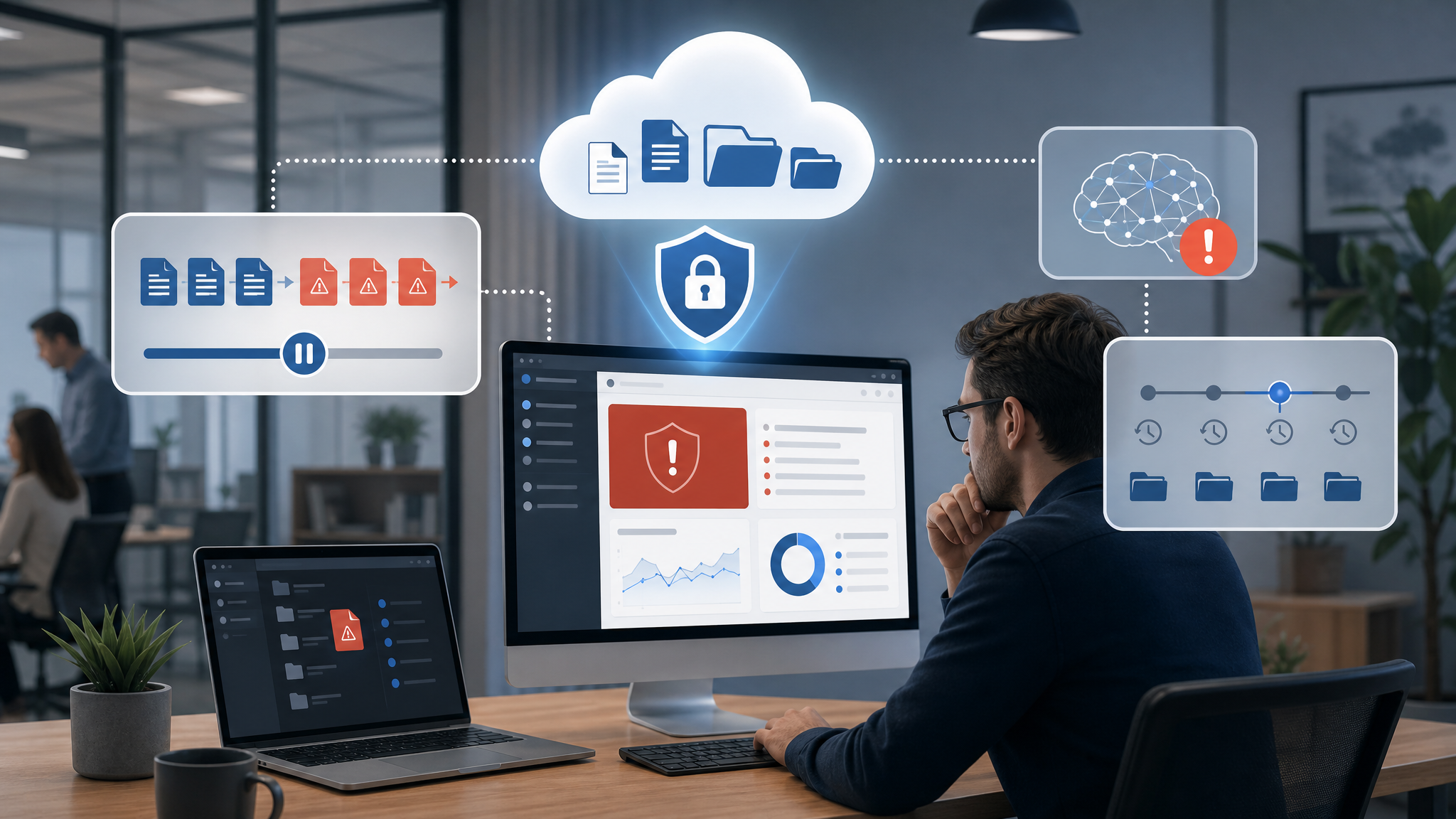
Google's new AI-powered ransomware detection for Google Drive for desktop is useful because it focuses on that moment. Instead of only trying to stop ransomware before it runs, Drive can look for ransomware-like file changes, pause syncing, alert the user, and help restore affected files to a previous healthy state.
For Trinidad and Tobago SMBs using Google Workspace, this is a practical business continuity improvement. It does not replace endpoint protection, backup, staff training, or managed security, but it adds another layer around the files people depend on every day.
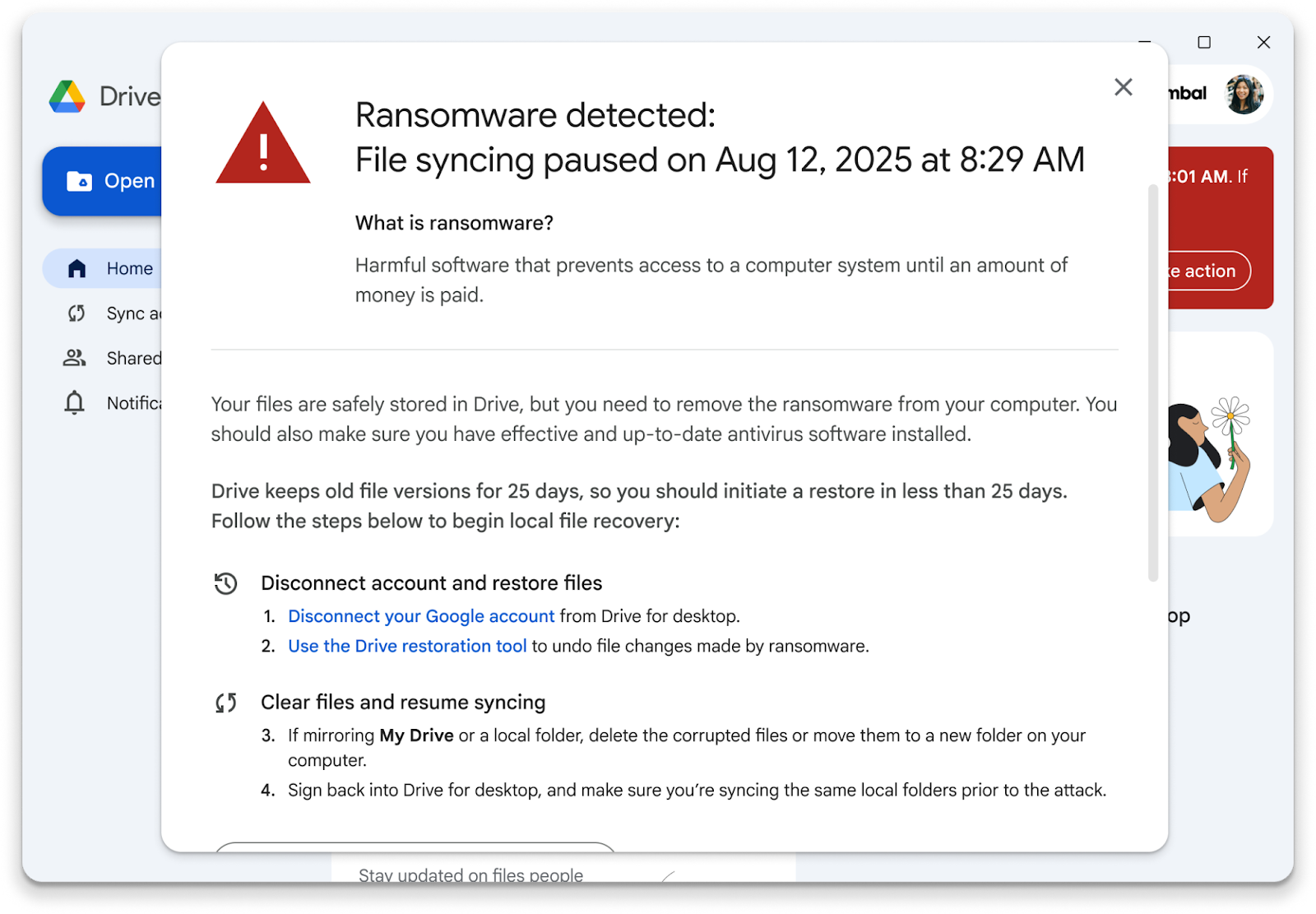
Google Drive for desktop can alert users and pause syncing when ransomware-like file changes are detected.
Why Sync Protection Matters
Cloud storage is one of the reasons teams can work from different locations, devices, and departments. The same convenience can also spread damage quickly if a compromised computer starts changing files in bulk.
That is the business risk Google is addressing with Drive for desktop. The feature is designed to detect behavior that looks like mass file encryption or corruption, then stop those changes from syncing to Drive before more cloud copies are affected.
This matters for businesses that keep PDF files, Microsoft Office files, scans, exports, CAD drawings, accounts documents, HR records, or shared operational folders in Drive. Native Google Docs, Sheets, and Slides are less exposed to traditional file encryption attacks, but many companies still rely on other file formats every day.
The Recovery Step Is Just As Important
Detection alone is not enough. When a ransomware event happens, staff need a clear way to recover without guessing which files changed, which version is safe, and who should do the restore.
Google says the Drive interface can guide users to restore multiple files to a previous healthy state with a few clicks. That is valuable because recovery time affects customer service, billing, production, school administration, retail operations, and management reporting.
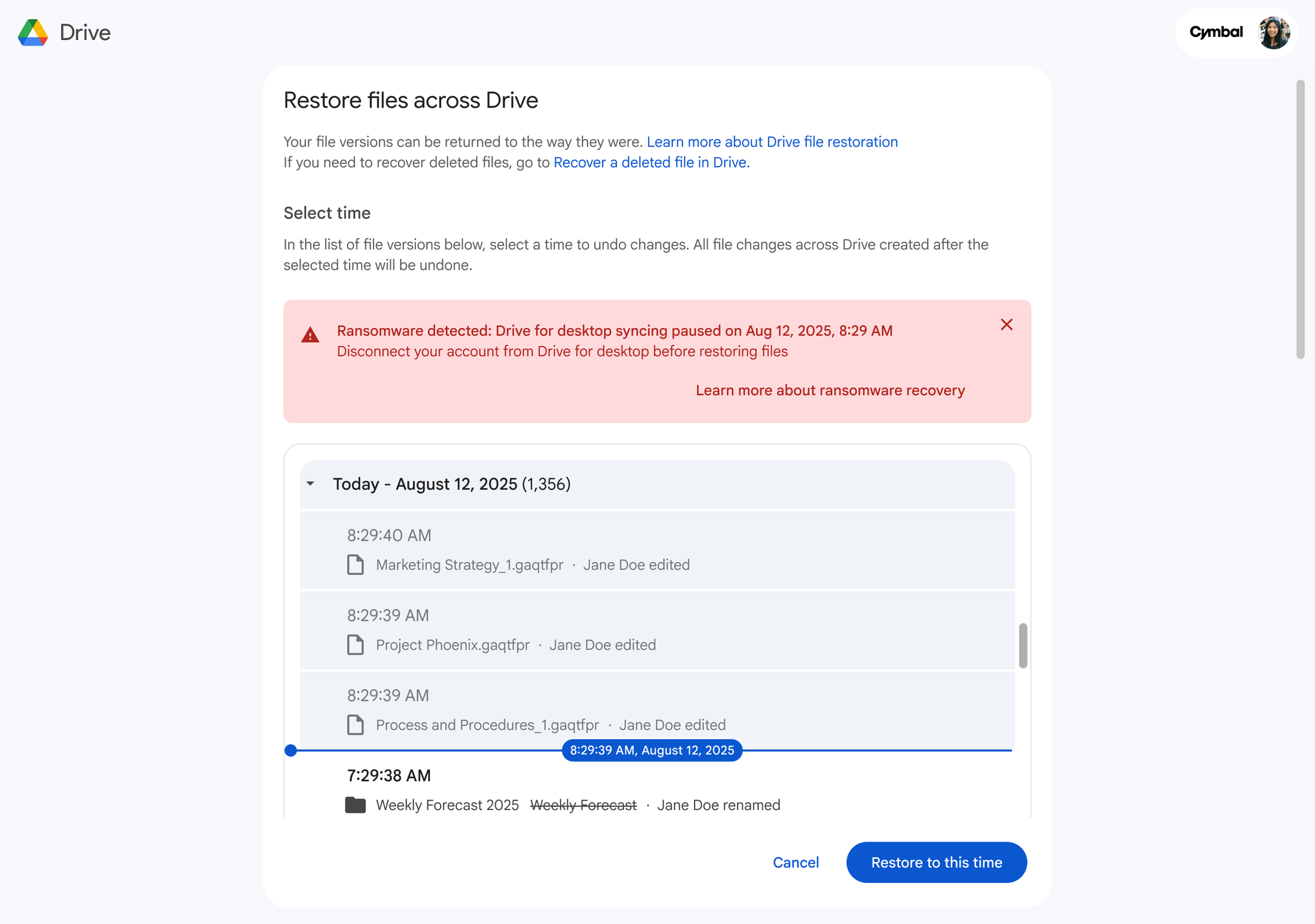
The restore flow is designed to help users recover multiple affected files without a complex manual rebuild.
For smaller businesses without a large internal IT team, a simpler restore workflow can reduce downtime. For larger teams, it gives IT a faster first response while the root cause is investigated.
Admin Visibility Keeps IT In The Loop
This should not be treated as a user-only feature. Google Workspace administrators can receive alerts in the Admin console and review audit log details through the security center. That visibility is important because ransomware on one device may indicate a wider endpoint, credential, phishing, or remote-access problem.
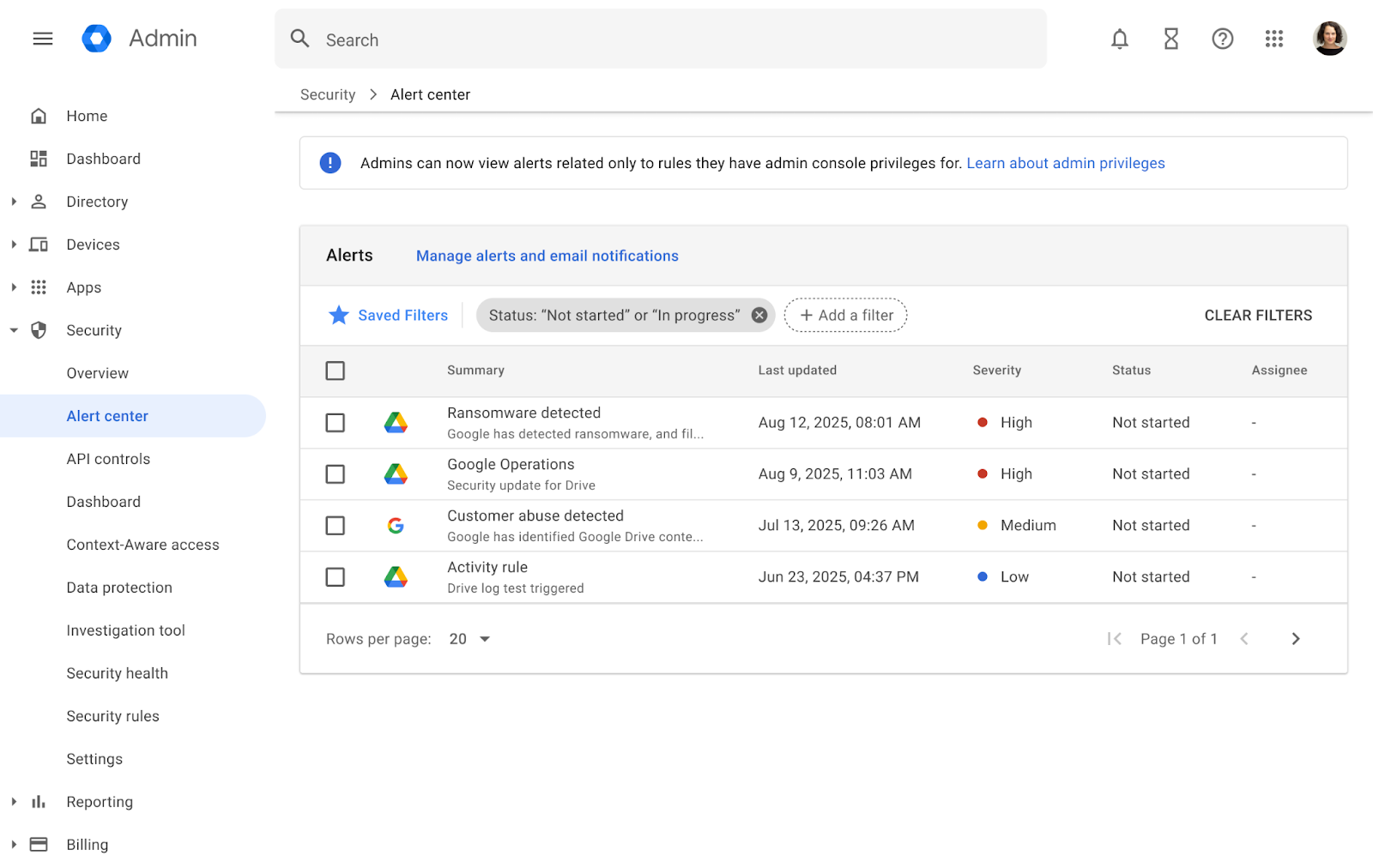
Administrators can receive alerts and review ransomware-related activity in the Google Workspace Admin console.
When Blue Chip supports a Workspace environment, we would want this alert to trigger a wider response plan:
- confirm which user and device were affected
- isolate or inspect the endpoint
- check whether other files, folders, or accounts were touched
- review recent sign-ins and suspicious email activity
- confirm antivirus, EDR, and operating system status
- verify whether backups and Drive restore options are healthy
- document the incident and recovery steps
The goal is to restore files quickly while still finding out how the ransomware reached the machine.
This Is A Layer, Not A Replacement For Backups
Drive ransomware detection is useful, but businesses should avoid the mistake of treating one feature as the whole security plan.
A strong SMB setup should still include:
- MFA on Google Workspace accounts
- least-privilege admin roles
- clean shared drive permissions
- endpoint protection on Windows and macOS devices
- operating system and application patching
- tested backup and restore procedures
- user training for phishing and suspicious attachments
- offboarding controls for former staff
- monitoring for unusual sign-ins, downloads, and sharing activity
The new Drive protection improves resilience around synced files. It does not remove the need for managed endpoint security, backup planning, and account hardening.
Licensing And Support Fit For SMBs
Google says ransomware detection, alerting, and file restoration are rolling out in open beta and are included in most Workspace commercial plans at no additional cost. That makes it attractive for SMBs because it may improve protection without immediately adding another separate product.
The value still depends on configuration and support. A business should know:
- which users run Drive for desktop
- which devices are allowed to sync business files
- which shared drives contain critical data
- who receives security alerts
- who is responsible for restore decisions
- how incident response is handled after an alert
This is where licensing review and managed support matter. Some users may need stronger security, compliance, retention, or endpoint controls than others. Some businesses may also need Google Vault, shared drive cleanup, endpoint management, or stricter external sharing rules before they can rely on cloud file workflows safely.
Where Blue Chip Fits
Blue Chip Technologies helps businesses plan, secure, and support Google Workspace environments. For Drive and ransomware resilience, that means looking beyond the feature announcement and checking whether the whole workflow is ready.
We can help with:
- Google Workspace licensing and security review
- Drive for desktop deployment guidance
- shared drive and permissions cleanup
- MFA and admin-role hardening
- endpoint protection and patch management
- backup and restore planning
- Google Vault and retention review where required
- incident response procedures for ransomware alerts
- staff guidance on safe file handling and suspicious email
For local businesses, the practical win is straightforward: if ransomware reaches one device, the damage should not silently spread through synced company files. Google Drive's AI-powered detection gives Workspace customers another chance to stop the spread, restore faster, and keep work moving.
That is exactly the kind of cloud feature that becomes more valuable when it is paired with good managed IT practice.
Source: Google Workspace Blog - Block ransomware proliferation and easily restore files with AI in Google Drive.