

IT Teams Should Not Have to Manually Fix Email Signatures
Every IT team has seen the same small problem become a recurring support issue: someone changes job title, a promotion ends, a legal disclaimer needs updating, a new branch opens, or a user sends from a mobile device and the company signature looks different again.
Individually, those fixes are minor. Across a business, they become wasted time, inconsistent branding, and avoidable risk.
Rocketseed's article on email signature software for IT teams makes a practical point: email signatures should be centrally controlled, automatically applied, and kept away from manual user-by-user maintenance.
Why this matters for Trinidad and Tobago SMBs
Many local businesses run lean IT operations. The same team that supports Microsoft 365, Wi-Fi, backups, printers, cybersecurity, and line-of-business apps should not also be chasing staff to update Outlook signatures.
When signatures are left to individual users, the business usually ends up with a mix of old logos, inconsistent phone numbers, missing disclaimers, broken mobile formatting, outdated banners, and staff-created variations that marketing never approved.
Managed email signature software turns that into an IT-controlled service instead of a permanent clean-up job.
The IT problem is control
A good signature management rollout should reduce support load, not add another admin headache.
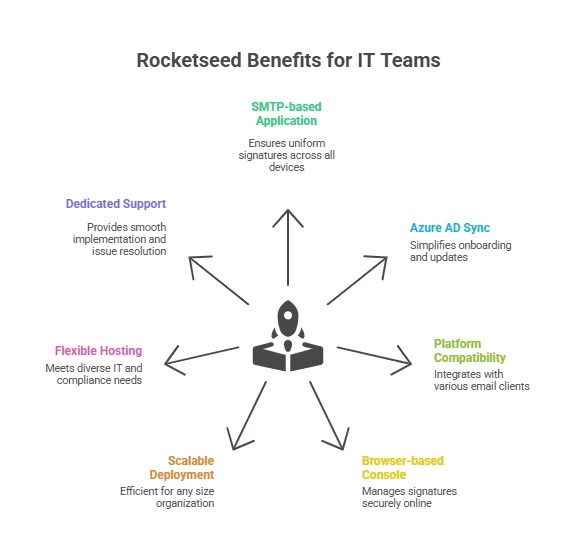
For IT teams, the important capabilities include:
- one central admin console for templates, users, groups, and departments
- automatic user data sync from directory services such as Azure AD
- server-side application so signatures are added consistently after sending
- consistent results across Microsoft 365, Google Workspace, Exchange, webmail, desktop, and mobile
- tamper-resistant templates so users cannot remove required branding or disclaimers
- quick company-wide updates when details, campaigns, or compliance language change
- flexible deployment models for cloud, on-premises, or hybrid environments
This is especially useful for companies with multiple branches, field staff, sales teams, or shared customer-facing mailboxes.
Server-side signatures remove the user from the process
The most reliable approach is to avoid relying on each employee's device. If the signature is applied after the email leaves the user's mailbox, the company gets a consistent result whether the message came from Outlook, a phone, or webmail.
That matters because users are not trying to create a compliance issue. They are just busy. They copy an old signature, resize an image badly, forget the disclaimer, or send from mobile where the formatting is different.
Server-side control prevents those variations from becoming the company's public brand.
Marketing benefits without IT chaos
The same platform can also support approved campaign banners, announcements, event promotions, seasonal messages, and tracked calls to action.
The difference is that marketing can run campaigns without asking IT to manually touch every mailbox, and IT can keep control over the technical and compliance side.
That creates a cleaner workflow:
- marketing prepares the campaign banner and link
- management approves the message
- IT or the managed service provider applies it to the right groups
- reporting shows clicks and engagement
- the banner is retired on schedule instead of lingering for months
For SMBs, that is a practical way to make everyday business emails more valuable without asking staff to change how they work.
How Blue Chip would manage the rollout
Blue Chip would treat Rocketseed as both an IT control project and a marketing operations project.
A proper rollout would normally include:
- reviewing existing email platforms and mail flow
- confirming Microsoft 365, Google Workspace, or Exchange requirements
- mapping departments, branches, roles, and signature variations
- cleaning directory data before syncing names, titles, phones, and departments
- defining required disclaimers and optional campaign areas
- testing desktop, mobile, and webmail behaviour
- setting approval rules for future banner and template changes
- documenting support and change-management steps
The goal is not just to make signatures look better. The goal is to make them easier to manage every month.
The takeaway
Email signatures are too visible to be unmanaged and too repetitive to be fixed manually.
For Trinidad and Tobago SMBs, Rocketseed gives IT teams central control, directory-backed automation, server-side consistency, and marketing-ready banners without turning every signature update into a support ticket.
If your business still relies on staff to maintain their own signatures, it is worth reviewing how much time, brand inconsistency, and campaign visibility you are losing.
Source: Rocketseed — What is the best email signature software for IT teams?.


