

Adobe Acrobat Student Spaces: Training Materials Need a Better Workflow
Training content is useful only when people can find it, understand it, and turn it into action. For many small and mid-sized businesses, schools, and training providers in Trinidad and Tobago, learning material still lives across PDFs, handouts, email attachments, shared-drive folders, WhatsApp messages, and old slide decks.
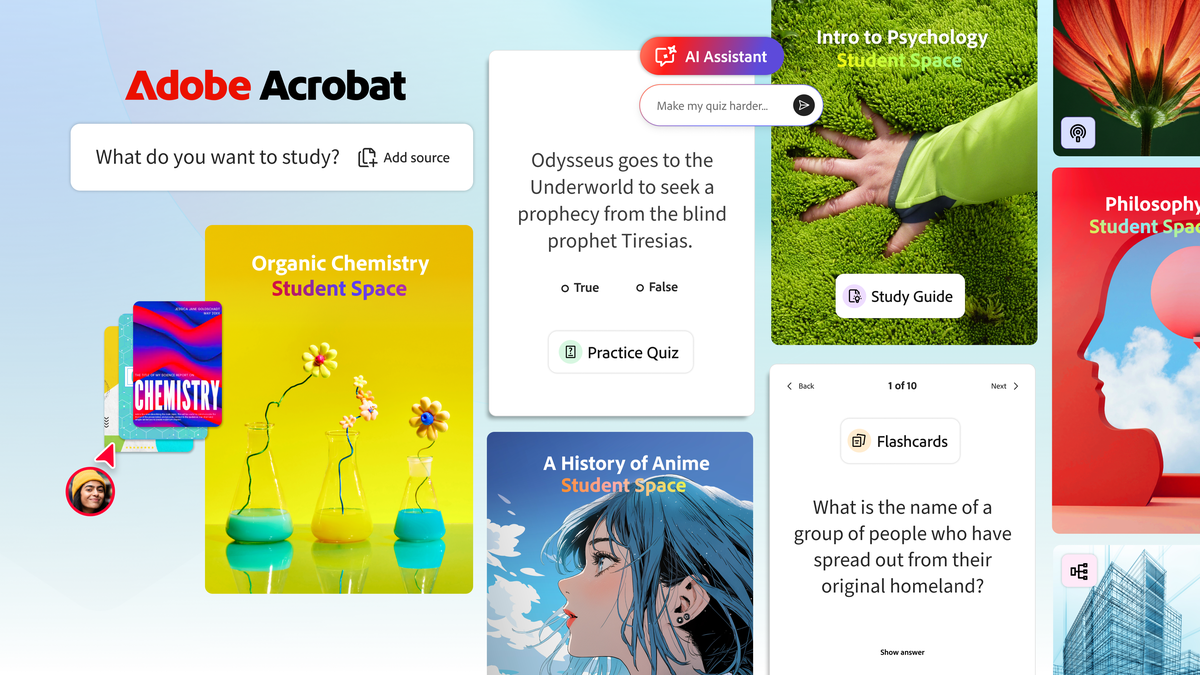
Adobe recently introduced Student Spaces in Acrobat, a beta tool designed to help students bring notes, documents, and links into one place, then use Acrobat AI Assistant to create study guides, mind maps, flashcards, quizzes, audio summaries, and collaborative spaces.
The product is aimed at students, but the workflow lesson is bigger than education. Businesses also need better ways to turn documents into learning, onboarding, compliance refreshers, and internal training that staff can actually use.
Why This Matters Beyond the Classroom
Every business teaches people something.
A new employee needs to understand policies, forms, systems, customer standards, cybersecurity expectations, safety procedures, and department processes. A sales team needs to learn product information. A manager may need to prepare staff for a new software rollout. A school or training centre needs students and instructors to work from the same source material.
The problem is usually not a lack of documents. It is that the documents are scattered and hard to reuse.
Student Spaces points to a practical model: collect the source material, keep it in a structured space, and use AI to help people review, summarize, question, and discuss it without losing the original references.
Acrobat AI Assistant Can Make Documents Easier to Learn From
Adobe describes Acrobat AI Assistant as a way to explain concepts, answer questions, and provide citations back to the source documents. That citation point matters. In business and education, AI answers are not enough on their own. Staff and students need to know where the answer came from.
For a Trinidad and Tobago SMB, this could help with:
- Turning HR policies into easier onboarding guides
- Helping staff review standard operating procedures before a role change
- Creating quiz-style checks for cybersecurity awareness
- Preparing sales teams from product sheets and vendor documentation
- Helping managers summarize long reports before internal meetings
- Supporting schools, tutors, and training providers with organized learning material
This does not remove the need for review. It gives the team a faster first pass so human supervisors, teachers, or managers can focus on accuracy and practical examples.
Audio Summaries Can Help Busy Teams Prepare
Adobe also highlights audio summaries and podcast-style learning. That is useful because not everyone learns best by reading long PDFs on a screen.
For business use, audio-style summaries could help a manager review a policy before a staff meeting, a technician prepare from product documentation, or a trainee recap material before an assessment. For training centres, it can give learners another way to absorb the same material.
The important control is scope. Sensitive documents, client data, HR files, and financial information should not be uploaded into tools casually. Businesses need rules for what material can be used, who has access, and how official versions are stored.
Collaboration Should Not Become Version Confusion
Student Spaces also supports group work and shared material. That is where implementation matters.
If a business uses Adobe Acrobat alongside Microsoft 365, Google Workspace, SharePoint, OneDrive, or a file server, staff need a clear answer to simple questions:
- Where is the official document stored?
- Who can edit it?
- Who can share it externally?
- Which version is approved for training?
- How long should copies and notes be retained?
Without those rules, collaboration tools can create more scattered versions. With the right setup, they can reduce email attachments, speed up review, and make learning material easier to maintain.
Where Blue Chip Can Help
Blue Chip Technologies helps businesses choose, deploy, and support productivity tools in a way that matches real work.
For Adobe Acrobat, document workflows, and AI-assisted training, that can include:
- Matching Adobe licensing to the users who actually need Acrobat features
- Setting up Acrobat with Microsoft 365, Google Workspace, SharePoint, OneDrive, or existing file storage
- Creating safe rules for AI-assisted document use
- Organizing training material, SOPs, policies, and onboarding documents
- Helping schools and training providers support staff and learners securely
- Supporting endpoint security, backups, account access, and user training around document workflows
AI learning tools are most valuable when the underlying documents are clean, current, and properly controlled. If the source material is outdated or scattered, AI will only make the confusion faster.
For businesses that depend on staff training, policy understanding, or client-facing documents, Adobe Acrobat workflows are worth reviewing. The goal is not just smarter documents. It is faster onboarding, clearer training, and fewer repeated questions.
Source: Adobe Blog — Learn it with Acrobat: Class and career prep made easier with new Student Spaces.


