
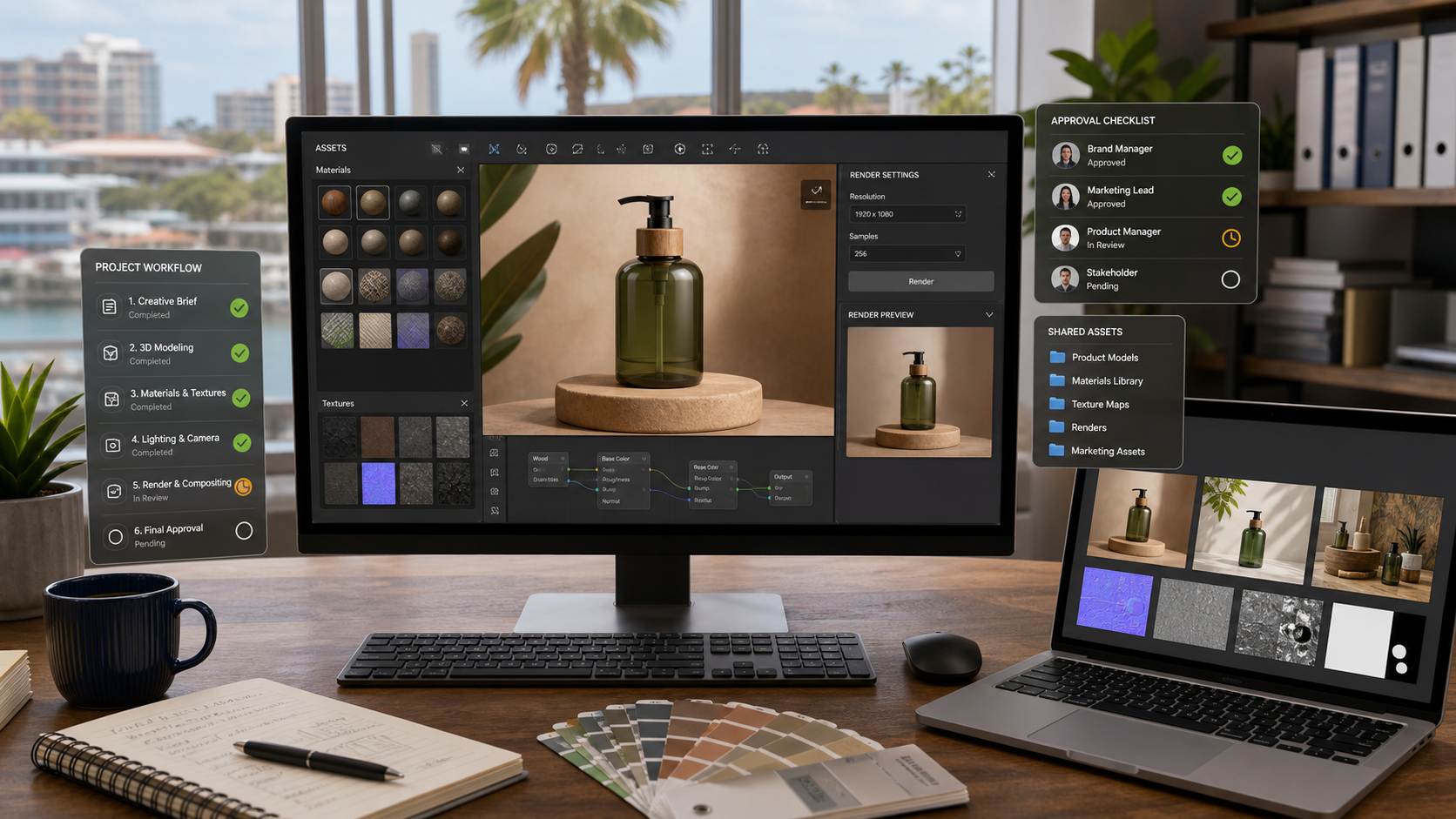
Adobe Substance 3D: Better Product Visuals Need a Managed Workflow
Product photos, store displays, packaging concepts, room mockups, training visuals, and campaign images all take time. For many Trinidad and Tobago businesses, the challenge is not only creating the visual. The bigger issue is keeping the work consistent, approved, stored properly, and reusable across marketing, sales, operations, and suppliers.
Adobe's latest Substance 3D update is aimed at teams that build more realistic 3D materials, textures, and product scenes. Adobe highlights improvements across Substance 3D Designer, Substance 3D Sampler, OpenPBR material support, and a more connected ZBrush-to-Painter workflow.
That may sound like specialist creative software, but the business lesson is wider: as visuals become more digital and reusable, creative teams need a managed workflow behind the tools.
Where Substance 3D can help
Substance 3D is useful when a team needs to create or refine digital product visuals before everything is physically photographed, printed, installed, or manufactured. A retailer may want a campaign image before stock arrives. A manufacturer may need packaging concepts. A construction or interiors team may need realistic finishes. A marketing team may need multiple visual versions for different audiences.
Instead of treating every image as a one-off design file, 3D workflows can help teams build reusable materials, product models, scenes, and render settings. That can reduce repeated work and make it easier to test ideas before spending on production.
For local SMBs, the strongest use cases are practical:
- campaign visuals for products that are still being prepared
- retail, showroom, and point-of-sale concepts
- packaging and label previews
- furniture, interiors, signage, and finish options
- training visuals for equipment or procedures
- reusable product scenes for seasonal marketing
- supplier and client approvals before final production
The software is only part of the workflow
Better creative tools do not automatically create a better business process. If files live on one designer's laptop, if nobody knows which render was approved, or if a campaign uses the wrong product version, the business still has a workflow problem.
A managed Substance 3D or Creative Cloud setup should answer basic operational questions:
- Who has access to source files, libraries, and brand assets?
- Where are approved renders and working files stored?
- Which naming convention separates drafts, client versions, and final assets?
- How are large files backed up?
- Who reviews licensing, usage rights, and export formats?
- Can sales, marketing, and operations find the latest approved visual?
- What happens when a designer, agency, or contractor changes?
These details matter because creative assets become business records. They support quotes, campaigns, proposals, signage, websites, social media, and customer communication.
Licensing and support should be planned early
Adobe tools can sit across several teams: marketing, design, sales, management, and outside agencies. Without planning, a business can end up with scattered individual licenses, unmanaged files, and unclear ownership of assets.
Before expanding a 3D or creative workflow, businesses should review:
- the right Adobe licensing model for the team
- user onboarding and offboarding
- storage and backup expectations
- shared libraries and brand controls
- workstation performance for 3D work
- monitor, GPU, and file storage requirements
- approval steps before publishing or printing
- how final assets move into websites, social media, email, and documents
That planning is especially important for teams that rely on outside designers or agencies. The business should still know where its assets are, who can access them, and how final files are archived.
A practical rollout
For most SMBs, the right approach is not to rebuild the whole creative department at once. Start with one valuable workflow: a product launch, retail campaign, showroom mockup, packaging preview, or monthly content set.
Define the source files, output formats, approval process, storage location, and publishing channels. Then decide which Adobe tools and licenses are needed to support that workflow properly.
Once that process works, it can be repeated for more campaigns and departments.
Where Blue Chip fits
Blue Chip Technologies helps businesses make software useful in day-to-day operations, not just install it and hope the team figures it out. For Adobe environments, that can include license planning, user setup, workstation readiness, secure storage, backup planning, Microsoft 365 or Google Workspace alignment, asset workflow support, and general IT helpdesk assistance.
If your business is starting to use more advanced creative tools, 3D product visuals, AI-assisted design, or shared marketing assets, now is a good time to put the workflow around the tools. The result is cleaner approvals, fewer lost files, more consistent branding, and a creative process that survives beyond one person or one campaign.
Source: Adobe Blog, Faster workflows, precise creative control, and a more connected 3D pipeline: What's new in Substance 3D.


