
Backup Management Should Not Depend on Guesswork
Backups are only useful when someone can prove they are complete, current, recoverable, and protected from the same incident that damaged the original system.
That sounds obvious, but in many small and mid-sized businesses the backup environment grows quietly over time. One server is backed up locally. Microsoft 365 is handled somewhere else. A few virtual machines have their own jobs. A branch office has a separate device. A technician checks alerts when there is time. Nobody is fully comfortable saying, “Yes, everything important is protected and we can recover it.”
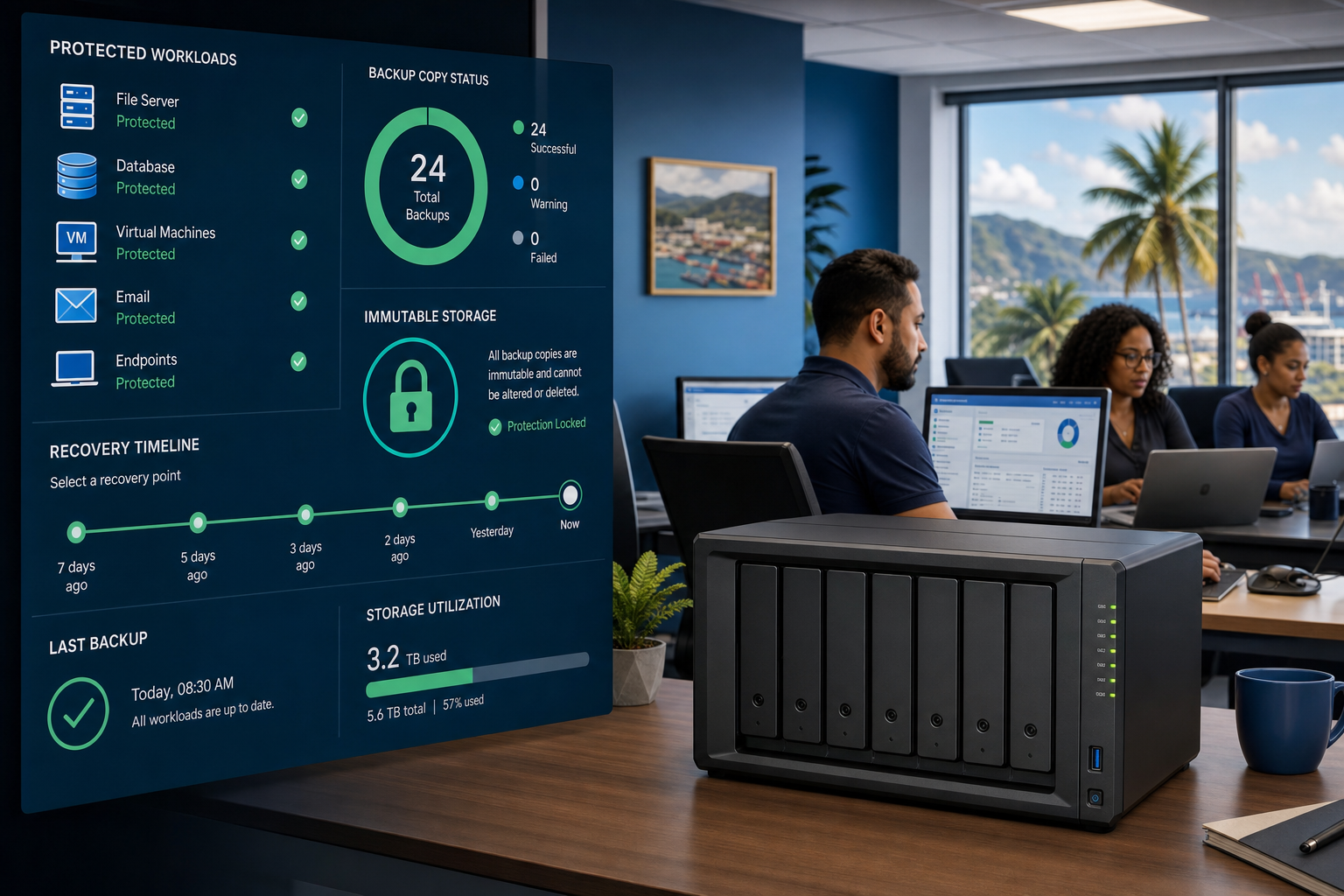
Synology recently shared an overview of ActiveProtect Manager 1.2, highlighting centralized management for ActiveProtect appliances, visibility into backup copies, support for newer workloads, and features such as immutability, air-gapping, role-based access controls, and ransomware defence.
For Trinidad and Tobago SMBs, the lesson is practical: backup management should not depend on guesswork, memory, or one person manually checking several systems.
A backup job is not a recovery plan
Many businesses can say they have “a backup.” Fewer can answer the operational questions that matter during an outage:
- What systems are included?
- What systems are missing?
- When did each backup last complete successfully?
- Are there protected offsite or isolated copies?
- Can ransomware modify or delete the backup set?
- Who is allowed to restore data?
- How quickly can priority systems come back online?
- Has recovery been tested recently?
- Are backup failures visible before a disaster?
If those answers are scattered across different consoles, spreadsheets, email alerts, and technician memory, the business is carrying unnecessary risk.
Central visibility changes the conversation
Centralized backup management gives owners, managers, and IT teams a clearer view of protection status.
Instead of treating every backup target as a separate island, a managed platform helps bring the environment into one operational picture: protected workloads, backup copy status, failed jobs, retention, recovery options, and administrative access.
That visibility matters for everyday operations as much as it matters during a crisis. It helps IT teams catch gaps early, plan capacity, validate protection policies, and report backup health in plain language.
Ransomware resilience needs protected copies
Modern ransomware does not only encrypt production files. Attackers often look for backup systems first because they know recovery is the business’s escape route.
That is why backup strategy must include controls such as:
- immutable backup copies
- isolated or air-gapped protection where appropriate
- role-based access controls
- separate administrative permissions
- monitored backup-copy status
- tested recovery workflows
- clear retention rules
- documented restore priorities
Synology ActiveProtect is positioned around these business-continuity needs, not just file copying. The goal is to make recovery harder for attackers to sabotage and easier for the business to execute.
Backup coverage must follow the real environment
SMB infrastructure is no longer just one file server in a back room. A typical business may have physical servers, virtual machines, laptops, Microsoft 365 data, Linux workloads, branch offices, and cloud-connected services.
When the environment changes, backup coverage must change with it. New workloads, upgraded operating systems, and new business applications should not create silent blind spots.
This is where managed backup operations help. The process should include onboarding checks, backup policy review, alerting, restore testing, and documentation whenever systems change.
What Blue Chip recommends
Blue Chip recommends treating backup as a managed service discipline, not a set-and-forget device.
A practical review should confirm:
- critical systems and data sources are listed
- backup jobs match current business systems
- failed jobs are monitored and escalated
- backup copies are protected from ransomware
- restore permissions are controlled
- recovery testing is scheduled
- retention matches business and compliance needs
- backup reports are understandable to management
- disaster recovery priorities are documented
For many SMBs, the biggest improvement is not buying more storage. It is creating confidence that the existing protection strategy is visible, monitored, tested, and aligned to how the business actually operates.
The business value
When backup management is clear, the business can make better decisions. Management can see where protection is strong, where risk remains, and what recovery would look like after a server failure, ransomware incident, accidental deletion, or site outage.
That confidence is valuable. It reduces panic, shortens downtime, and gives IT a better basis for planning upgrades, retention, and disaster recovery.
Backups should not be a mystery until the day they are needed. They should be a measurable part of business continuity.
Source: Synology Blog — ActiveProtect Manager 1.2 overview.


