

Copilot App Agents: Keep Work Moving Without the Tab-Hopping
Most teams do not lose momentum because one person forgot how to use an app. They lose momentum because the work is scattered: a discussion in Teams, a file in SharePoint, a customer update in another system, a design task in a separate tool, and an approval sitting somewhere else.
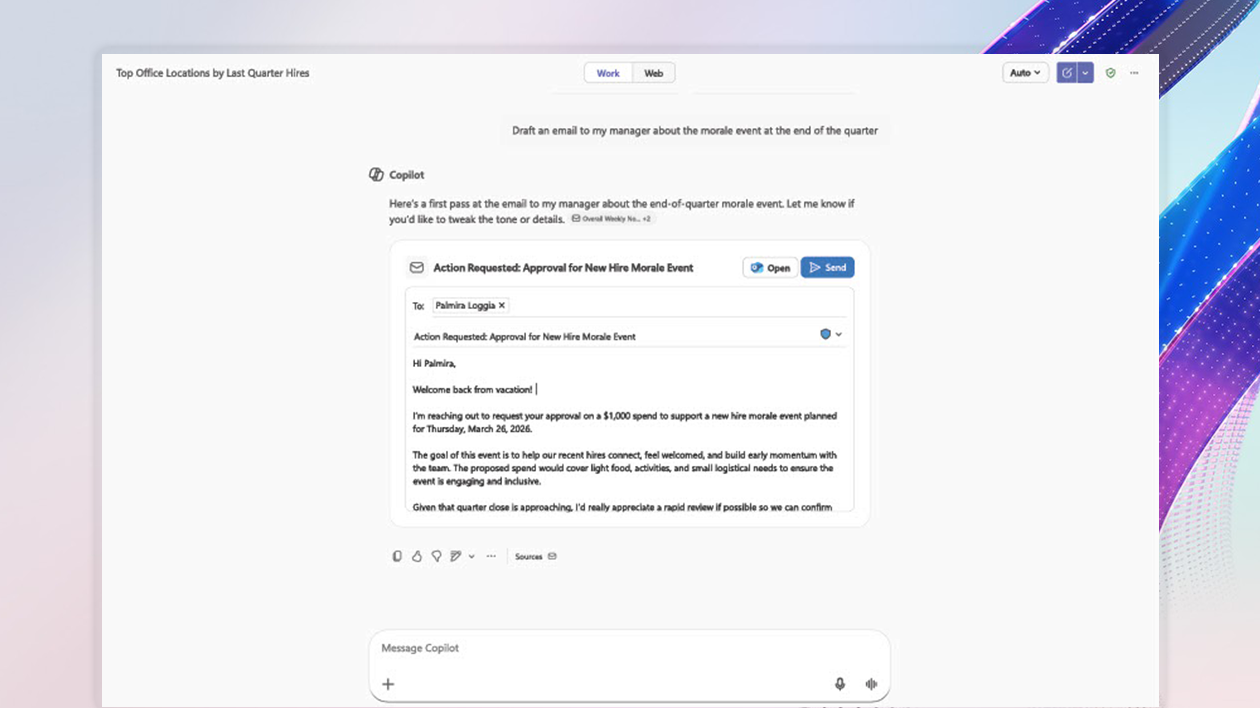
Microsoft’s Microsoft 365 Blog recently highlighted a useful direction for Copilot: agents that bring everyday business apps directly into the Copilot conversation. The promise is not simply “ask AI a question.” It is closer to: discuss the work, see the relevant business app, and take the next action without rebuilding context in another tab.
For small and mid-sized businesses in Trinidad and Tobago, that matters. The practical win is less tab-hopping, fewer copy-and-paste handoffs, and a cleaner path from decision to action.
Why App Switching Is a Real Business Cost
App switching sounds harmless until it becomes the normal way work gets done.
A sales user asks for a customer summary, then opens the CRM to update the opportunity. A manager reviews a request in chat, then opens another system to approve it. A marketing user drafts a campaign, then jumps to a design app to create the asset. Every move adds delay, distraction, and another chance for information to be copied incorrectly.
Copilot app agents aim to reduce that friction by putting approved app experiences inside the Copilot workflow. Microsoft’s examples include integrations such as Box, Coursera, Figma, Miro, monday.com, Optimizely, Wix, Base44, and Dynamics 365. The common idea is that Copilot becomes a front door for work that still belongs in the proper business system.
What This Could Look Like in a Local SMB
This is not only for large enterprises. SMB teams often feel app sprawl more sharply because the same people handle sales, service, admin, and operations.
A practical rollout could help teams:
- Review a project status and update the related work item from the same conversation
- Turn a campaign brief into a first design draft without starting from a blank screen
- Pull approved learning resources into the flow of employee onboarding
- Summarize customer context and prepare the next follow-up action
- Keep file previews, diagrams, and task boards closer to the discussion where decisions happen
The strongest use cases are repeatable workflows. If the same update, approval, or handoff happens every week, it is worth asking whether Copilot and an approved app agent can remove a few manual steps.
The Control Layer Is the Important Part
Blue Chip’s view is straightforward: connected AI workflows should be managed, not improvised.
If staff can connect Copilot to more apps, the business needs clear rules around who can use which agents, what data those agents can access, and how those integrations are reviewed. A productivity shortcut should not quietly become a data-risk shortcut.
Before enabling app agents broadly, businesses should review:
- Which apps are approved for business use
- Whether users are licensed correctly for Microsoft 365 Copilot
- What permissions each connected app requests
- Which groups should be allowed to use each agent
- How sensitive data is protected in SharePoint, OneDrive, Teams, and connected systems
- How IT will remove or disable an integration if it is no longer needed
Microsoft points to admin-center management for deploying and controlling these experiences. That is important because the best Copilot rollouts combine usability with governance.
Start With One Workflow, Not Every Tool
The safest way to adopt this is to choose one workflow where the benefit is obvious.
For example, a business could start with marketing content approvals, project status updates, customer follow-ups, or internal request handling. Map the current steps, identify where people switch tools, confirm the data permissions, and test whether Copilot can shorten the path without reducing oversight.
This keeps the project practical. It also helps staff trust the change because they can see exactly what problem it solves.
How Blue Chip Can Help
Blue Chip Technologies helps businesses plan, secure, and support Microsoft 365 environments across Teams, SharePoint, OneDrive, Outlook, Microsoft 365 security, and Copilot readiness.
For Copilot app-agent workflows, we can help with:
- Microsoft 365 licensing and readiness checks
- SharePoint, Teams, and OneDrive structure review
- Identity, permissions, and admin-center configuration
- Copilot pilot planning for real business workflows
- Approved app and integration governance
- Staff guidance so AI tools support the way the team actually works
Copilot app agents are most useful when they reduce friction in a workflow the business already depends on. If your team is spending too much time moving between chats, files, task boards, and business apps, this is a good moment to review where Microsoft 365 Copilot can safely bring the work closer together.
Source: Microsoft 365 Blog — Bring your everyday business apps into the flow of work with agents in Microsoft 365 Copilot.


