Google Workspace AI Updates That Can Remove Everyday Admin Work
Google used Cloud Next 2026 to announce several Workspace updates that point in the same direction: less manual coordination, more useful AI assistance inside the tools people already use, and stronger controls for administrators.
For small and mid-sized businesses in Trinidad and Tobago, the interesting part is not the headline phrase "agentic AI." The useful question is much more practical: which daily tasks can be made faster, cleaner, and easier to manage without creating a security mess?
The answer sits across Google Sheets, Workspace Studio, Google Meet, Chrome Enterprise, migration tools, and new admin controls.
Sheets can become a working dashboard, not just a table
Many businesses run important operations from spreadsheets: stock lists, job trackers, sales forecasts, invoice logs, equipment registers, maintenance schedules, event plans, and customer follow-up lists.
Google says Gemini in Sheets is gaining better third-party data import and a new Sheets canvas for interactive visualizations such as dashboards, heat maps, and kanban-style views. That matters because a spreadsheet often starts as a simple list but eventually becomes the place where managers need to see what is late, what is stuck, and what needs attention.
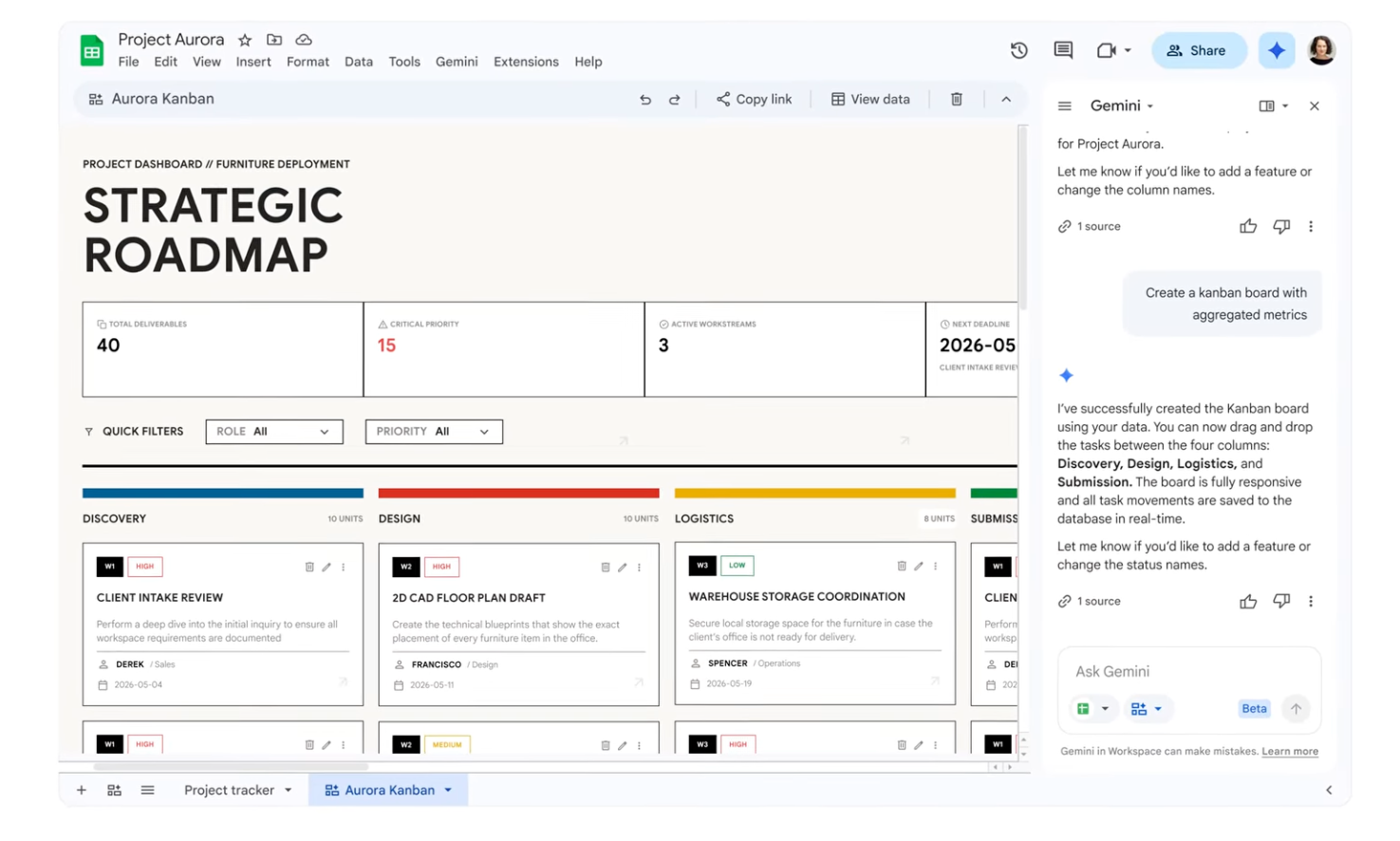
For a Blue Chip client, this could support workflows like:
- sales pipeline tracking from CRM exports
- monthly management dashboards
- inventory exception reports
- job status boards for service teams
- finance review sheets with visual flags
- project trackers that are easier for non-technical users to read
The gain is not just prettier reporting. It is fewer disconnected files and less time rebuilding the same views every week.
Workspace skills can reduce repetitive admin work
Google also highlighted skills in Workspace, built through Workspace Studio. These are designed to turn repeatable procedures into AI-assisted workflows that can be shared and reused by a team.
That has obvious value for businesses where staff repeat the same checks every day: comparing invoices, summarising customer requests, preparing handover notes, gathering information before a meeting, or turning a standard operating procedure into a guided process.
The important part is scope. These workflows should start with narrow, well-understood tasks where the inputs, approvals, and expected outputs are clear. A good first use case might be invoice discrepancy review, service ticket summarisation, or preparing a weekly operations digest. A weak first use case would be anything that lets AI make unsupervised decisions about money, staff, contracts, or customer commitments.
Meeting notes can follow the work, wherever the meeting happens
Google is expanding Take Notes for Me so Gemini can capture summaries and action items for conversations even when they are in person or hosted outside Google Meet.
That is useful for local businesses because important decisions do not always happen in a neat calendar invite. They happen in branch visits, supplier meetings, customer calls, project site discussions, and quick management conversations.
When meeting notes land in a Google Doc, the follow-through becomes easier:
- action items can be assigned and tracked
- managers can review decisions after the meeting
- absent team members can catch up faster
- customer-facing commitments are less likely to be missed
- project history becomes searchable instead of stuck in someone's notebook
This is a workflow improvement, not a replacement for judgement. Sensitive meetings still need clear rules about recording, consent, access, and retention.
Migration and interoperability matter for mixed environments
Many SMBs do not live in a pure Google or pure Microsoft world. They receive Office files from customers, share documents with suppliers, and may have legacy data sitting in older mailboxes or file structures.
Google's announced improvements around data import, Office file editing in Gmail, Docs redlining, and an AI-powered Office macro converter are useful because they reduce friction during migration or mixed-platform collaboration.
For Blue Chip clients, this can support a more realistic approach: move the business to the platform that fits, while still keeping compatibility with customers and partners who work differently.
Admin controls decide whether AI becomes helpful or risky
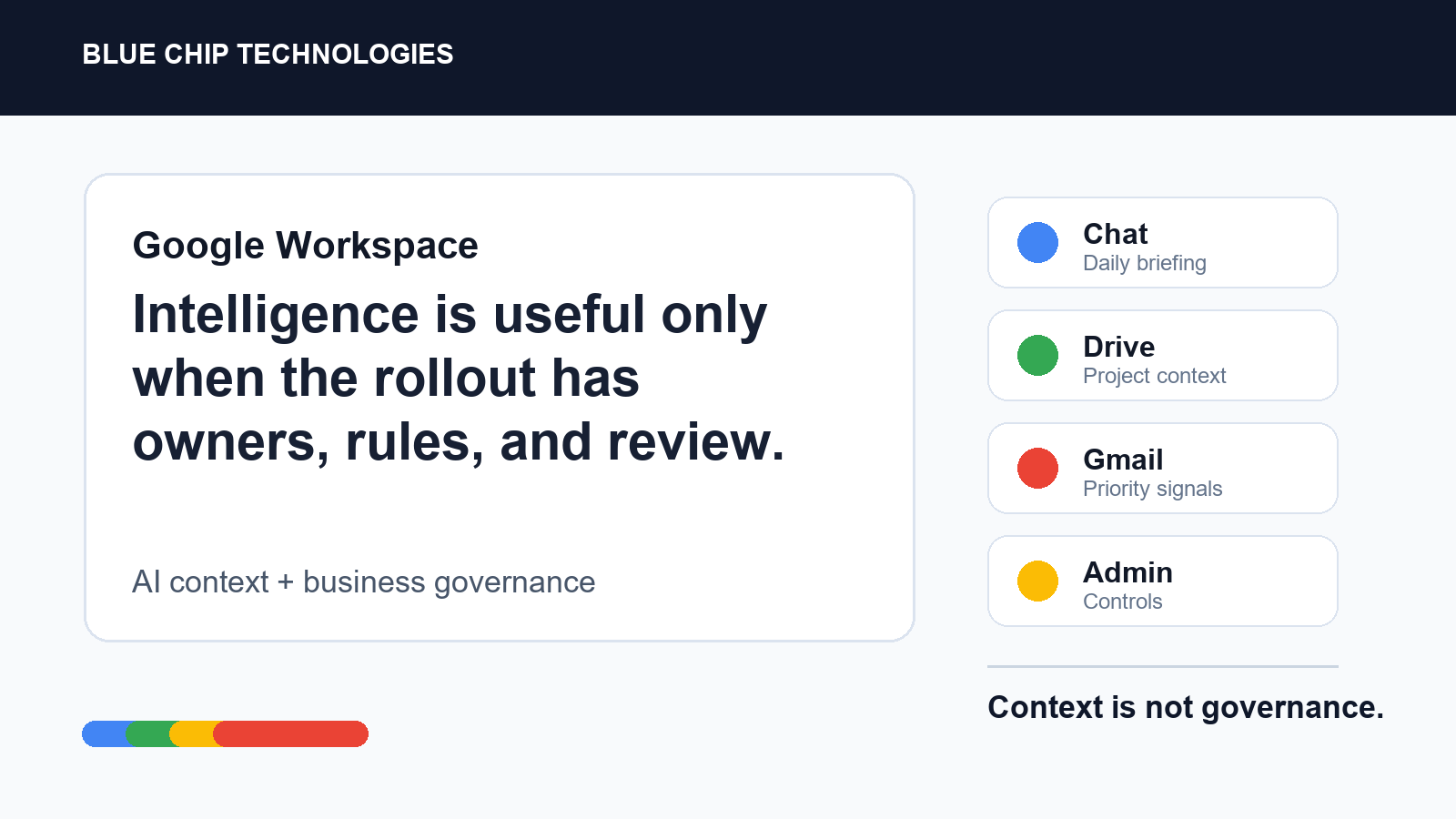
The most important part of any AI rollout is governance. Google announced agent governance controls, including an AI control center, agent management, and Workspace Studio controls. The goal is to help admins monitor and control how agents access Workspace data.
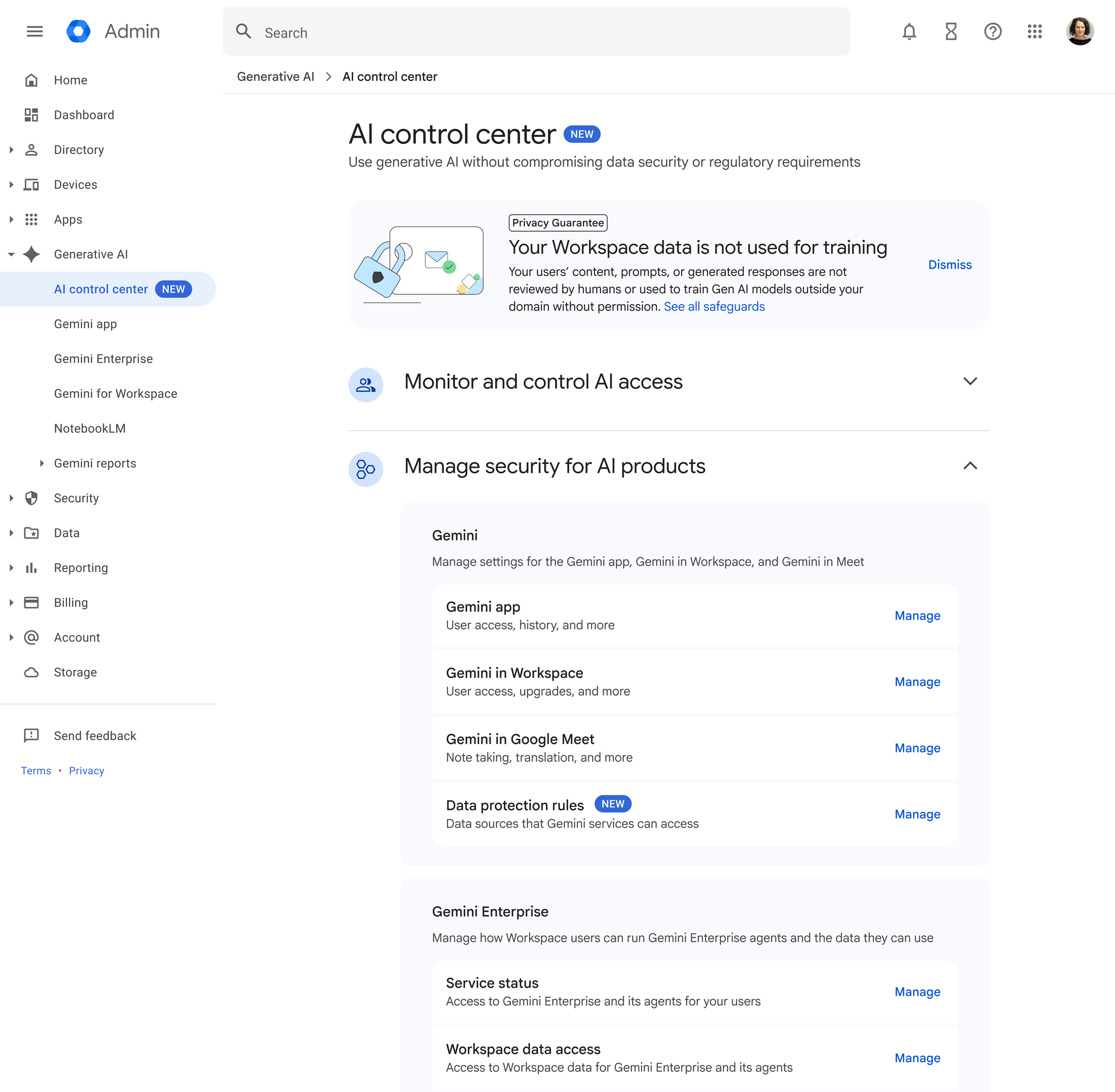
This is where managed IT support matters. AI features can only be trusted if the basics are already in order:
- users have appropriate access
- shared drives are organised properly
- sensitive files are not overshared
- admin roles are limited
- retention and compliance settings match the business
- staff know what data should not be pasted into AI prompts
- new AI workflows are reviewed before they are used broadly
Without that foundation, AI can accelerate bad habits. With the right controls, it can reduce manual work while keeping the business accountable.
What Blue Chip would prioritise first
For most Trinidad and Tobago SMBs, the best starting point is not a massive AI transformation project. It is a short workflow review.
We would look for repetitive, low-risk tasks where Google Workspace can save time quickly:
- reporting and dashboards in Sheets
- meeting summaries and action tracking
- invoice, document, or request review workflows
- shared drive cleanup before wider AI access
- migration planning for businesses moving away from legacy tools
- admin controls for Gemini and Workspace Studio usage
From there, the rollout should be staged by department, with training and permissions checked along the way.
Google Workspace already gives businesses email, files, meetings, documents, and collaboration. These updates make the platform more useful when teams need to connect information, spot priorities, and act faster.
For Blue Chip clients, the opportunity is straightforward: use Google Workspace AI where it removes real admin work, keep people in control of important decisions, and put governance in place before the tools spread across the business.
Source: Google Workspace Blog - 10 more announcements from Google Workspace at Cloud Next '26.