Microsoft 365 Copilot Redesign: Cleaner AI Workflows for Busy Teams
Microsoft has introduced a redesigned Microsoft 365 Copilot experience, with a cleaner Copilot app, a more flexible prompt area, faster loading, and a more consistent Copilot entry point across apps like Word, Excel, PowerPoint, and Outlook.
For small and medium businesses in Trinidad and Tobago, the important part is not the interface refresh by itself. The real value is that Copilot is being shaped around how work actually moves: from email to documents, from meetings to spreadsheets, from a rough request to a finished customer response, quote, report, or presentation.
A cleaner place to start work
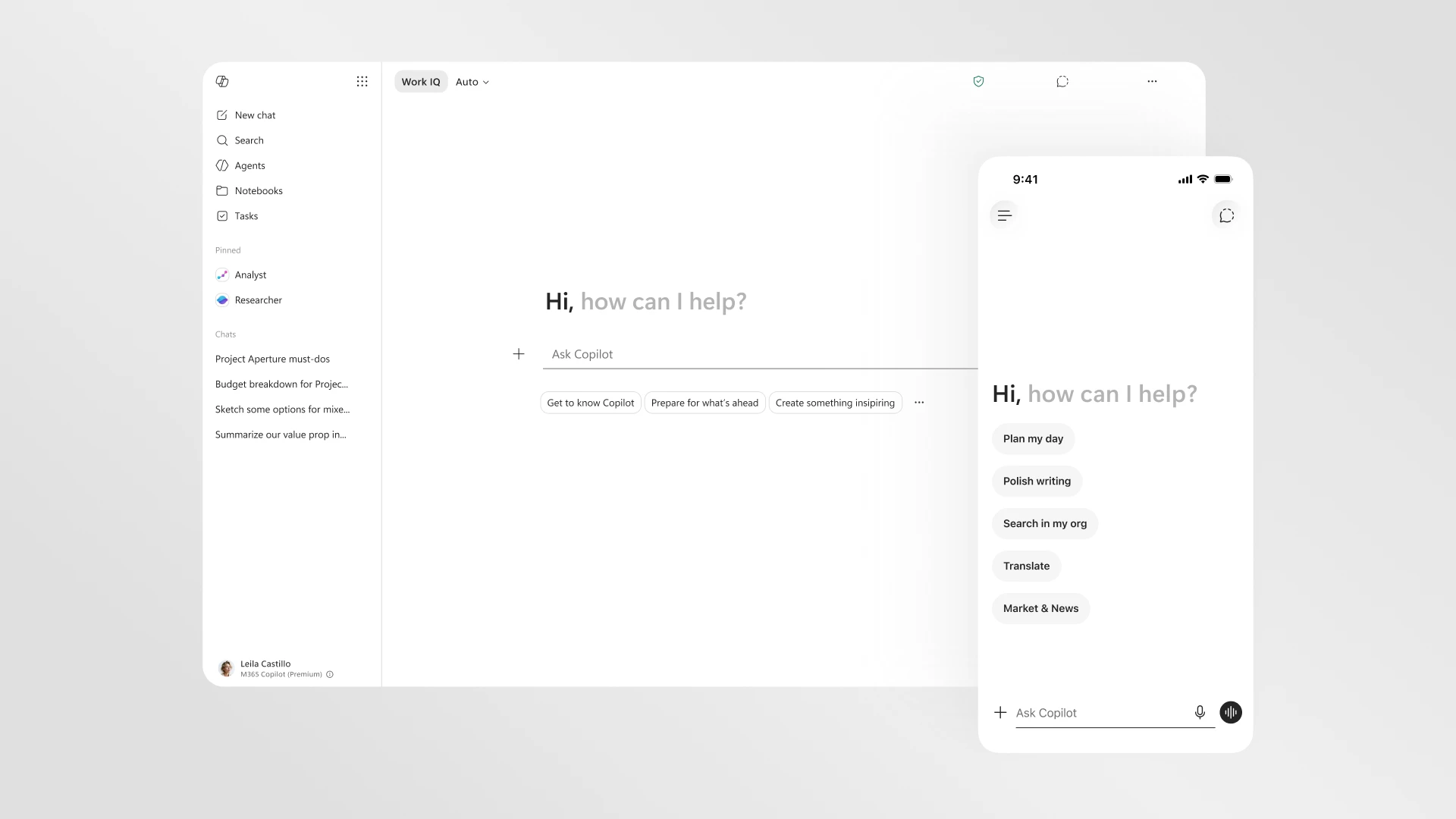
Microsoft says the updated Copilot app gives users more room to explain what they need, while showing task-relevant tools and controls below the prompt. That matters because many business tasks do not start with a perfect instruction. A manager may paste meeting notes and ask for action items. A sales user may drop in a customer email and ask for a proposal outline. An accounts team may need help summarising a spreadsheet before month-end reporting.
A cleaner prompt surface makes those everyday jobs less awkward. Staff can give Copilot more context, keep structure in pasted content, and refine the output without jumping between disconnected tools.
Copilot is becoming more connected across Microsoft 365
The redesign also brings a more consistent Copilot entry point across Microsoft 365 apps. Instead of treating Copilot as a separate chat box that sits outside the work, Microsoft is moving it closer to the document, spreadsheet, slide, or email being handled.
That is the part SMBs should pay attention to. In practical terms, Copilot is becoming more useful when it can work with the file or message already on screen:
- In Word, it can help rewrite a policy, customer letter, proposal, or report.
- In Excel, it can help explore trends, explain tables, or prepare summaries for management.
- In PowerPoint, it can support slide creation and refinement from existing business material.
- In Outlook, it can help draft clearer replies, summarise threads, and move follow-up work faster.
This is where AI starts to feel less like a novelty and more like an assistant inside the daily workflow.
Faster matters, but governance still matters more
Microsoft says the new Copilot app loads more than twice as fast, with load times reduced by over 50%, and that response times for complex chat prompts have improved. Faster tools get used more often, especially by busy teams that will not wait around for a sluggish assistant.
But speed should not be confused with readiness. If Copilot can draw on emails, files, chats, and meetings, the business needs clean permissions, sensible sharing rules, and basic data governance. Otherwise AI can surface content that should have been restricted in the first place.
Before rolling Copilot out broadly, businesses should review:
- Who has access to sensitive SharePoint and OneDrive folders
- Whether Teams channels are structured properly
- Which users actually need Copilot licensing first
- How staff should handle confidential customer or HR information
- What good prompting and review look like for their role
- Which workflows are worth standardising instead of leaving everyone to experiment alone
A practical rollout path for local SMBs
The best Copilot projects usually start with specific workflows, not a blanket licence purchase. A business might begin with sales follow-up emails, monthly reporting, management meeting summaries, HR policy drafting, or customer service knowledge articles.
Pick two or three high-friction tasks. Test Copilot with real business examples. Document what works. Tighten file permissions. Train the team on review and approval. Then expand.
That approach gives management a clearer return on investment and avoids the common problem where AI tools are licensed but not embedded into how the company actually operates.
How Blue Chip Technologies can help
Blue Chip Technologies helps SMBs plan and manage Microsoft 365 environments, including Exchange, SharePoint, OneDrive, Teams, endpoint security, identity, backup, and user support. For Copilot, the starting point is usually the Microsoft 365 foundation: permissions, data structure, security controls, and user readiness.
If your business is considering Microsoft 365 Copilot, do not start with the licence count. Start with the workflows. Once the right use cases are clear, Copilot becomes easier to secure, train, measure, and support.
Source: Microsoft 365 Blog - Introducing a new design for Microsoft 365 Copilot.