
Mobile Video Workflows Need More Than a Phone App
Adobe has brought Premiere to iPhone, with mobile editing features aimed at people who need to capture, edit, caption, resize, and publish video without waiting to get back to a desk.
For a small or medium-sized business in Trinidad and Tobago, that is not just a creator announcement. It is a workflow question.
Restaurants, schools, professional offices, contractors, retailers, real estate teams, gyms, clinics, and service companies are already expected to post short videos, event clips, product explainers, recruitment updates, and customer notices. A capable mobile editor can help staff move faster, but speed only helps when the business has control over accounts, files, approvals, and storage.
What Adobe is adding
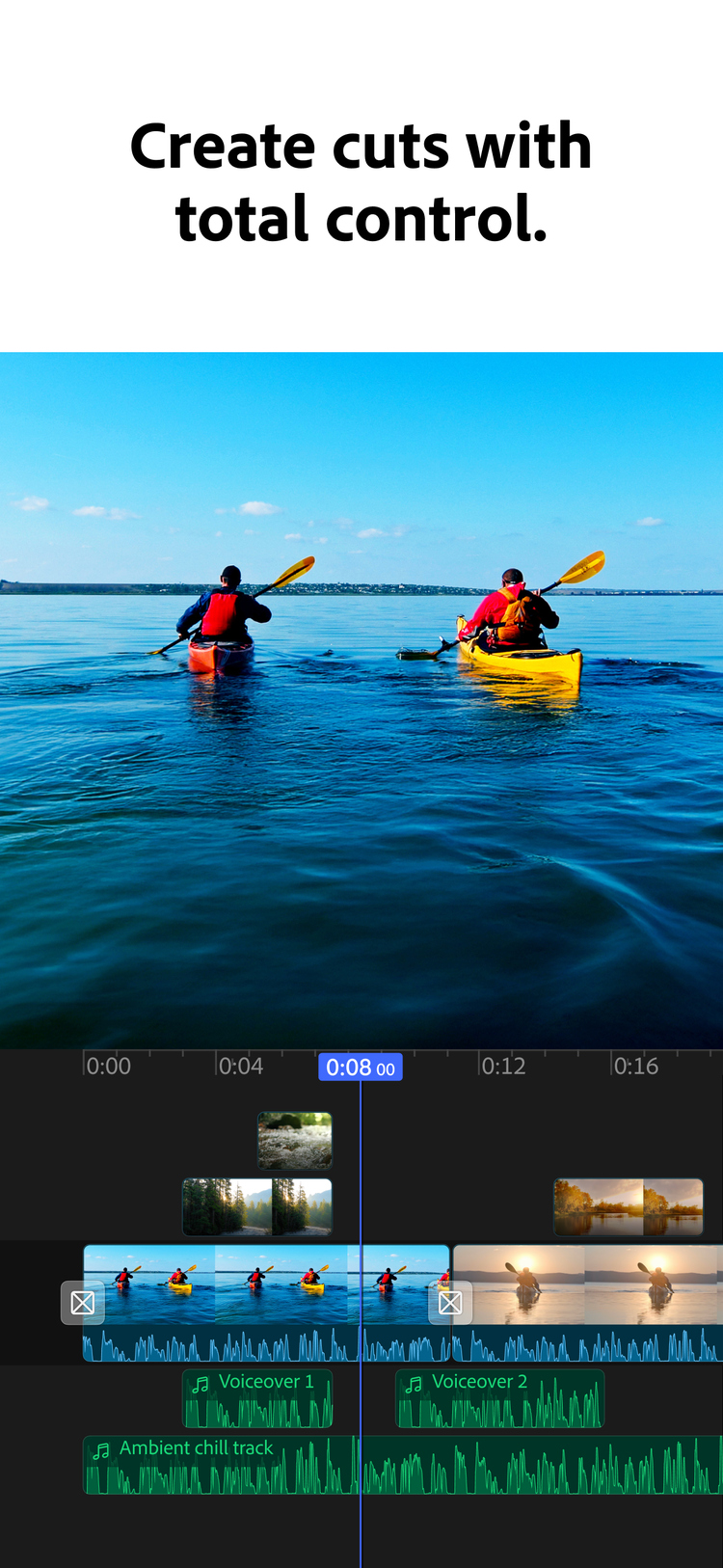
Adobe says Premiere on iPhone includes a multi-track timeline, frame-accurate editing, automatic captions, stylised subtitles, unlimited video, audio and text layers, 4K HDR support, one-tap exports to major social platforms, automatic resizing, Adobe Firefly-generated assets, Adobe Stock assets, Adobe Fonts, Lightroom presets, Generative Sound Effects, and Enhance Speech for cleaner voiceovers.
Those features matter because small business video is usually created under pressure. A staff member records a quick product demo, captures an event, interviews a customer, films a site visit, or needs to turn a phone clip into something presentable before the day is over.
The tool can help. The business still needs a process.
The phone should not become the filing system
Mobile video workflows often break down after the first edit. The original clips stay on one phone. The captions are stored in the app. The final export gets posted to Instagram or WhatsApp, but the business cannot find the source file later. If the employee leaves, changes phone, or loses access, the company loses part of its marketing library.
That is avoidable.
Before using mobile video as a regular business workflow, decide where source clips, project files, exported videos, brand assets, captions, and thumbnails should live. For most SMBs, that usually means Microsoft 365, Google Workspace, Synology, SharePoint, OneDrive, Google Drive, or another managed storage location with backup and access control.
The app can be mobile. The asset library should be business-owned.
Clean audio is a business feature
Adobe highlights mobile voiceover tools, Generative Sound Effects, and Enhance Speech. That is practical for local businesses because most videos are recorded in imperfect spaces: a shop floor, school corridor, construction site, office, warehouse, restaurant, showroom, or vehicle.
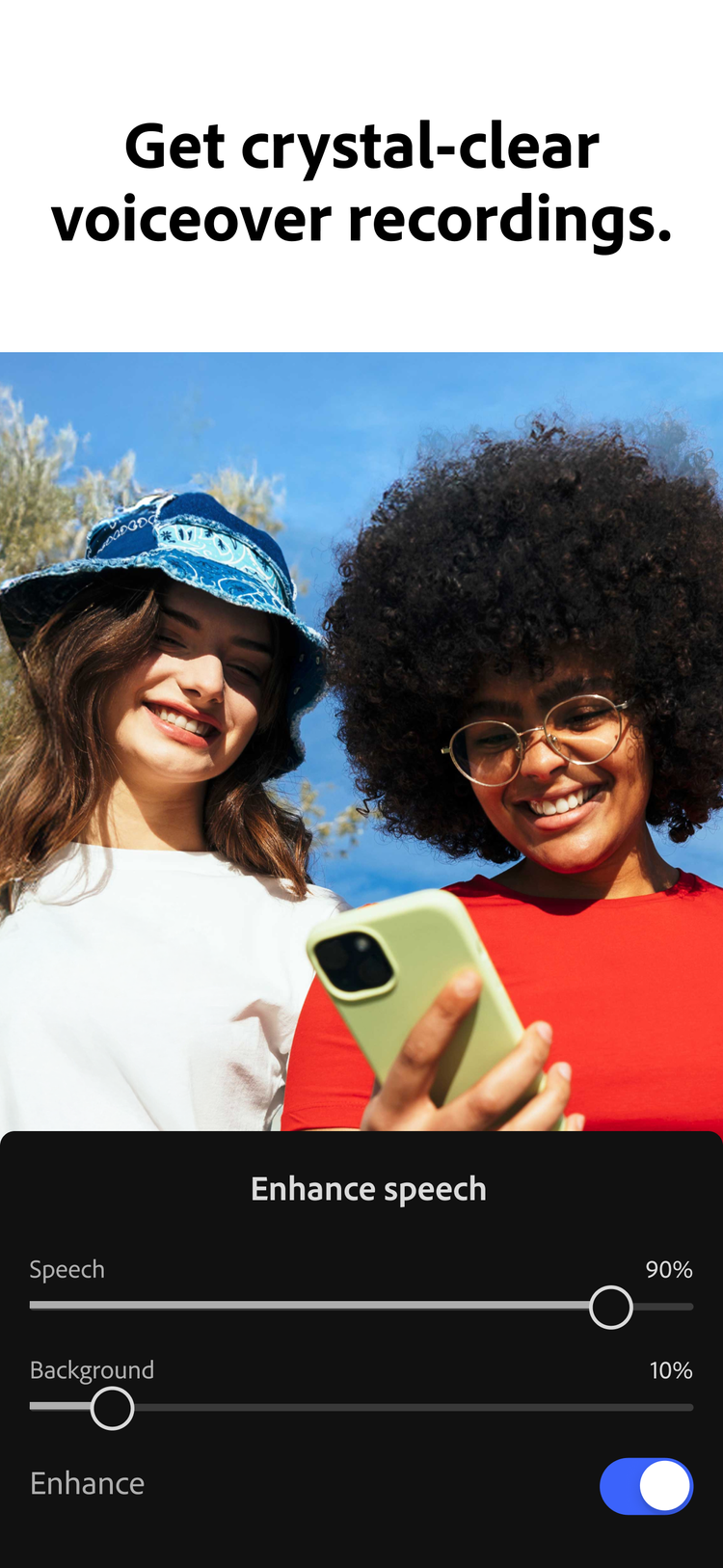
Better audio can make a quick video feel more professional. It can also make product instructions, customer notices, safety updates, and recruitment clips easier to understand.
But audio cleanup should not be treated as a substitute for review. If a video mentions pricing, opening hours, medical advice, legal terms, safety instructions, product availability, or customer commitments, someone responsible should approve it before it is published.
AI and stock assets need brand rules
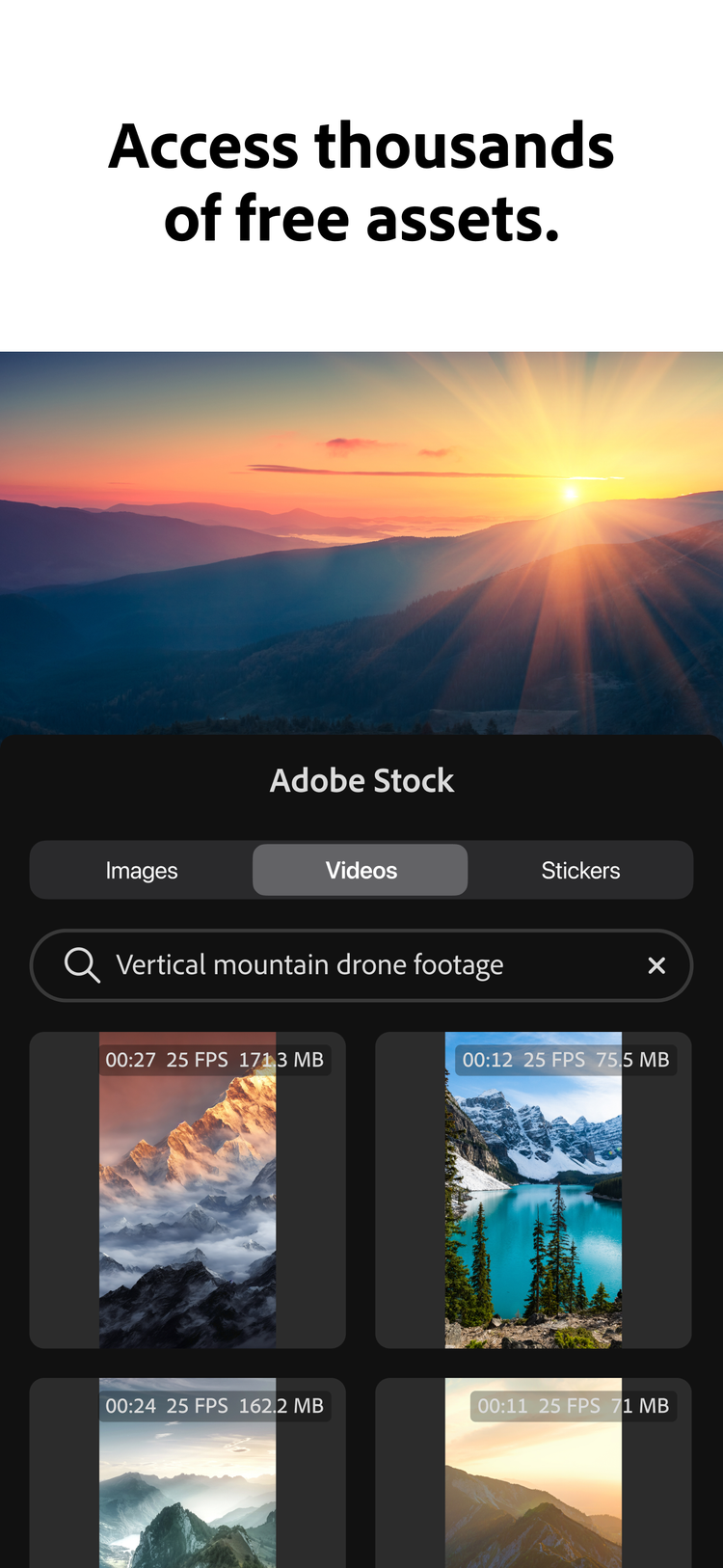
Premiere on iPhone connects mobile editing with Adobe Firefly, Adobe Stock, Adobe Fonts, and other creative assets. That can help a small team add b-roll, music, graphics, text, and captions without starting from scratch.
The risk is inconsistency. Staff may use the wrong logo, old colours, unapproved music, personal accounts, or generated visuals that do not fit the business.
Blue Chip recommends keeping a simple brand kit for video work:
- current logo files
- approved colours and fonts
- intro and outro templates
- caption style
- approved music and sound guidance
- image and video folders
- naming rules for exports
- platform-specific sizes
- approval contacts
This does not need to be complicated. It just needs to be clear enough that two different staff members can produce content that still looks like the same business.
Licensing matters when work becomes regular
There is a difference between experimenting with an app and making it part of the business process.
Once staff are using Adobe tools for company marketing, the business should think about licensing and account ownership. Company-managed accounts make it easier to assign licences, remove access when staff leave, protect files, standardise storage, and support users when something goes wrong.
This is especially important when Adobe workflows connect to desktop tools such as Premiere Pro, Creative Cloud libraries, Lightroom assets, Stock assets, or shared brand files.
A practical mobile video workflow
For most SMBs, a sensible setup looks like this:
- record on a company-approved phone or staff phone with clear file-transfer rules
- upload raw clips to a managed business folder
- edit in Premiere mobile for fast social-ready output
- use approved brand assets and caption styles
- save the final export back to the business folder
- publish through approved business accounts
- keep a copy of the source clips and final video
- document who approved customer-facing posts
That workflow is simple enough for daily use but controlled enough for the business to keep ownership of its content.
How Blue Chip can help
Blue Chip can help businesses turn Adobe mobile video tools into a reliable workflow instead of another unmanaged app.
That can include:
- Adobe Creative Cloud and Premiere licensing guidance
- setup of business-owned Adobe accounts
- mobile-to-desktop workflow planning
- OneDrive, SharePoint, Google Drive, or Synology storage structure
- brand asset folders and template organisation
- endpoint protection and backup for creative devices
- staff onboarding for video file handling
- publishing and approval workflow advice
- support for moving content between phone, laptop, and business storage
The goal is not to slow down content creation. The goal is to make sure the business still owns, protects, and can reuse the work after it is published.
Bottom line
Adobe Premiere on iPhone makes mobile video creation more capable. For SMBs, that is useful only if the workflow around it is just as practical.
A phone app can help staff create faster. Blue Chip can help make sure the accounts, licensing, storage, backup, security, and approvals are ready before mobile video becomes a daily business habit.
Source: Adobe Blog — Adobe Premiere is bringing pro-quality video editing to your iPhone.


