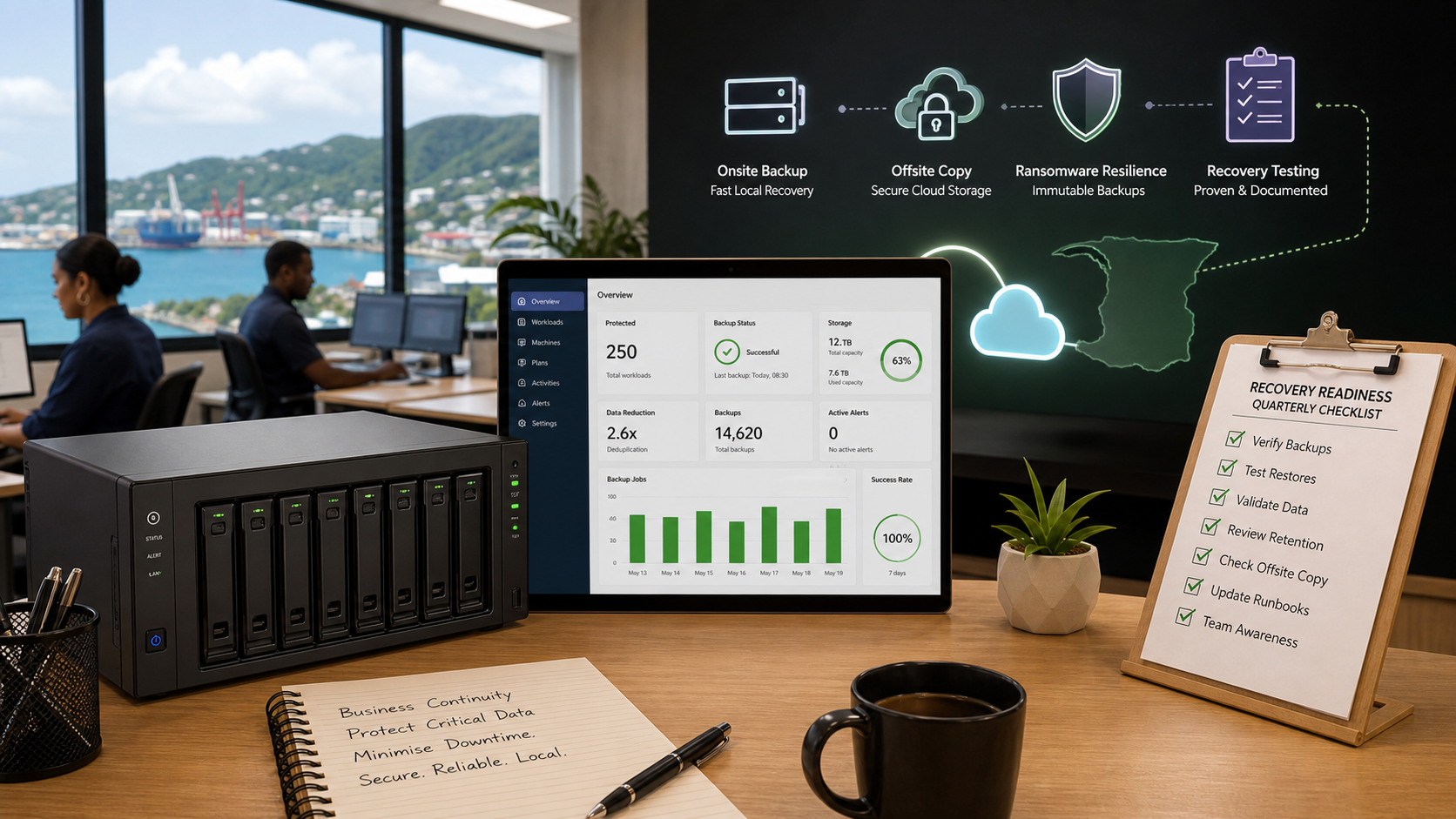
Managed Backup Should Prove Recovery, Not Just Store Copies
Most business backup conversations still start in the wrong place.
The first question should not be, "Where are we storing the backup?" It should be, "Can we prove the business can recover when something goes wrong?"
That difference matters for Trinidad and Tobago SMBs. A backup that exists but has never been tested may look fine on a dashboard right up until ransomware, hardware failure, accidental deletion, or a bad upgrade turns it into a very expensive guess.
Synology's recent ActiveProtect article was written for managed service providers, but the client takeaway is simple: managed backup should include proof, retention planning, and offsite resilience as part of the service, not as awkward extras bolted on after an incident.

Synology's ActiveProtect article highlights built-in recovery testing, long-term retention, and offsite backup as practical ways to strengthen managed backup services.
Recovery testing is the part many businesses skip
A company can have daily backups and still be unprepared.
If nobody has tested whether the server, virtual machine, Microsoft 365 data, or file share can actually be restored within the required time, the backup plan is incomplete. Recovery testing is where the hidden issues appear:
- Credentials are missing
- Restores take longer than expected
- Critical systems were excluded from the job
- Network paths changed
- Staff do not know the recovery process
- The backup copy exists, but the business cannot use it quickly enough
Synology points to disaster recovery testing as one of the overlooked parts of Backup-as-a-Service and Disaster-Recovery-as-a-Service. That is the right emphasis. For a business owner, the most useful report is not just "backup successful." It is evidence that recovery was validated.
Long-term retention needs a policy
Not every file needs to be kept forever, but some data should be retained for years.
Accounting records, HR documents, contracts, project files, email archives, and industry-specific records may have different retention requirements. Without a clear retention policy, companies either keep too little and create risk, or keep everything indefinitely and waste storage.
A good managed backup service should define retention by business need:
- Short-term recovery for recent mistakes
- Longer retention for compliance and audit requests
- Immutable or protected copies for ransomware resilience
- Clear deletion rules for data that should not live forever
Synology's ActiveProtect positioning is useful here because it treats long-term retention, centralized storage, deduplication, and protected backup copies as part of the architecture rather than a separate manual project.
Offsite backup is not optional anymore
Local backup is still important, but it is not enough.
If the only backup lives beside the server, the business is exposed to theft, fire, flood, electrical damage, administrator mistakes, and ransomware that reaches local storage. Offsite backup gives the company another recovery path when the primary site is compromised.
For many SMBs, the difficulty is not understanding the need. The difficulty is operating it properly:
- Keeping bandwidth under control
- Managing storage growth
- Separating client environments
- Protecting backup copies from deletion or tampering
- Testing recovery from the offsite copy
- Knowing who is responsible when something fails
This is where a managed service model makes sense. The business does not just buy storage. It buys monitoring, reporting, recovery planning, and someone accountable for keeping the backup chain healthy.
What Blue Chip looks for in a managed backup service
When Blue Chip Technologies reviews a backup environment, we are looking for practical recoverability, not a glossy feature list.
The questions are straightforward:
- What systems are included and excluded?
- How often do backups run?
- How quickly can each system be restored?
- Where is the offsite copy?
- Are protected or immutable copies in place?
- When was the last restore test?
- Who receives failure alerts?
- What happens if the main office is unavailable?
- Can the business operate during recovery?
For some clients, Synology ActiveProtect may be a strong fit because it brings backup management, verification, retention, and offsite strategy into a more unified platform. For others, the right answer may involve Synology NAS, Microsoft 365 backup, virtual machine backup, cloud storage, or a hybrid model.
The product matters, but the operating discipline matters more.
The business outcome
Good backup is not just IT insurance. It protects cash flow, customer trust, staff productivity, and management confidence.
If your business has not tested recovery recently, the next step is not to buy more storage. The next step is to review the full chain:
- What data matters most
- How long the business can tolerate downtime
- Which backups are protected from ransomware
- Whether offsite recovery is realistic
- Whether restore evidence exists
- Whether the plan has an owner
Blue Chip Technologies helps SMBs design and manage backup environments that are monitored, documented, tested, and aligned with how the business actually operates.
Source: Synology Blog, 3 overlooked BaaS & DRaaS features MSPs can monetize without additional costs.