When Tape Becomes a Burden
On 17 June 2026, Synology published a case study detailing how Toyota Motor Vietnam moved beyond tape-heavy backup workflows. Production data growth had made their old process harder to manage, and the operational overhead was no longer sustainable. You can read Synology's full write-up here: How Toyota moved beyond tape backups to modernise data protection.
Toyota's situation is not unique. Many Trinidad and Tobago businesses still rely on tape, external drives, or basic cloud sync for backup. As data volumes grow, these methods become slow, error-prone, and difficult to verify. The question is not whether you have a backup copy somewhere. The question is whether you can restore quickly and reliably when something goes wrong.
What Toyota Changed
Toyota adopted Synology ActiveProtect for data protection modernisation. The deployment covered around 50 critical virtual machines and servers with immutable backups and off-site replication aligned to a 3-2-1-1-0 strategy. Another 150 virtual machines were backed up and replicated across five remote sites.
A single dashboard let Toyota centrally monitor backup progress, copy status, and storage use. Synology's incremental backup and global deduplication through SURE technology reduced storage consumption by up to 80%. Backup operations that previously took days were completed within hours. Recovery time objectives improved from days to minutes through instant restore.
Toyota cited three main gains: stronger cyber resilience, operational simplification, and up to 90% less time spent on backup administration.
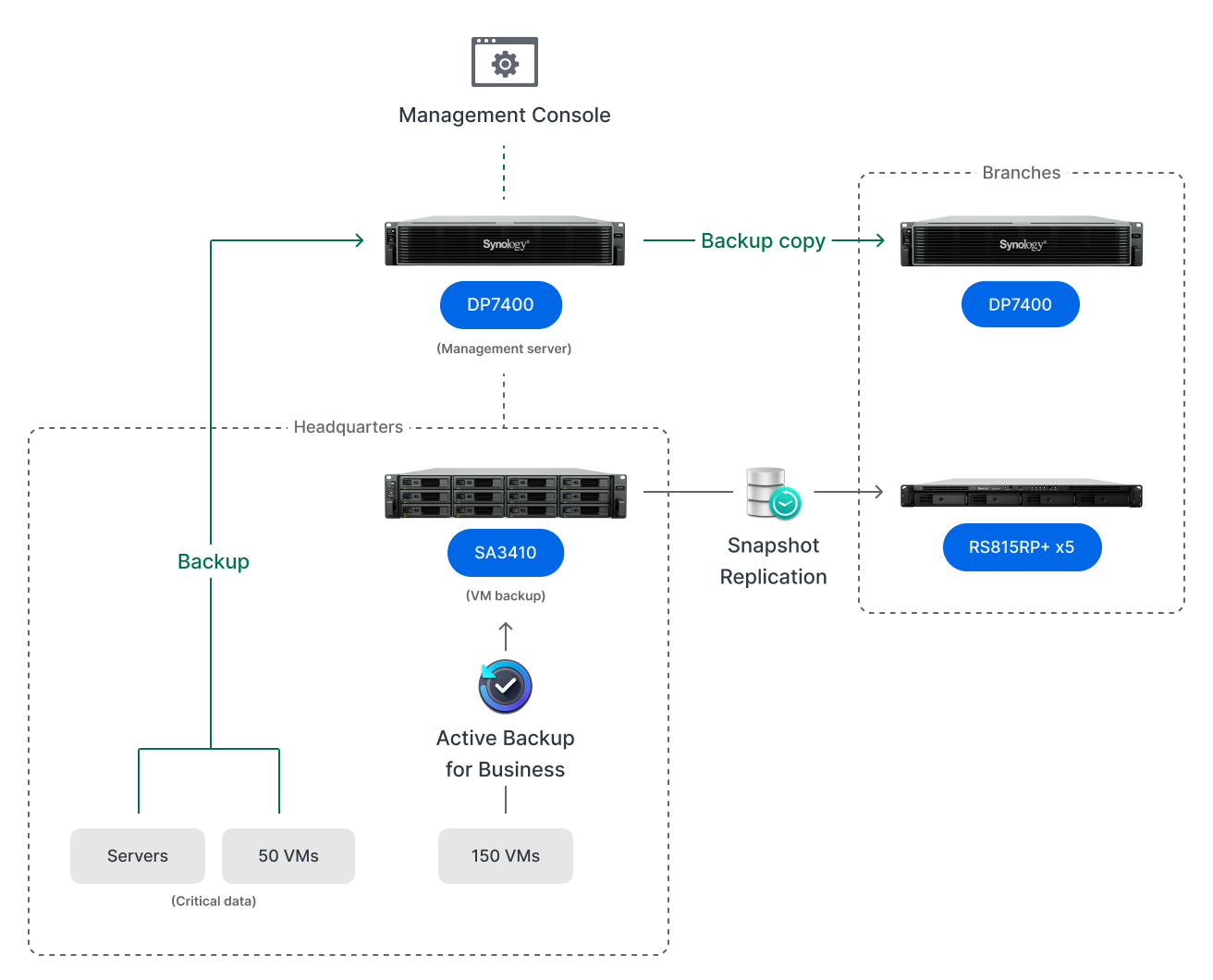
Synology's Toyota case study highlights central backup monitoring as a key part of moving beyond manual tape-heavy operations.
What This Means for Local Businesses
You do not need Toyota's scale to face the same problems. A clinic in Port of Spain, a distribution warehouse in Chaguanas, or a professional services firm in San Fernando can hit the same wall: backups that run too long, restore tests that never happen, and a nagging uncertainty about whether the data is actually recoverable.
Here is how to apply the same principles locally.
Move Beyond Tape and Manual Copies
If your backup still involves swapping USB drives, rotating tapes, or hoping someone remembered to plug in the external disk, you have a process failure waiting to become a data loss event. Modern backup should be automated, scheduled, and monitored without daily manual intervention.
Adopt the 3-2-1-1-0 Rule
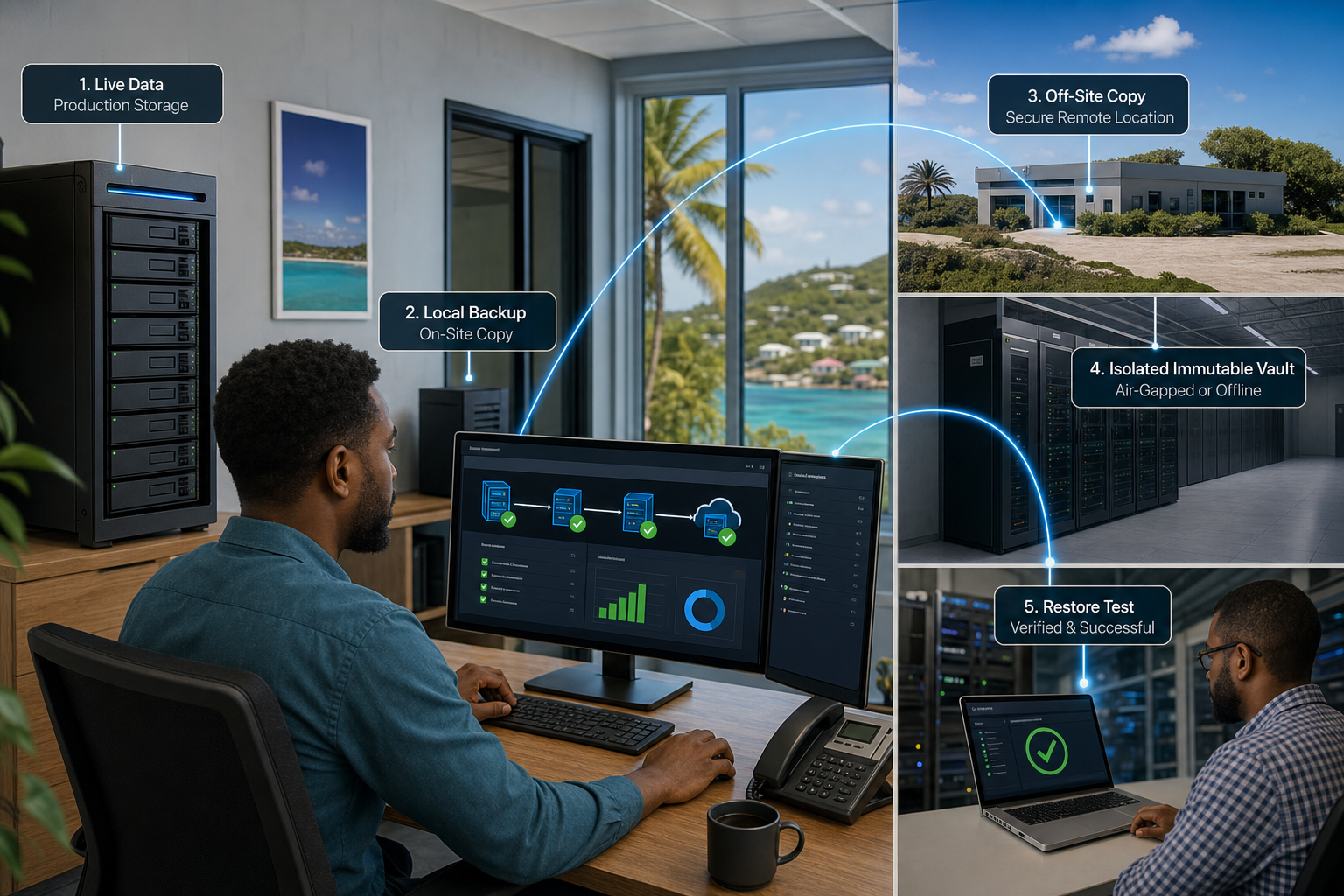
Toyota aligned its strategy to 3-2-1-1-0. In plain terms: keep three copies of your data, on two different media types, with one copy off-site, one copy immutable, and zero errors after verified recovery. The immutable copy is critical. Ransomware cannot encrypt what it cannot touch. If your backup is just another folder on a writable network share, it is not a backup. It is a target.
Test Recovery, Do Not Just Assume It Works
Toyota's improvement in recovery time objectives came from instant restore capability. For smaller businesses, the equivalent discipline is regular restore testing. Pick a file, pick a folder, pick a whole virtual machine, and actually restore it to a test location. If it takes hours or fails entirely, you now know your real recovery time before a crisis forces you to find out.
Centralise Visibility
Toyota used a single dashboard to monitor backup progress, copy status, and storage use. Small businesses often have backups scattered across different computers, cloud accounts, and external drives with no unified view. Consolidating backup management means you see failures immediately instead of discovering them when you need a restore.
Plan for Off-Site and Remote Sites
Toyota replicated across five remote sites. Most local businesses do not need five sites, but they do need at least one off-site or cloud copy. A fire, flood, or break-in at your office should not destroy your last good backup along with your production systems. Off-site replication through a secure link or managed service closes that gap.
The Local Angle
Trinidad and Tobago businesses deal with power fluctuations, tropical weather, and occasional internet instability. These factors make reliable backup infrastructure even more important. A backup system that depends on perfect connectivity or manual daily steps will fail when you need it most.
Synology ActiveProtect, Active Backup, and NAS-based replication are designed for exactly these conditions. Local caching, deduplication to reduce bandwidth load, and immutable snapshots give you protection that works even when the wider network is unreliable.
Practical Next Steps
You do not need to replace everything overnight. Start with an honest audit: list your critical systems, identify where backups currently live, and test one restore this week. If the restore is slow, incomplete, or impossible, that is your priority.
Blue Chip Technologies designs and manages Synology backup, disaster recovery, and continuity plans for Trinidad and Tobago businesses. We handle NAS deployment, off-site replication configuration, restore testing schedules, and ransomware resilience reviews. If you want a backup system you can actually rely on, contact us for a practical assessment.