
Why Network Changes Worry SMB Owners
A network outage is not an abstract problem. When the Wi-Fi goes down in your retail shop, your POS system stalls. Staff can't process payments. Customers leave frustrated. In a school or clinic, network issues disrupt learning and patient care. For businesses running across multiple sites—warehouses, offices, branches—a misconfigured switch or access point can take hours to fix, cascading across your entire operation.
Many SMB owners and managers handle network changes themselves or rely on part-time IT support. The pressure is real: you need to update a configuration, test a new wireless setting, or tweak a firewall rule. But what if that change disconnects your team or crashes a critical service? One bad configuration could cost you.
Enter Test & Confirm and Automatic Rollback
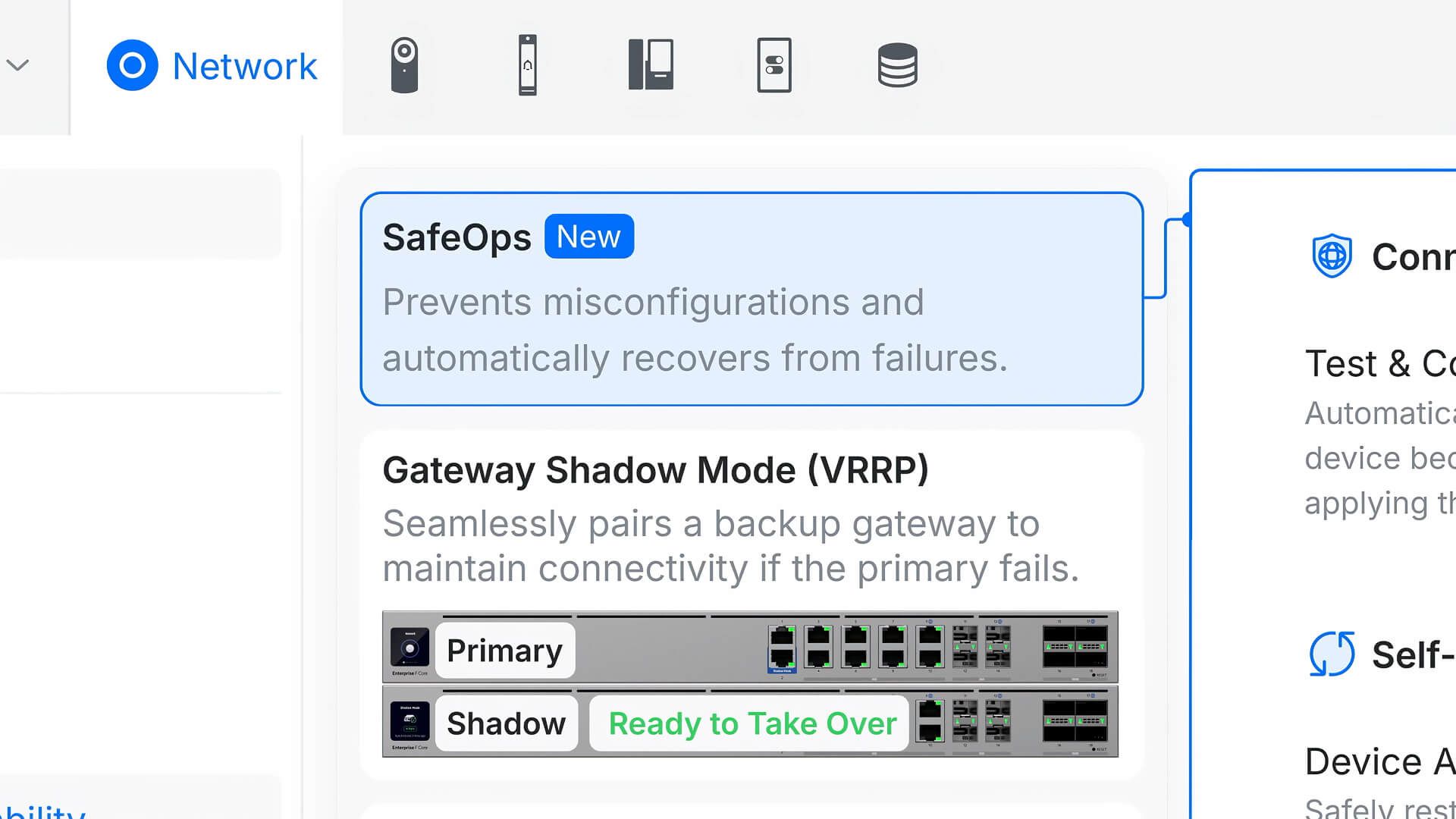
UniFi Network 10.5 introduces two features built for this exact worry: Test & Confirm and Automatic Rollback.
Test & Confirm prevents configuration changes from becoming permanent until your access points and switches actively confirm they can maintain connectivity. In plain terms: you make a change, the network applies it temporarily, and only if everything stays connected does the change stick. If not, it doesn't save. No surprise outages from a typo or forgotten setting.
Automatic Rollback adds a safety net: if connectivity is lost during deployment, the previous settings restore on their own. You don't have to manually undo changes or wait for a technician to reset hardware. The network fixes itself.
For a warehouse running cameras and POS across multiple access points, or a school with Wi-Fi spanning several buildings, this means you can confidently push updates without fear of bringing down the whole site.
Seeing Which Clients Connected When—and Why
When a client complains they can't connect, your support person often faces a puzzle. Did they connect yesterday? Did they roam between access points? Was the Wi-Fi slow, or was the internet slow? Did they disconnect cleanly?
UniFi Network 10.5 introduces Time Machine, which lets network admins replay historical client activity and connectivity events like rewinding a recording. You can see which access points a device connected to, how long it stayed connected, when it roamed, and which devices caused connectivity hiccups. You can also review Wi-Fi performance and traffic patterns across a timeline.
For multi-site businesses, this is transformative. A branch manager reports that customers' phones keep disconnecting. You replay the last four hours through Time Machine, spot that they're flapping between two access points every minute, and see the root cause immediately. Instead of guessing, you troubleshoot.
Understanding Your Firewall Rules Actually Work
Many SMBs set firewall rules but never check if they're actually being used. You might block traffic you no longer care about, or unknowingly log thousands of rule matches that clog your system.
UniFi Network 10.5 adds firewall rule hit statistics, showing exactly how often each rule is triggered. This gives you visibility: which rules are earning their place, which are dead weight, and where real security gaps exist. A clinic can confirm its payment processing rule is working. A retail shop can see that the guest Wi-Fi rule is actually separating customer traffic from staff systems.
Building Resilient Networks Across Multiple Sites
Retail chains, school districts, and multi-office businesses across Trinidad and Tobago often rely on single internet connections at each site. If that connection fails, so does everything—until a technician can restore it.
UniFi Network 10.5 enhances SD-WAN, the technology that bonds multiple network links together intelligently. SD-WAN underlays can now use direct fibre, MPLS, or wireless backbones. If your primary internet fails, traffic automatically reroutes through a secondary link—no manual intervention, no downtime.
The release also introduces UniFi Building Bridges, which extend trunk connectivity across campuses licence-free. For a distributed business, this means you can run a unified network across multiple physical locations without licensing complexity.
Centralised Identity and Access Control
Many SMBs juggle different login systems: Wi-Fi passwords, cloud app accounts, VPN credentials. Site Manager Early Access adds SAML authentication at multiple levels, letting you centralise logins. This is especially valuable for managed service providers supporting multiple clients—they can now offer account-level SAML login, centralised authentication policies, and two-factor authentication, all without chaos.
A school can set up one identity source for staff across all campuses. A business can enforce the same access controls across all branches without managing separate credentials everywhere.
Why This Matters to Your Bottom Line
These features—safer deployments, better troubleshooting, firewall clarity, and resilience—address real costs. A single network outage can wipe out revenue and trust. Diagnosing connectivity issues without visibility eats IT time. Security gaps hidden in unused firewall rules create risk.
UniFi Network 10.5 is built around the principle that scaling a network should not require licensing fees or exponential complexity. It gives SMBs the same safety tools that large enterprises use, without the vendor lock-in or cost.
What's Next for Your Business?
If you're running a UniFi network, Network 10.5 is available now. If you're thinking about upgrading your infrastructure, it's worth considering how these features map to your specific challenges: Where do network changes cause the most disruption? Where do you spend the most time troubleshooting? What multi-site resilience do you actually need?
This article is informed by Ubiquiti's introduction to UniFi Network 10.5, which details the technical architecture and additional capabilities of the release.
If you're uncertain whether UniFi Network 10.5 or UniFi in general is the right fit for your business, or if you'd like guidance on safer network management and troubleshooting, Blue Chip Technologies can help. We work with offices, warehouses, retail locations, schools, and multi-site businesses across Trinidad and Tobago to assess network resilience, plan secure deployments, and simplify day-to-day management. Get in touch for a no-obligation conversation about your network.