
Workspace Intelligence for Trinidad SMBs: Practical Opportunity and Essential Guardrails
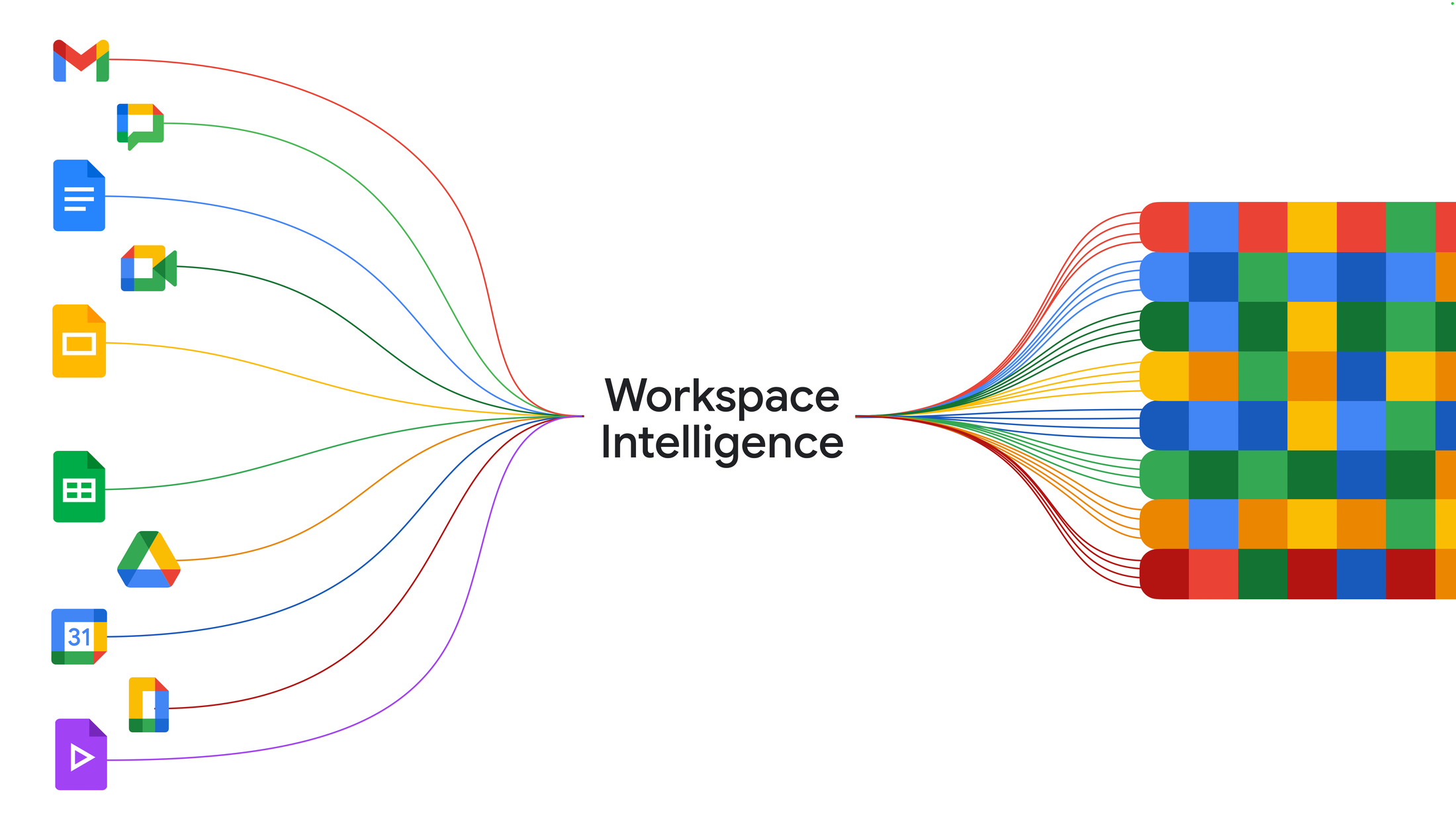
Google has announced Workspace Intelligence—a unified, real-time understanding layer that sits across your Gmail, Chat, Docs, Sheets, Slides, and Drive. For Trinidad and Tobago SMB owners and managers, this is worth understanding not for the hype, but for the honest workflow gains and the real governance work it demands.
The promise is straightforward: less time hunting through emails for context, fewer missed follow-ups, faster first drafts, clearer inbox priorities, and a Drive that actually functions as a knowledge base. But the delivery depends entirely on how you license it, who you let use it, and what governance guardrails you put in place.
What Workspace Intelligence Actually Does
Workspace Intelligence understands semantic relationships across your work. It knows the difference between an urgent client email and an internal FYI. It tracks your active projects, your collaborators, your organisation's domain knowledge, and your personal work style and formatting preferences. Think of it as a smart layer that connects dots you've been connecting manually.
The key insight: Workspace Intelligence is not just another AI button in the toolbar. It is a contextual reasoning layer. When you ask Gemini a question in Chat, it knows your recent emails, your active documents, your project files, and which colleagues are involved. That context is what makes the output useful rather than generic.
Practical Workflow Gains: Ask Gemini in Chat
Ask Gemini in Chat becomes your unified command line for work. Daily briefings surface your most important tasks and action items without you scrolling through forty emails. You can ask it to draft a document, build a slide deck, schedule a meeting, or find a file by describing it (not by remembering its name). For SMB teams that run on email chaos and half-remembered file locations, this is real time recovered.
Expanded connectors to Asana, Jira, and Salesforce mean your project and customer data feed directly into these briefings. If you run payroll, inventory, or customer support in these tools, the information surfaces in one place.
Faster Content Creation in Docs, Sheets, and Slides
Gemini in Sheets builds or edits spreadsheets using natural language. "Create a monthly expense summary from our last three months of invoice data." It synthesizes data across files, emails, chat messages, and web sources. For finance and admin leaders running multi-source reporting, this cuts hours of manual data gathering.
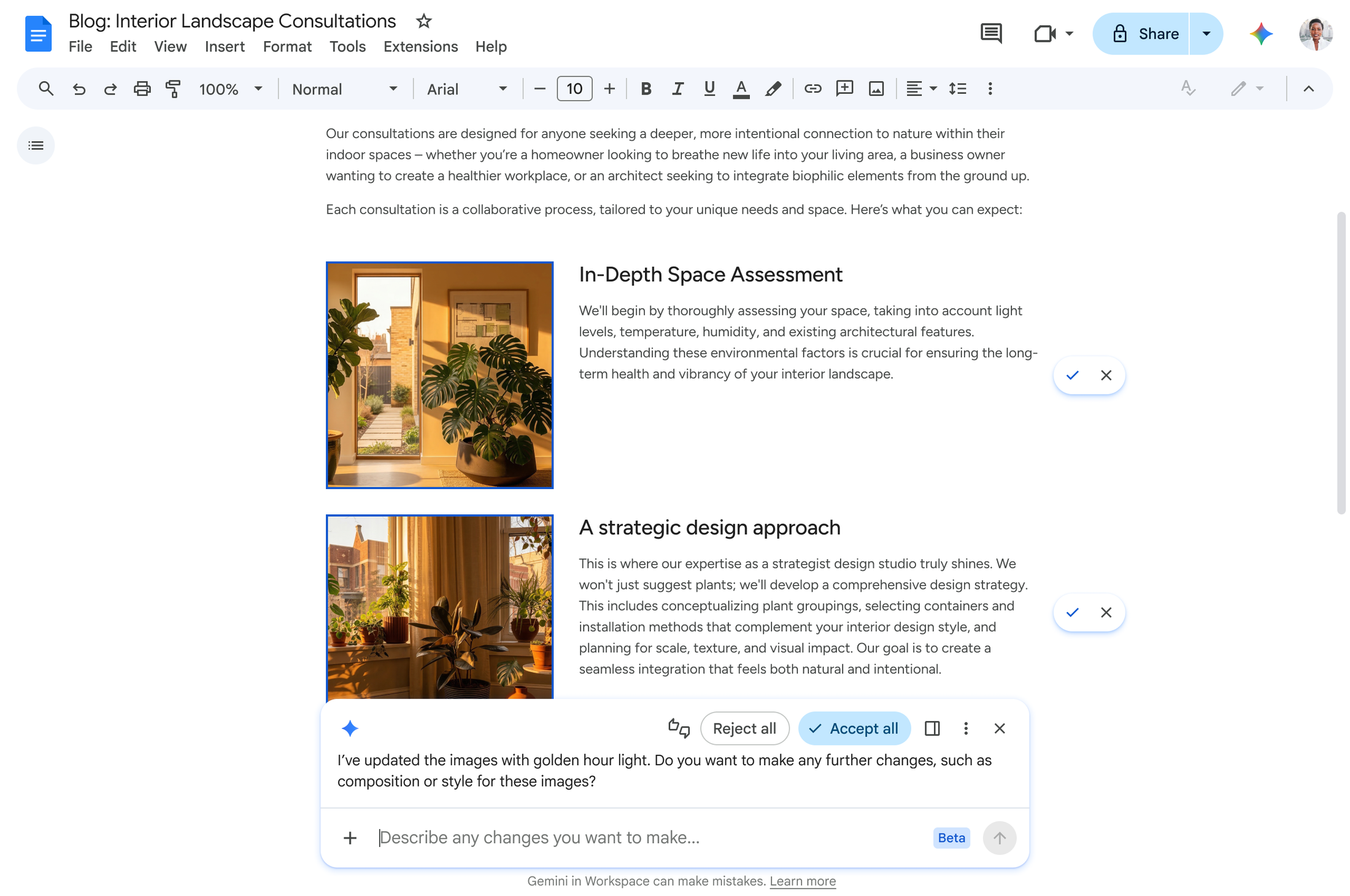
Gemini in Docs generates infographics grounded in your actual business data, edits multiple images for visual consistency, triages and responds to document comments, and refines documents based on feedback threads. No more manually applying brand colours or copy-editing across a 30-page report.
Slides creation is the headline feature: Gemini will soon build a complete, editable slide deck in one shot using your company templates and visual styles. No starting from blank; no manual template application. For pitch meetings, quarterly reviews, and investor updates, this is a material productivity jump.
Inbox and Drive Context: Less Search Friction
AI Inbox in Gmail surfaces important emails automatically. AI Overviews synthesize information from full email threads—so you read one summary instead of fifteen messages over three weeks. In Drive, AI Overviews and Ask Gemini are already generally available. Drive Projects organise files and emails together, so both your team and Gemini have the full context. Your drive becomes a proper knowledge base instead of a folder graveyard.
The Governance Reality: Three Essential Actions
Before you enable this across your organisation, three things must be in place: licencing clarity, admin controls, and staff training.
Licencing and Regional Availability. Workspace Intelligence is not a feature in your current licence. Check with your Google Workspace reseller or your own IT support whether it is available in your region at your licence tier. Data processing and storage can be locked to specific regions—currently US and EU, with more countries coming. If your firm operates under data residency requirements, this matters now.
Admin Controls and Data Governance. Google has committed to admin controls for managing Workspace Intelligence use across your organisation. Use them. Decide which staff can access Ask Gemini, whether all users can generate slides, and what sensitive data Gemini can see. Google says data is not reviewed by humans, used for ads, or used to train AI models without your permission. That is credible—but it is not risk-free. Client-side encryption can restrict access to sensitive data from any agent, including Google itself. If you hold personal information, customer data, or financial records, understand this feature and whether it fits your compliance obligations.
Staff Training and Workflow Design. Your team will need to learn what Workspace Intelligence can and cannot do. A finance manager asking it to "build our annual forecast" will get a different result than one who asks "build a monthly expense summary showing actuals versus budget for the last three months." This is not complex training—it is twenty minutes per person—but skipping it means disappointing outputs and abandoned features.
Why This Matters for SMBs
Large organisations have invested in knowledge management systems, business intelligence platforms, and custom integrations. SMBs typically have not. Your information lives in email, chat, scattered spreadsheets, and Drive folders. Workspace Intelligence is built to solve that problem. A finance leader with five years of email threads and invoices can now ask one question and get a synthesized answer. An admin planning the year can ask for a consolidated briefing of what is urgent. A sales manager can generate a customer update slide in two minutes instead of two hours.
The risk is not the AI itself. The risk is deploying powerful agentic capabilities without understanding your data exposure, your audit obligations, or your staff's readiness to use it responsibly. That work is on you and your IT support.
Next Steps: Blue Chip Can Help You Plan
If Workspace Intelligence interests you, start here: audit which staff genuinely need it (not everyone does); understand your data governance and compliance requirements; check regional data processing options against your residency rules; review admin controls with your Google Workspace reseller; and plan a phased rollout with training. This is not a feature to flip on globally and hope for the best.
At Blue Chip Technologies, we help Trinidad and Tobago businesses assess Workspace and Gemini capabilities, validate licensing, design rollout strategies, configure admin and security controls, and train teams to use these tools responsibly. If you want to capture the productivity gains without the governance risks, get in touch.
Source: This article is based on Introducing Workspace Intelligence, published by Google Workspace.