
3CX Softphone Deployment Should Be Managed, Not Manual
When a business phone system depends on desktop apps, rollout quality matters. A softphone is useful only when staff actually have it installed, signed in, updated, and ready before the customer calls.
That is why 3CX's recent guidance on deploying the 3CX Windows Softphone through Microsoft Intune is important for managed environments. The technical detail is simple enough: administrators can distribute the app from Microsoft Store app deployment inside Intune instead of installing it one PC at a time. The business value is bigger than the install method.
For Trinidad and Tobago SMBs with growing teams, multiple branches, hybrid staff, or outsourced IT support, manual app setup creates avoidable friction. Managed deployment turns the softphone into part of the standard workstation build.
Why manual softphone installs become a problem
Manual installs usually work for a few users. They become unreliable as the team grows.
A business may start with reception, sales, service, and management using the 3CX desktop app. Then a new branch opens, laptops are replaced, remote staff join, or a queue is expanded. Suddenly the phone system depends on someone remembering which machines need the app, which users need access, and whether the old installer was used.
That creates common support issues:
- new users cannot answer calls on their first day
- replacement PCs are missing the softphone
- different staff run different app versions
- helpdesk time is wasted on repeat installs
- call queues are understaffed because endpoints are not ready
- remote workers need manual setup before they can help customers
- managers have less confidence that the phone environment is consistent
None of those are really phone system problems. They are deployment and device management problems.
Intune makes the softphone part of the workstation standard
With Microsoft Intune, the 3CX Windows Softphone can be assigned to the right users or device groups so installation is handled centrally. That is useful for companies already using Microsoft 365, Entra ID, managed Windows devices, or a formal onboarding process.
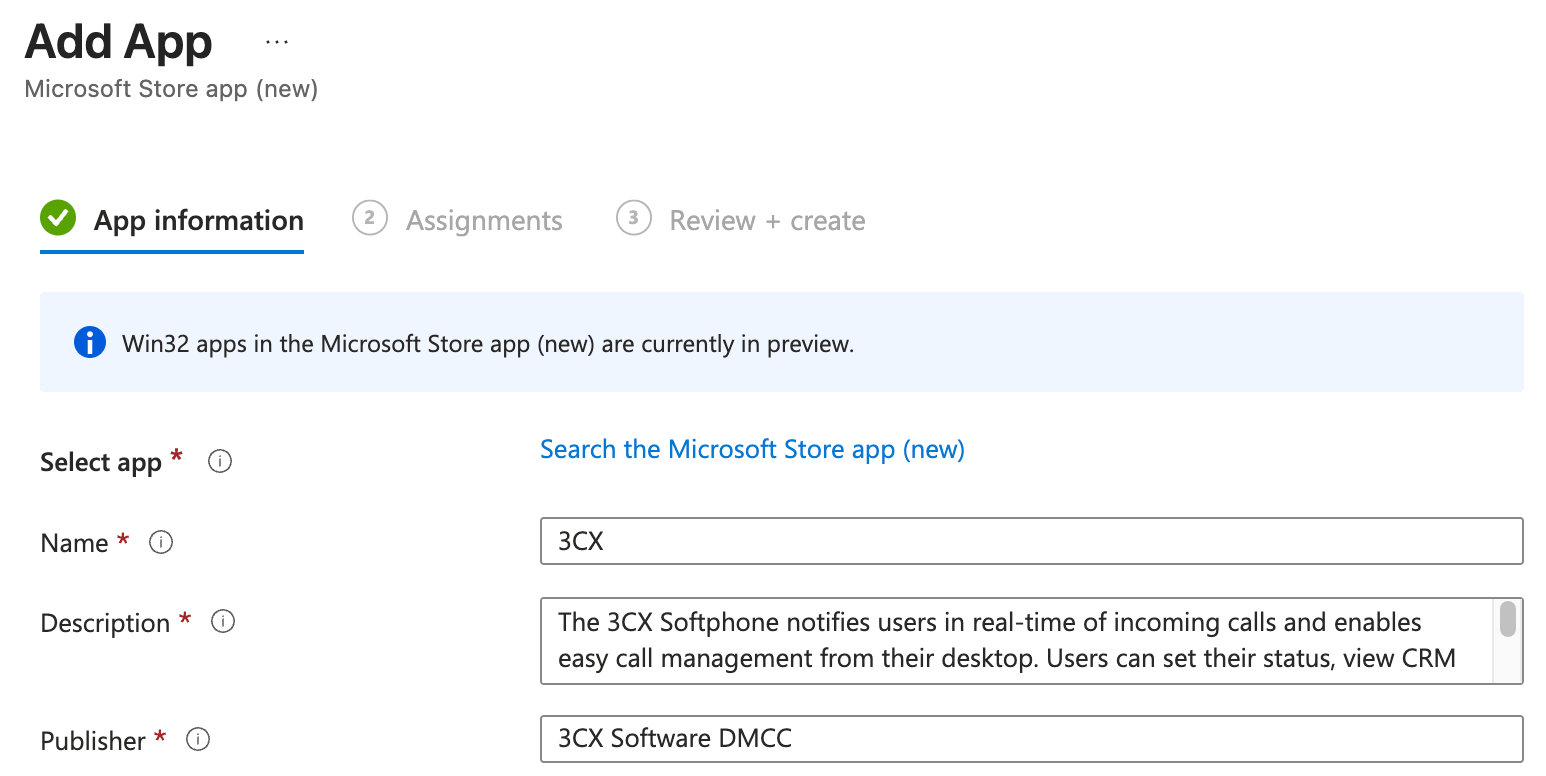
Instead of asking each user to download and install the app, IT can make the softphone part of the standard device profile for the roles that need it.
For example:
- reception and front desk devices can receive the softphone automatically
- sales teams can be assigned the app as part of onboarding
- support users can be added to the correct deployment group
- replacement laptops can receive the app during setup
- remote staff can be prepared before they start taking calls
- the helpdesk can confirm assignment and deployment status from one place
That helps make the phone system operationally dependable.
Better onboarding for customer-facing teams
For many SMBs, call handling depends on people being ready at specific times. A receptionist, dispatcher, sales rep, technician coordinator, or accounts clerk may need to answer customer calls as soon as they start work.
Managed deployment reduces first-day delays. The user still needs the right 3CX account, extension, permissions, and training, but the desktop application is no longer a separate manual task that can be missed.
This matters for businesses with:
- high staff turnover in customer service roles
- seasonal workers or temporary users
- multiple locations
- shared workstations
- hybrid staff
- after-hours support teams
- queues that need backup agents quickly
The easier it is to make a workstation call-ready, the faster the business can respond to customers.
It also improves support and governance
Central deployment is not only about convenience. It gives IT better control over what is installed and where.
When Blue Chip supports a 3CX environment, we want the full communications stack to be predictable: PBX version, SIP trunks, firewall and security posture, mobile apps, desktop apps, headset readiness, queues, CRM integration, and reporting.
Intune deployment helps with that by making the desktop app easier to standardize. It can also fit into a broader device policy covering Windows updates, endpoint security, conditional access, approved applications, and user offboarding.
For business owners, that means fewer hidden gaps. For managers, it means fewer excuses when call coverage depends on having enough active agents. For users, it means less setup friction.
Deployment still needs planning
Intune can distribute the app, but it does not replace a proper 3CX rollout plan.
Before assigning the softphone broadly, the business should confirm:
- which users actually need desktop calling
- whether headsets are available and tested
- how calls should route for each team
- whether users need queue membership or only direct extension calling
- how mobile app access should work alongside desktop access
- what happens when a user leaves the company
- whether call recording, CRM logging, or compliance policies apply
- who supports app issues after deployment
The right answer is rarely "install it everywhere." The better answer is to deploy it to the people and devices that match the call flow.
Where Blue Chip can help
Blue Chip helps businesses plan, deploy, and support 3CX phone systems across desktop, mobile, branch, and remote work environments.
For 3CX Windows Softphone deployment, we can help review your current phone setup, map users to call flows, prepare Microsoft Intune assignment groups, test deployment, confirm headset and audio readiness, and document support steps for onboarding and offboarding.
The goal is practical: when staff need to answer business calls, the tools should already be there.
Manual installs are fine for a quick test. Production phone systems deserve managed deployment.
Source: 3CX Blog - Deploy 3CX Softphone with Microsoft Intune.