
If you've heard 'agentic Copilot' and wondered what that actually means for your business, here it is: Copilot can now complete multi-step work inside Word, Excel, and PowerPoint without you asking for each step. It drafts, analyses, and updates. But—and this is critical—your team remains in full control. You review, approve, and own the outcome.
For Trinidad and Tobago SMBs juggling finance, compliance, and growth, this shift from 'Copilot as suggester' to 'Copilot as doer' can ease real bottlenecks. Let's walk through how it works in your workflows.
Word: Drafting with Confidence, Review Still Required
Your finance team needs to draft a client letter. Your HR lead is restructuring a staff policy. Your operations manager is pulling together a tender proposal. Copilot can now draft these end-to-end, applying the right tone, structure, and detail—then your team reviews the wording, facts, and compliance before it goes out.
No more blank-page paralysis. No more junior staff spending two hours on first drafts. But your experienced people still catch errors, verify facts, and sign off. That is the model.
Excel: Analysing Data, But Finance Validates the Logic
You upload a workbook with three months of sales data. Copilot explores it, suggests pivot tables, builds formulas to answer your questions, and adjusts visuals. Your finance or operations lead then checks the assumptions, confirms the maths, and approves the analysis before it goes into a board report.
Copilot speeds up the grunt work. Your finance team keeps their expertise.
PowerPoint: Refresh Decks, Keep Your Brand Intact
Your sales team has a client presentation from last quarter. Copilot updates it with current talking points, new data, and refreshed visuals—while respecting your company templates and brand guidelines. Your sales lead or marketing manager reviews and approves before the pitch.
Why This Matters Now
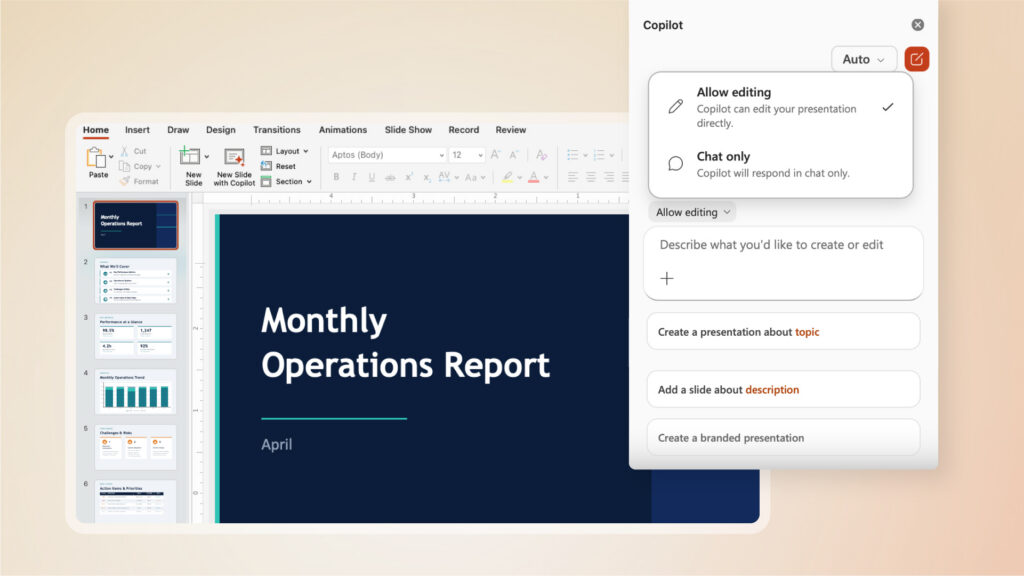
Early data from Microsoft shows real engagement gains: Word engagement up 52%, Excel engagement up 67%, and satisfaction across all three apps increasing by 11% to 65%. These aren't marketing promises—they're observed behaviour in the first month of general availability. But do not mistake engagement for 'people spend less time on work.' They're completing more, and with higher confidence.
Before You Roll Out: Governance Comes First
Agentic Copilot in Word, Excel, and PowerPoint is a good tool—but only if your team is ready. Before you enable it, check these boxes:
- Permissions: Who can access which documents, workbooks, and presentations? Copilot respects your access controls, but you need to know who sees what.
- File hygiene: Old, incomplete, or confidential files sitting in the wrong SharePoint folder? Clean that up first. Copilot works with what's available.
- Training: Your team needs to know Copilot can take action, not just comment. They need to know how to review, approve, and reject its work safely.
- Review workflows: Before a finance report or client letter leaves your business, who checks it? Make that process explicit so Copilot fits in, not around it.
If you skip this, you'll have staff confused, compliance gaps, or worse—a document going out with a flagged error that Copilot produced and nobody caught.
What Blue Chip Can Do for You
Rolling out Copilot agentic capabilities safely means licensing, readiness checks, rollout planning, training, and ongoing support. We help SMBs in Trinidad and Tobago do this right.
We can run a readiness assessment to check your current Microsoft 365 setup, file permissions, and team readiness. We can plan your rollout in phases so governance and adoption happen together. We can train your finance, operations, and leadership teams on how agentic Copilot works and how to review its output. And we stick around to support and troubleshoot as you scale.
If you are ready to move beyond static suggestions and put Copilot to work—safely, compliantly, and with your team in control—let us talk.