

Business Email Signatures: Small Details, Big Brand Control
Most companies think of email signatures as a footer. A name, job title, phone number, logo, and maybe a disclaimer.
That small block appears in hundreds or thousands of customer conversations every month. If it is inconsistent, outdated, or unmanaged, it quietly weakens the brand and creates avoidable work for IT and marketing.
Rocketseed's guide on what to include in a business email signature is a useful reminder that the details matter. For Trinidad and Tobago SMBs, the bigger lesson is this: a good signature is not only designed well. It is managed well.
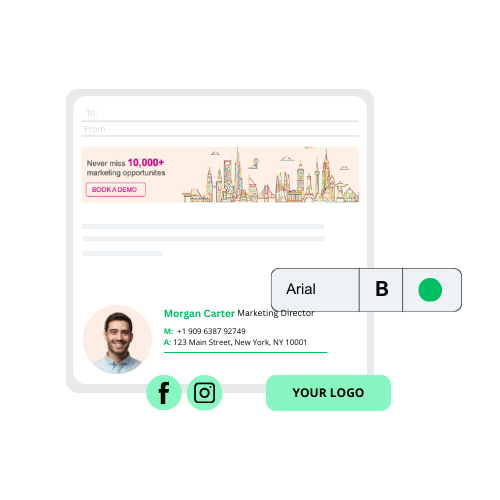
The basics still matter
A professional email signature should make it easy for the recipient to understand who is writing and how to respond. At minimum, most businesses should standardise:
- staff name and job title
- company name and website
- phone number and primary contact details
- approved logo or brand mark
- department or location where useful
- legal or confidentiality disclaimer where required
- one or two relevant links, such as LinkedIn or a booking page
The issue is not knowing those fields. The issue is keeping them correct across every user, device, and mail client.
Where SMB signatures usually go wrong
Blue Chip sees the same pattern often. A business starts with a nice signature template, then each employee copies it into Outlook or Gmail manually. Over time, small changes creep in.
One person has an old phone number. Another uses a stretched logo. Someone adds an oversized banner. A former campaign link keeps circulating. New staff are missing disclaimers. Mobile replies look different from desktop replies.
None of these issues feels urgent on its own. Together, they make the company look less organised than it really is.
Signatures are now part of the marketing workflow
Modern signatures can do more than display contact details. They can support campaigns, events, service announcements, customer surveys, seasonal offers, and appointment booking links.
That can be very useful for local SMBs because every employee email becomes a low-friction brand touchpoint. Sales, accounts, operations, service, and management are already sending messages every day.
The control matters. Campaign banners should be approved, targeted, scheduled, and measured. They should not depend on every user manually updating a footer.
Compliance wording should be consistent
Some businesses need confidentiality notices, regulatory wording, professional disclaimers, or department-specific statements. This is common in finance, insurance, legal, healthcare, real estate, professional services, and companies handling sensitive customer data.
If compliance wording is important, it should not be optional or manually pasted. A managed system can apply the right disclaimer consistently and update it centrally when the wording changes.
What Blue Chip would standardise first
Before rolling out Rocketseed or any managed email signature platform, we would help the client clean up the operational pieces:
- confirm which staff fields come from Microsoft 365, Google Workspace, Exchange, or the directory
- decide who owns brand design, disclaimers, and campaign changes
- create one approved layout for normal users and variations for departments if needed
- keep images small enough for fast loading and mobile readability
- define what links are allowed in signatures
- document the change-request process
- test desktop, web, and mobile email behaviour before company-wide deployment
This avoids turning a branding project into another messy IT exception list.
Why central management is better than manual templates
Manual templates are fine for a very small team, but they break down as the business grows. Central management gives the company:
- consistent branding across all employees
- faster updates when numbers, roles, locations, or campaigns change
- cleaner onboarding and offboarding
- stronger control over disclaimers
- better alignment between IT and marketing
- reporting on campaign banner engagement where appropriate
- less time spent fixing individual Outlook or Gmail signatures
For Microsoft 365, Google Workspace, and Exchange clients, this is exactly where a managed service approach makes sense.
The takeaway
Email signatures are small, but they are highly visible. They represent the business in daily customer conversations, supplier emails, quotes, support threads, and management communication.
For SMBs, the goal is not to make signatures complicated. The goal is to make them consistent, controlled, mobile-friendly, and useful.
Rocketseed gives Blue Chip clients a way to treat email signatures as a managed communication channel instead of a manual formatting task.
Source: Rocketseed — What to include in a business email signature: The Complete Guide.


