
Copilot Studio Multi-Agent Workflows: AI That Works Across the Business
Many businesses are past the stage of asking whether AI can write a draft email. The bigger question now is whether AI can help move real work through the business without creating another disconnected tool to manage.
Microsoft's latest Copilot Studio update is important because it focuses on that next step: agents that can work together across systems, data sources, and Microsoft 365 experiences. Instead of one chatbot trying to answer every question, Copilot Studio is moving toward coordinated agents that can each handle a specialist task while staying governed by IT.
For Trinidad and Tobago SMBs, this matters because useful automation usually crosses departments. A customer request may involve sales, finance, operations, service history, documents, and approvals. If each part lives in a different system, staff spend time copying information, chasing updates, and checking whether the answer is complete.
From One AI Assistant to a Team of Agents
A single AI assistant can be helpful, but business workflows are rarely single-step. Microsoft describes new Copilot Studio capabilities for multi-agent coordination, including support for Microsoft Fabric agents, Microsoft 365 Agents SDK orchestration, and Agent-to-Agent communication.
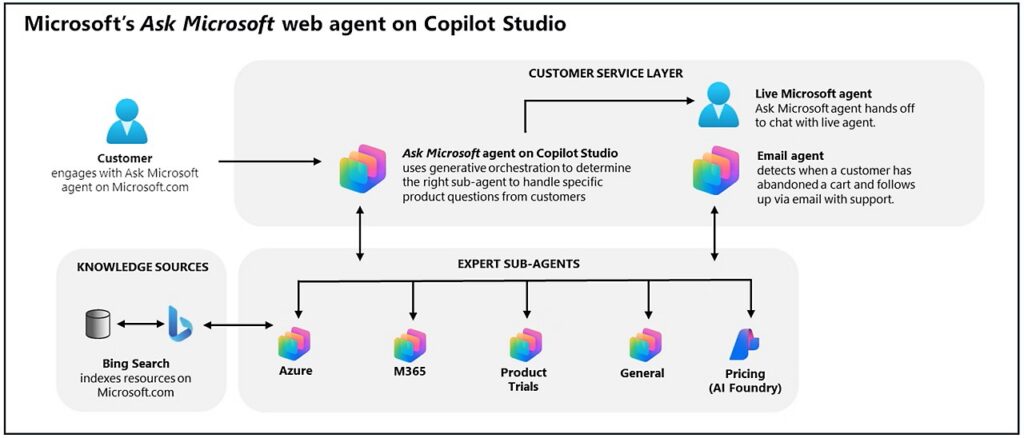
In practical terms, that means a business can start thinking about agents as a connected workflow layer:
- One agent may understand customer requests
- Another may check operational or ticket data
- Another may read approved documents or policies
- Another may prepare a response or next-step task
- A main agent can coordinate the process so the user sees one coherent experience
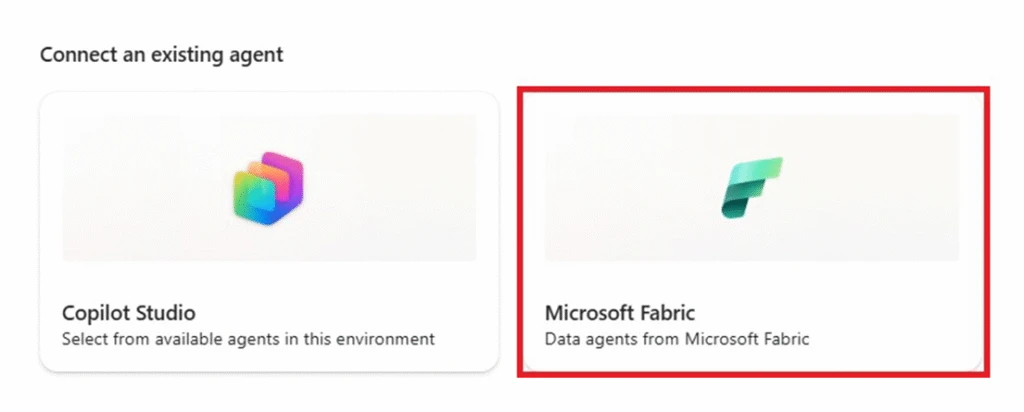
This is the difference between AI that only replies and AI that helps route work to the right place.
Where This Could Help a Small Business
The best use cases are not vague. They are the recurring workflows where staff already know the steps but lose time moving between systems.
Examples include:
- Customer service triage that checks account notes, service history, and open tickets
- Sales follow-up that pulls CRM context, drafts the next action, and updates a task list
- Finance or approvals workflows that gather supporting documents before management review
- HR and onboarding processes that coordinate forms, policies, IT access, and reminders
- Internal helpdesk requests that connect Microsoft Teams, SharePoint documentation, and ticketing systems
- Management reporting that combines data, explanation, and recommended follow-up actions
For many Blue Chip clients, the value is not that AI sounds impressive. The value is fewer missed handoffs, cleaner information, and less manual chasing.
Governance Is the Make-or-Break Point
More connected agents also mean more responsibility. If agents can access business data or trigger actions, IT must control who can use them, what they can access, and how they are monitored.
Microsoft's update includes governance improvements and stronger builder controls, including prompt iteration tools and evaluation options. That matters because AI workflows should be tested before they affect customers, finance, HR, or operational decisions.
A sensible rollout should answer these questions before going live:
- Which workflow are we improving first?
- What data sources does the agent need?
- Which users or groups should have access?
- What actions should require human approval?
- How will incorrect answers or failed workflows be reported?
- Who owns support and change control?
- How will prompts, connectors, and permissions be reviewed over time?
Without those controls, agents can quickly become another shadow-IT problem. With the right controls, they can become a managed productivity layer.
Prompt Quality and Testing Still Matter
Microsoft also highlighted improvements to Prompt Builder, model choice, evaluation automation, and connector quality. These details sound technical, but they affect real business outcomes.
A poorly written prompt can give inconsistent answers. A weak connector can pull incomplete ticket data. An untested workflow can confuse staff or send work in the wrong direction. Copilot Studio's newer tools are meant to help makers refine agent behavior in one place and test it more systematically.
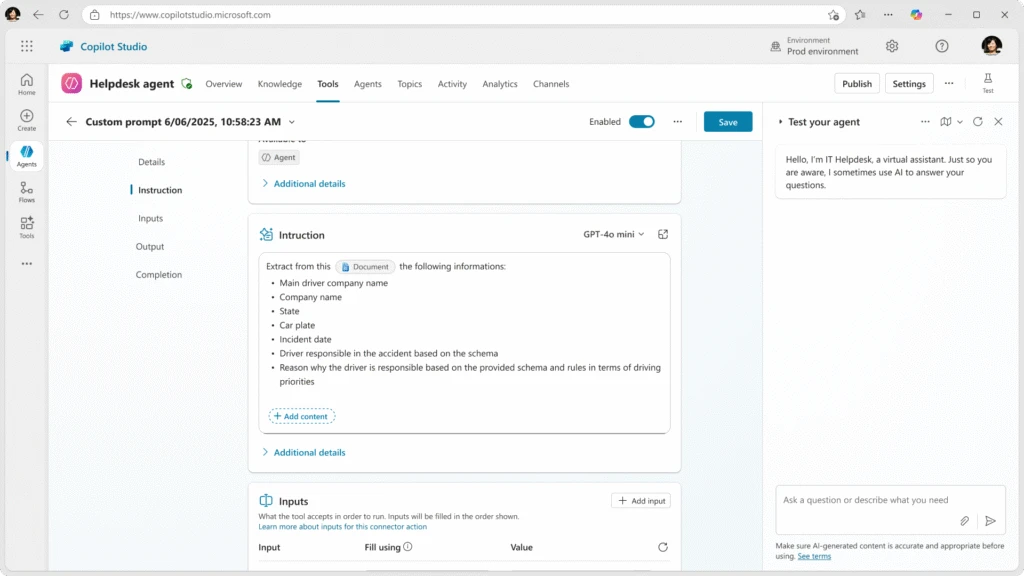
For SMBs, this means AI projects should be treated like workflow projects, not one-off experiments. Start small, document the process, test with real examples, and improve before expanding.
A Practical Starting Point
Blue Chip recommends starting with one workflow that is already painful but low-risk enough to pilot. Good candidates include internal support requests, document lookup, basic customer-service triage, or recurring management reporting.
Avoid starting with workflows that can affect payments, legal commitments, HR decisions, or customer-facing promises unless the controls are very clear. Human review should remain part of the process for any sensitive action.
A good first pilot should have:
- A clear business owner
- A defined group of users
- Approved data sources
- A before-and-after time saving target
- Simple success measures
- A rollback plan if the workflow is not useful
That approach keeps the project grounded in business value instead of hype.
How Blue Chip Can Help
Blue Chip Technologies helps businesses plan, secure, and support Microsoft 365 environments, including Teams, SharePoint, OneDrive, Microsoft 365 security controls, and Copilot readiness.
For Copilot Studio and multi-agent workflows, we can help with:
- Microsoft 365 and Copilot readiness review
- Identity, permissions, and data-access cleanup
- SharePoint and Teams structure improvements before AI rollout
- Workflow discovery and pilot planning
- Governance rules for approved agents and connectors
- Security review for sensitive data and user access
- Staff guidance so AI tools support real work safely
AI agents will be most useful where they are tied to a specific operational problem. If your team spends too much time chasing updates between Teams, email, documents, ticketing, and spreadsheets, Copilot Studio may be worth exploring as part of a controlled Microsoft 365 automation plan.
Source: Microsoft Copilot Blog — New and improved: Multi-agent orchestration, connected experiences, and faster prompt iteration.