
Copilot in Word, Excel, and PowerPoint: When Office Apps Start Doing the Work
Microsoft has moved Copilot's newer agentic capabilities in Word, Excel, and PowerPoint into general availability. The practical point is simple: Copilot is becoming less of a suggestion box and more of a controlled helper that can take multi-step actions inside the documents, spreadsheets, and presentations people already use every day.
For Trinidad and Tobago SMBs, that matters because most office productivity problems are not caused by a lack of apps. They are caused by time lost turning rough notes into clean documents, checking spreadsheets, building management slides, and reworking the same files after every meeting.
What Changed
Microsoft says Copilot can now perform more app-native actions directly in Word, Excel, and PowerPoint. In Word, that means drafting, rewriting, restructuring, and improving tone. In Excel, it means helping analyse data, explain results, work with formulas, and build visuals. In PowerPoint, it means updating or creating presentations while respecting the story and the template.
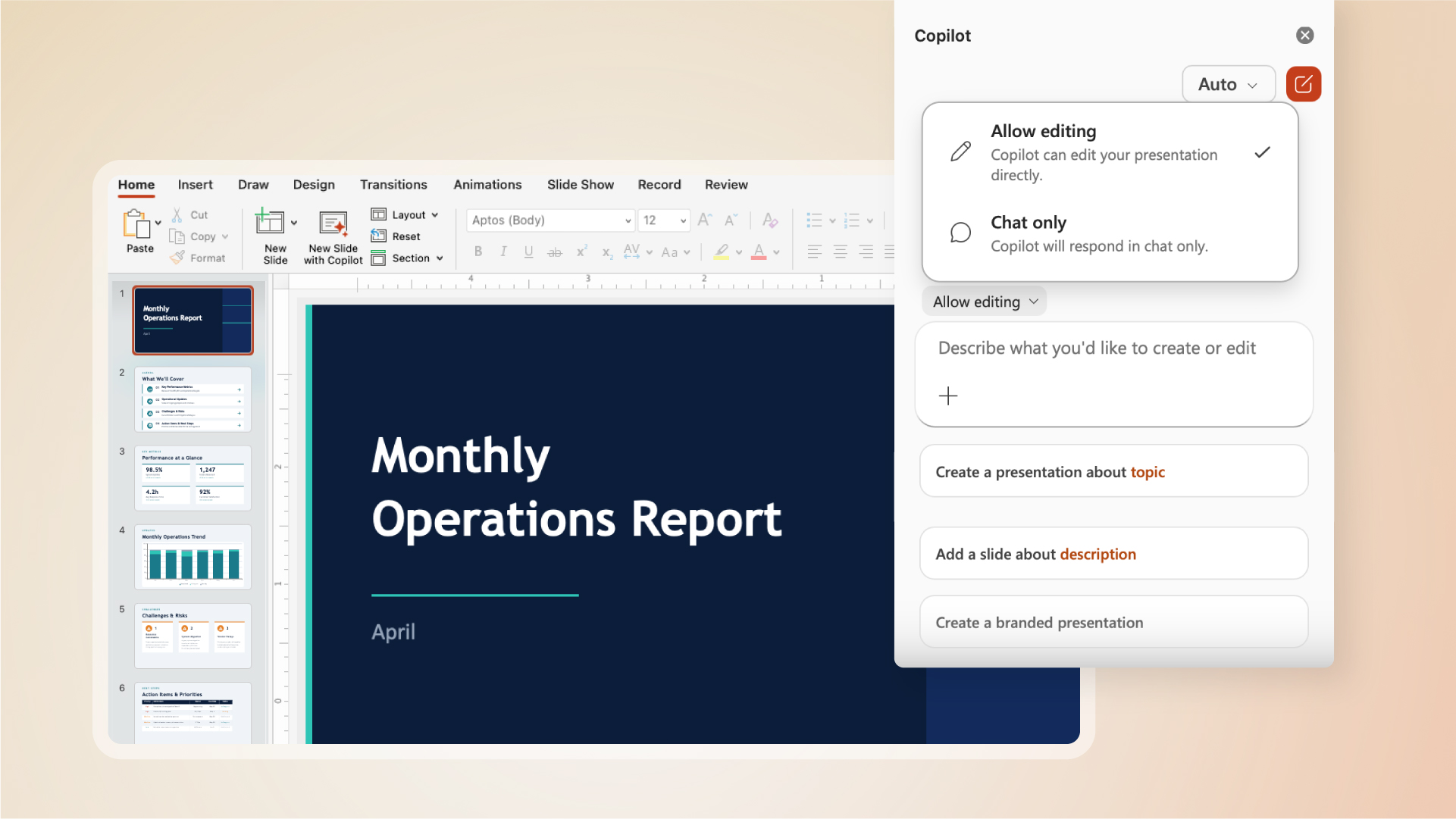
The difference is important. A basic AI assistant may tell a user what to do. An agentic assistant can help carry out the steps while the user reviews and stays in control.
Why SMBs Should Care
Many small businesses already pay for Microsoft 365, but still handle work in a very manual way. Staff copy figures from Excel into PowerPoint, rewrite email notes into Word documents, and spend valuable time cleaning up files instead of making decisions.
Used properly, Copilot can help with everyday workflows such as:
- Turning meeting notes into a customer proposal or internal memo
- Cleaning up a spreadsheet and explaining trends or exceptions
- Building a management presentation from current talking points
- Rewriting policies, procedures, and customer updates for the right audience
- Summarising information so managers can review faster
- Helping staff start from a better first draft instead of a blank page
This is not about replacing staff. It is about reducing the repetitive document work that slows teams down.
Control Still Matters
Microsoft's own announcement stresses that control is non-negotiable. That is the right approach. Businesses should be able to review changes, keep what is useful, reject what is wrong, and maintain their own style, data rules, and approval process.
Before rolling these capabilities out broadly, businesses should think about permissions, document storage, sharing rules, retention, and staff guidance. Copilot becomes more useful when SharePoint, OneDrive, Teams, and Microsoft 365 security settings are already tidy.
A Good Starting Point
Blue Chip recommends starting with practical, low-risk use cases before moving into sensitive finance, HR, legal, or customer-facing decisions. Good first pilots include internal reports, standard operating procedures, sales presentations, meeting summaries, and spreadsheet review.
The goal should be measurable: fewer hours spent formatting, faster first drafts, cleaner reports, and better follow-up after meetings.
How Blue Chip Can Help
Blue Chip Technologies helps SMBs get more value from Microsoft 365 by reviewing licensing, security settings, Teams and SharePoint structure, OneDrive usage, endpoint security, and user adoption.
For Copilot readiness, we can help with:
- Microsoft 365 licensing and Copilot readiness review
- SharePoint, OneDrive, and Teams cleanup
- Permission and data-sharing review
- Practical workflow selection for first pilots
- Staff guidance on safe and effective AI use
- Ongoing support for Microsoft 365 productivity and security
Copilot in Word, Excel, and PowerPoint is most valuable when it improves work your team already does every week. With the right setup, it can help staff produce better documents, understand data faster, and prepare presentations with less manual effort.
Source: Microsoft 365 Blog — Copilot's agentic capabilities in Word, Excel, and PowerPoint are generally available.