Healthcare organisations that want true control over patient data—not just security, but actual sovereignty—need to rethink their backup strategy. An on-premises backup appliance like Synology ActiveProtect keeps sensitive health records within your own walls, encrypted with keys only you hold, and completely outside the legal reach of foreign cloud providers. That's the short answer. Now let's unpack why this matters and how it works in practice.
Why is data sovereignty suddenly a priority in healthcare IT?
A few years ago, healthcare IT conversations centred almost entirely on security: stopping breaches, preventing ransomware, keeping systems online. That's still critical, of course. But there's a new question on the table: who actually controls this data?
It's not paranoia. Governments worldwide are tightening rules around where health data can live and who can access it. France now requires its most sensitive health records to sit with providers shielded from foreign legal jurisdiction. The US Department of Justice has restricted certain foreign access to Americans' electronic health records since 2025. Japan mandates encryption and technical safeguards when patient data touches overseas servers.
The common thread? Sensitive healthcare data should stay under the healthcare organisation's control—not a cloud vendor's.
What does "data sovereignty" actually require?
When you strip away the jargon, most regulations circle back to five things:
- Data residency – Information stays within an approved geographic or legal boundary
- Encryption with your keys – Data is encrypted, and you hold the decryption keys (not the vendor)
- Strict access control – Only authorised staff can touch the data, and it can't be repurposed without consent
- Irreversible deletion – When retention periods end, data is gone for good
- Audit trails – Every access and administrative action is logged and traceable
Here's the bit that often gets missed: backups contain the same sensitive data as your production systems. If your live patient records are sovereign but your backups sit on a foreign cloud platform, you've got a gap.
How does Synology ActiveProtect address these requirements?
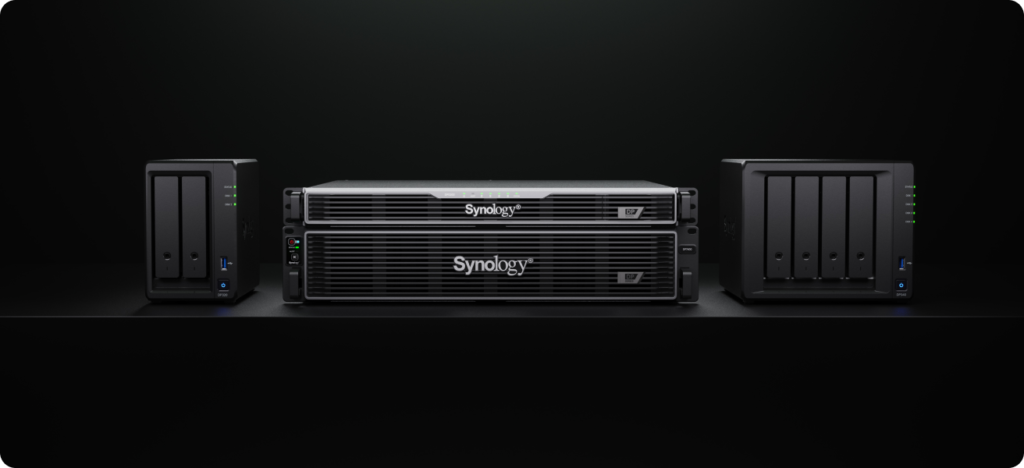
ActiveProtect is an all-in-one backup appliance that deploys entirely on your premises. No data leaves your building unless you explicitly configure it to. That's a fundamentally different posture from cloud backup, where you're relying on contractual promises about who can access your environment.
Here's how it maps to the sovereignty checklist:
| Requirement | How ActiveProtect delivers |
|---|---|
| Data residency | Backup data stays on hardware you own, in a location you choose |
| Encryption & key control | AES encryption at rest; recovery key held solely by your organisation (Synology can't access it) |
| Access control | Granular role-based access—auditors get read-only, site admins see only their location |
| Irreversible deletion | Automatic purging based on retention policies; data is unrecoverable once deleted |
| Audit trails | Comprehensive logging of backup, recovery, and user activity; integrates with SIEM/SOAR platforms |
St. Nikolaus Hospital in Germany, for example, needed a fully on-premises solution to satisfy GDPR and NIS2 requirements. They deployed ActiveProtect specifically so patient data could be recovered without ever leaving hospital-controlled infrastructure.
Does this mean cloud backup is off the table?
Not necessarily. Some cloud providers do offer sovereignty-compliant options—data centres in specific jurisdictions, customer-managed encryption keys, contractual guarantees vetted by legal teams. But the due diligence is substantial, and for many healthcare organisations, keeping backups on-premises is simply the cleaner path.
The point isn't that cloud is bad. It's that sovereignty requires you to know where your data lives and control who can access it. An on-premises appliance makes both of those straightforward.
What about cyber resilience?
Sovereignty and security aren't either/or. ActiveProtect includes immutable backups that can't be altered or deleted by ransomware, plus air-gapped protection options for truly isolated copies. You're not trading one for the other.
Frequently asked questions
Can ActiveProtect back up cloud workloads as well as on-premises systems?
Yes. It supports Microsoft 365, Google Workspace, and various virtualisation platforms alongside physical servers and endpoints—all managed from a single console.
What happens if someone steals the physical drives?
The entire storage volume is AES-encrypted, and only your organisation holds the recovery key. Without that key, the data is unreadable.
How do retention policies work?
You define how long backups are kept. Once a recovery point exceeds that period, ActiveProtect automatically and irreversibly deletes it—no manual intervention required.
Is this suitable for smaller clinics, or only large hospitals?
ActiveProtect scales from single-site clinics to multi-location health networks. The same sovereignty principles apply regardless of size.
Ready to take control of your healthcare backup data?
If your organisation is evaluating backup solutions with data sovereignty in mind, Blue Chip Technologies Ltd. can help you spec, deploy and support Synology ActiveProtect—whether you're across the street or across the globe. We handle remote implementations worldwide and provide on-site support for clients in Trinidad & Tobago.
Get in touch:
- Contact us online
- Call: 1 (868) 609-2288
- Email: [email protected]