If you're running backup services for multiple clients and watching your margins shrink as you scale, there's a good chance hidden operational costs are eating into your profits. The fix isn't working harder — it's choosing a backup platform that doesn't punish you for growing. Synology's ActiveProtect appliance tackles the five most common profit killers MSPs face: tool sprawl, manual workflows, inflexible storage, inefficient data transfer, and unpredictable licensing.
Why do backup operations get more expensive as you scale?
Here's the frustrating reality: adding more clients should mean more revenue. But for many managed service providers, it means more tools, more manual work, and more surprise costs. Research suggests nearly 30% of MSPs are only breaking even despite market growth.
The culprit isn't one big expense. It's a collection of small ones that compound over time.
What are the five hidden costs killing MSP backup margins?
1. Tool sprawl
Your VM backup tool doesn't cover Microsoft 365. Your endpoint solution is separate again. Before you know it, you're juggling three or four consoles just to get full coverage. Each tool has its own licence, its own interface, its own learning curve. That's money and time you're not billing for.
2. Manual, under-automated workflows
Ask yourself: when a client adds a new server, does it get protected automatically? Or does someone on your team need to remember to configure it? Every manual step is a potential mistake — and a cost that doesn't show up on any invoice.
3. Rigid storage architecture
A client needs seven years of backup retention for compliance. Without storage tiering, you're paying premium prices to store data nobody's touched in years. Without deduplication, you're storing the same files multiple times. It adds up fast.
4. Inefficient data transfer
This one's sneaky because it doesn't appear as a clear line item. If your backup tool sends full copies of data across the network instead of just the changes, you're burning bandwidth — and potentially triggering overage fees from your hosting provider.
5. Stacking licence fees
Per-device fees. Per-user fees. Storage fees. Feature add-ons. As your clients grow, your costs grow proportionally. Scaling up doesn't improve your margins; it just maintains them at best.
How does Synology ActiveProtect address these issues?
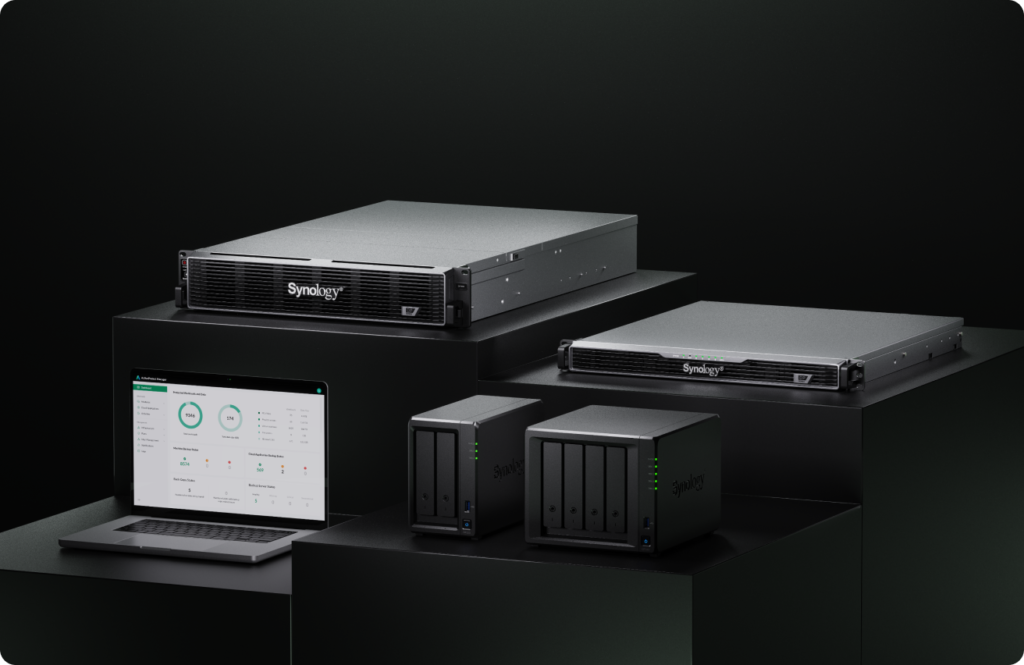
ActiveProtect is Synology's all-in-one backup appliance, and it's designed specifically to avoid these traps.
One platform for everything
Physical servers, VMs, cloud infrastructure, Microsoft 365, databases — ActiveProtect covers them all from a single console. No more switching between tools to check backup status across different clients. Daily automated summary emails tell you what succeeded and what needs attention.
Automation that actually works
When new workloads appear, ActiveProtect's Auto-Protect feature detects them and applies your predefined policies automatically. Immutable backups? Enabled by default when you set them up. Backup verification? It boots recovery points in a sandbox environment and logs the results for your SLA reports. When retention periods expire, cleanup happens automatically.
That's less manual intervention, fewer mistakes, and more time for work you can actually bill.
Storage that adapts to your needs
ActiveProtect uses what Synology calls SURE technology — incremental backups combined with multiple deduplication layers. The result can be up to 80% storage savings compared to traditional approaches.
For long-term retention, older backup versions automatically tier to lower-cost object storage (C2, Wasabi, or other S3-compatible services). GFS retention policies keep only the recovery points you actually need for compliance, not every single backup version.
Smarter data transfer
Source-side deduplication means only changed data leaves your client's environment. Rule-based traffic controls let you set bandwidth limits per tenant or globally, preventing network congestion and unexpected transfer costs.
Predictable pricing
ActiveProtect uses a one-time hardware purchase model. No per-device fees, no per-user fees, no charges for advanced features. You know what you're paying upfront, which makes it much easier to price your services profitably.
| Profit Killer | The Cost | How ActiveProtect Solves It |
|---|---|---|
| Tool sprawl | Multiple licences, multiple consoles | Single platform for all workloads |
| Manual workflows | Engineer time, human error | Auto-Protect, automated verification and cleanup |
| Rigid storage | Premium prices for cold data | Automatic tiering to object storage |
| Inefficient transfer | Bandwidth overages | Source-side deduplication, traffic controls |
| Stacking licences | Unpredictable costs as you scale | One-time hardware purchase, no recurring fees |
If you're looking at backup and storage solutions more broadly, our backup and disaster recovery solutions page covers the full range of options we support.
Frequently asked questions
What workloads does ActiveProtect support?
ActiveProtect covers physical servers, virtual machines (VMware, Hyper-V), cloud infrastructure (AWS, Azure), SaaS applications including Microsoft 365, file servers, and databases — all managed from one console.
Does ActiveProtect require ongoing software licence fees?
No. ActiveProtect uses a one-time hardware purchase model with no additional fees for devices, users, storage capacity, or advanced features.
How does ActiveProtect handle long-term backup retention?
Older backup versions automatically tier to lower-cost object storage. GFS retention policies ensure you keep only the recovery points required for compliance rather than every backup version.
Can I manage multiple clients from one interface?
Yes. The centralised console supports multi-tenant management, letting you apply protection policies and monitor backup status across all your clients from a single dashboard.
Ready to protect your backup margins?
Blue Chip Technologies Ltd. supplies, configures, and supports Synology ActiveProtect for businesses worldwide. Whether you need remote setup or you're in Trinidad & Tobago and want on-site assistance, we're here to help.
Get in touch:
- Phone: 1 (868) 609-2288
- WhatsApp: Chat with us
- Email: [email protected]
- Contact form: bluechiptt.com/contact