
Microsoft 365 Copilot Agents: Bring Business Apps Into the Workflow
Most office work does not fail because people lack information. It slows down because information and action live in different places.
A manager asks Copilot to summarize a project, then still has to open another system to approve the request. A sales team reviews an opportunity, then jumps into the CRM to update the record. A marketing user writes a campaign brief, then switches to a design tool to create the asset. Every handoff adds friction, and every extra tab creates another chance for work to stall.
Microsoft's April update for Microsoft 365 Copilot points to a practical next step: agents that bring everyday business apps directly into the Copilot conversation. Instead of using AI only to generate an answer, users can move from question to action with approved business apps surfaced inside the same workflow.
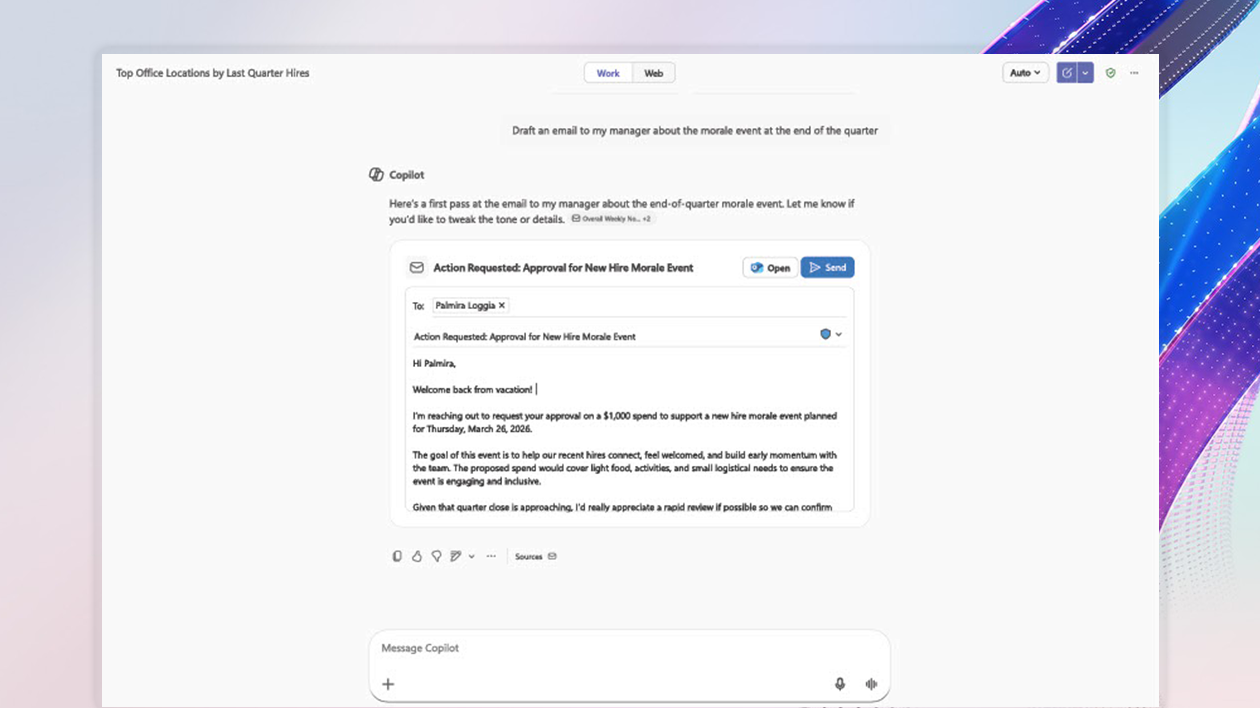
For Trinidad and Tobago businesses, this is useful because many teams are already stretched across email, Teams, documents, spreadsheets, finance systems, design tools, and customer databases. The value is not "AI for its own sake." The value is fewer handoffs, cleaner follow-through, and better control over how work gets done.
From Chat to Action
Copilot is already useful for drafting, summarizing, comparing, and finding information across Microsoft 365. The new agent direction is about connecting that insight to business action.
Microsoft describes agents in Copilot that can connect with content-rich apps such as Adobe Express, Figma, Optimizely, Dynamics 365, Wix, and other tools available through the Microsoft 365 Agent Store. The practical idea is simple: if a user is discussing the work in Copilot, the related app experience can appear there too.
That means a team may be able to:
- Turn a campaign brief into a creative asset without leaving the conversation
- Review and update customer records with less switching between systems
- Move a project approval forward while keeping the context visible
- Iterate on documents, presentations, and assets from one work hub
- Use approved app connections instead of ad hoc browser tabs and copied data
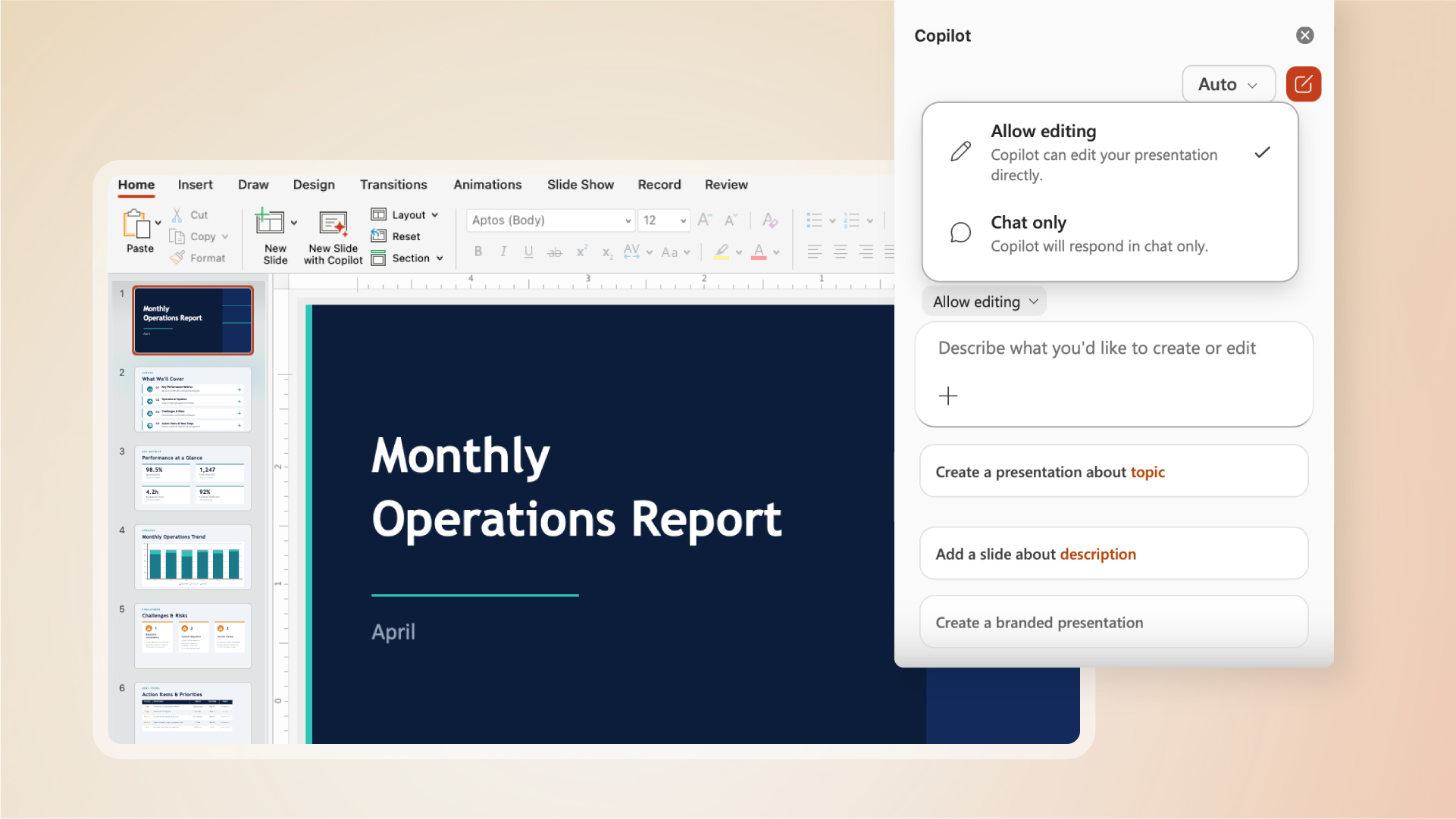
The user remains in control. Copilot can assist, but staff still review, guide, and approve the work.
Why This Matters for SMB Productivity
In small and mid-sized businesses, productivity losses are often hidden. A five-minute app switch here, a duplicated update there, a missed approval in Teams, a file saved in the wrong place — each one seems minor until the business is trying to move quickly.
Copilot agents can help reduce that drag when they are implemented properly. The goal is to keep work close to the conversation where decisions are already happening.
For example, a service company may discuss a customer request in Teams, summarize the history with Copilot, draft a response, and update the related record. A marketing team may plan a promotion, create a first draft, and prepare a design asset with fewer manual handoffs. A manager may review a request and take the next step without reconstructing the entire context in another platform.
That is the difference between AI as a writing assistant and AI as a workflow assistant.
IT Control Still Matters
The most important point for business owners is that connected agents should not become a free-for-all.
If Copilot can connect to more business apps, IT needs clear governance. Which apps are approved? Which users can use them? What data can the agent access? How are these tools deployed, monitored, and removed if needed?
Microsoft notes that IT administrators can manage these experiences through the Microsoft 365 admin center. That matters because productivity improvements should not weaken security or compliance. A good rollout should include:
- Approved app and agent lists
- User/group-based access control
- Review of data access and permissions
- Staff guidance on appropriate use
- Monitoring for risky or unnecessary integrations
- A clear support process when something does not work as expected
For many SMBs, this is where a managed IT partner adds value. The technology is powerful, but the setup needs discipline.
Where Blue Chip Sees the Best Fit
This type of Copilot workflow is strongest where a team repeats the same steps often:
- Sales follow-ups and CRM updates
- Customer service summaries and response drafting
- Marketing briefs, approvals, and creative asset preparation
- Project status updates and task follow-through
- HR or operations requests that need review and action
- Management reporting where information lives in several systems
The best starting point is not to connect every tool at once. Start with one real workflow that wastes time today. Map the steps. Confirm where the data lives. Decide who should have access. Then test whether a Copilot agent can remove friction without creating risk.
How Blue Chip Can Help
Blue Chip Technologies helps businesses plan, secure, and support Microsoft 365 environments, including Teams, SharePoint, OneDrive, Outlook, Microsoft 365 security controls, and Copilot readiness.
For businesses considering Microsoft 365 Copilot agents, we can help with:
- Microsoft 365 licensing and readiness review
- Identity, permissions, and admin-center configuration
- Teams, SharePoint, and OneDrive structure cleanup
- Security baseline review before enabling new AI capabilities
- Workflow selection and pilot planning
- Staff guidance so Copilot supports real work instead of creating confusion
Copilot agents are most valuable when they are tied to practical business outcomes: fewer manual updates, faster approvals, better customer follow-up, and less time lost moving between tools.
If your team already uses Microsoft 365 but still spends too much time chasing updates across apps, this is a good time to review where Copilot-driven workflows could help.
Source: Microsoft 365 Blog — Bring your everyday business apps into the flow of work with agents in Microsoft 365 Copilot.