
Microsoft 365 Local: Keep Critical Collaboration Available When Connectivity Fails
Most small and medium-sized businesses do not think about Microsoft 365 as something that has to survive a serious connectivity problem. Email, files, calendars, and collaboration are usually treated as cloud services that are simply expected to be there.
Microsoft's update on Sovereign Cloud and Microsoft 365 Local is aimed mainly at regulated, public-sector, and highly controlled environments. Even so, it carries a useful lesson for Trinidad and Tobago SMBs: business continuity is not only about backup. It is also about knowing which communication and collaboration services must keep working when connectivity, regulation, or operational risk changes the normal plan.
Why this matters to everyday businesses
The Microsoft announcement includes Microsoft 365 Local disconnected, designed to run core productivity workloads such as Exchange Server, SharePoint Server, and Skype for Business Server inside a customer-controlled environment on Azure Local. That level of deployment will not be right for every SMB.
But the business question behind it is relevant to many organizations:
- How long can staff work if internet service is unstable?
- Where are critical documents stored and protected?
- Who can access files if a cloud service, office link, or device is unavailable?
- What happens to email and collaboration during a major outage?
- Which systems are genuinely business-critical versus merely convenient?
Those questions matter for accounting firms, law offices, clinics, logistics teams, construction companies, schools, and any business where operations depend on documents, messages, approvals, and customer records.
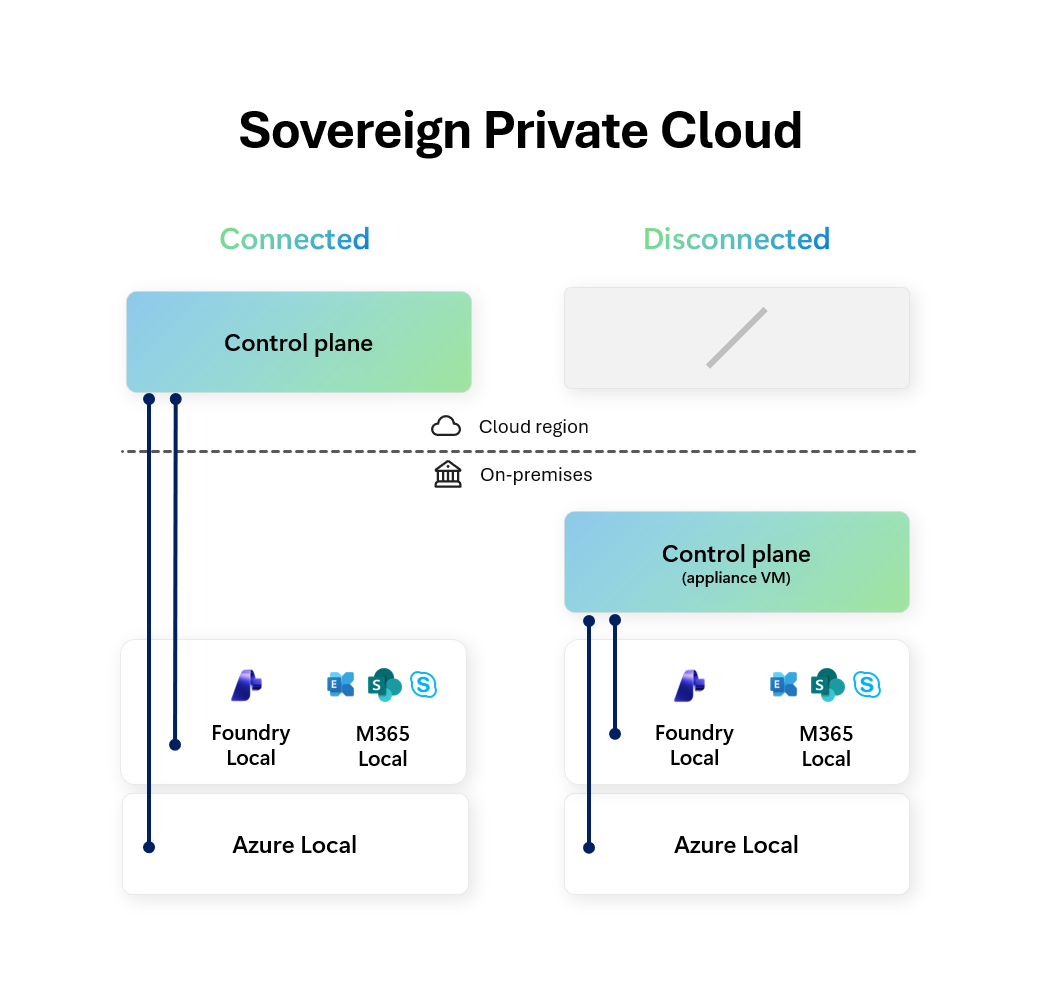
Microsoft's source diagram shows the broader idea: productivity, infrastructure, and AI workloads can be planned around different control and connectivity requirements.
Cloud-first still needs a continuity plan
For most Blue Chip clients, Microsoft 365 cloud services remain the sensible default. Exchange Online, SharePoint Online, OneDrive, Teams, Defender, Intune, and Entra ID give SMBs capabilities that would be difficult to operate alone.
Cloud-first does not mean plan-never.
A practical Microsoft 365 continuity plan should include:
- verified backups for Microsoft 365 data where business risk requires it
- clear SharePoint and Teams ownership so important files are not scattered
- OneDrive sync policies for staff who need selected files available locally
- documented emergency communication channels if email or Teams is unavailable
- admin access protected by MFA and break-glass planning
- endpoint management for laptops used away from the office
- periodic recovery tests, not just backup subscriptions
The goal is not to duplicate Microsoft's global infrastructure. The goal is to understand the business impact when normal access is interrupted and put reasonable controls in place.
Local control is not only for large enterprises
Microsoft's article discusses sovereign and disconnected environments, which may sound far removed from a local SMB. But many smaller businesses also have practical control requirements.
Examples include:
- keeping finance and HR documents in approved locations only
- restricting access to client files by department or role
- maintaining local copies of key operating documents for field teams
- protecting email and files on devices that leave the office
- ensuring former staff lose access quickly
- knowing which vendors and apps can connect to Microsoft 365 data
These are not enterprise-only problems. They are normal managed IT responsibilities.
What Blue Chip would review first
Before considering any advanced or hybrid Microsoft 365 design, we would start with the basics that make daily work resilient.
That includes reviewing:
- Microsoft 365 licensing and security posture
- MFA, admin roles, and conditional access
- SharePoint site structure and permissions
- Teams naming, ownership, and guest access
- OneDrive sync and data retention settings
- Defender and endpoint protection coverage
- backup and restore requirements for email, files, and Teams data
- business continuity procedures for internet or service disruption
For some organizations, the answer will be better cloud governance. For others, especially regulated or operationally sensitive environments, the answer may include hybrid or local infrastructure planning. Either way, the decision should be based on risk, not guesswork.
AI makes data readiness more important
Microsoft also connected the announcement to local AI infrastructure through Foundry Local. That is another reminder that AI readiness depends on data readiness.
If documents are poorly organized, permissions are too broad, and collaboration sites are unmanaged, AI tools can surface the wrong information faster. Whether a business uses Microsoft 365 Copilot today or later, the foundation is the same: clean data locations, clear ownership, secure access, and reliable recovery.
A sensible SMB takeaway
You do not need a sovereign private cloud to benefit from the thinking behind Microsoft's announcement.
Start by identifying the communication and collaboration workflows your business cannot afford to lose. Then check whether Microsoft 365 is configured, protected, backed up, and documented well enough to support those workflows during real disruption.
That is where managed Microsoft 365 support becomes valuable: not just adding licences, but helping the business work securely, recover confidently, and choose the right level of control for the way it operates.
Source: Microsoft Blog — Microsoft Sovereign Cloud adds governance, productivity and support for large AI models securely running even when completely disconnected.