Microsoft Copilot just got a major upgrade with three new capabilities—Home, Code, and Autopilot—that change how you'll work with AI in Microsoft 365. Home brings your chat, documents, and collaborative AI into one starting point. Code lets anyone build custom apps and automations without writing traditional code. And Autopilot? It's an AI agent that keeps working on tasks even when you've logged off for the day. If your organisation uses Microsoft 365, these updates are worth understanding now.
What's actually changing in Copilot?
Microsoft has restructured the Copilot app around three distinct modes, each designed for different types of work.
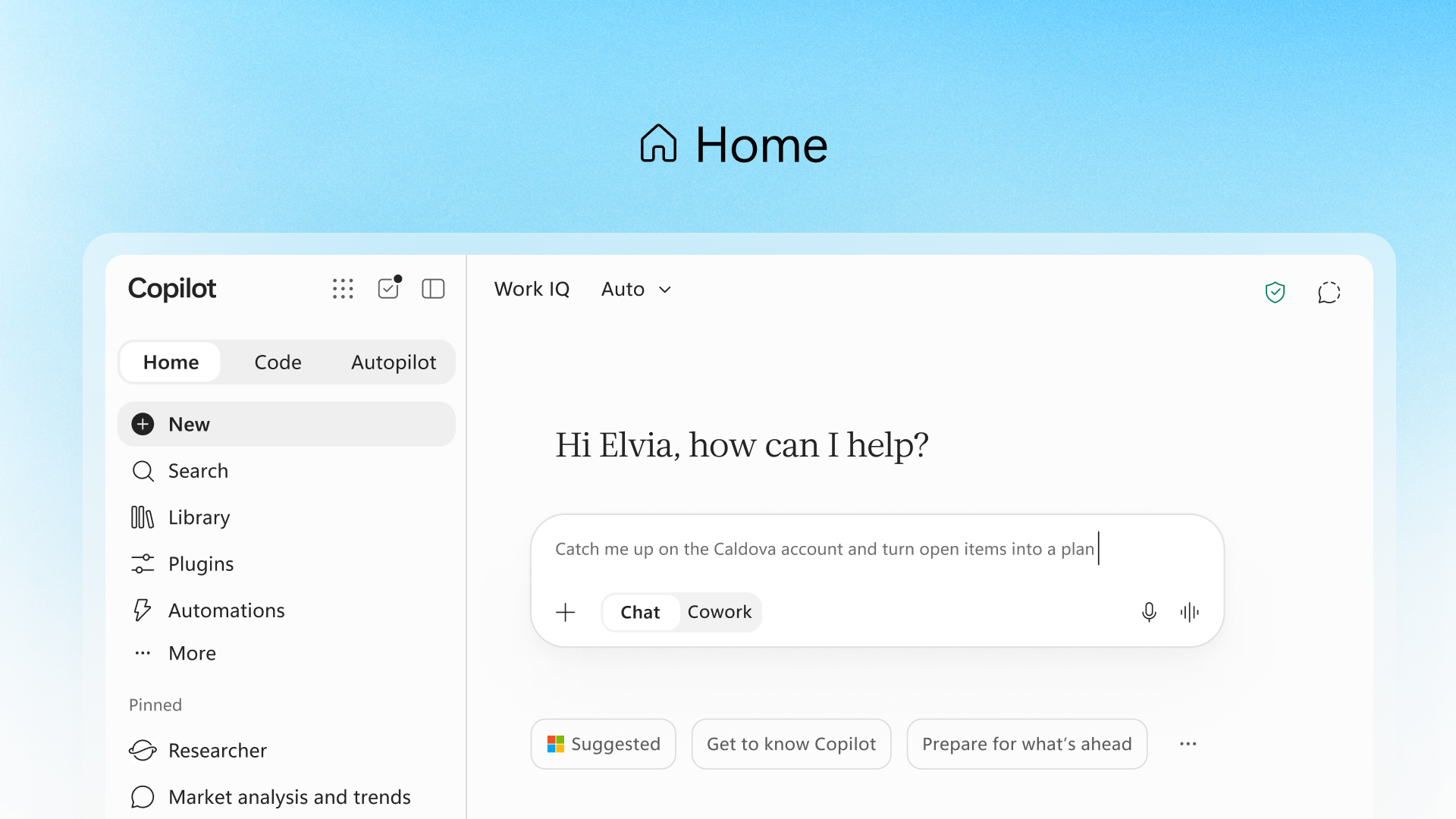
Home is your new dashboard. It combines the conversational chat you're used to with a deeper "Cowork" mode for delegated tasks. Need a quick answer? Chat handles that. Need Copilot to build out an entire RFP response or customer briefing? That's Cowork territory. The system will eventually route your requests automatically—you just describe what you need done.
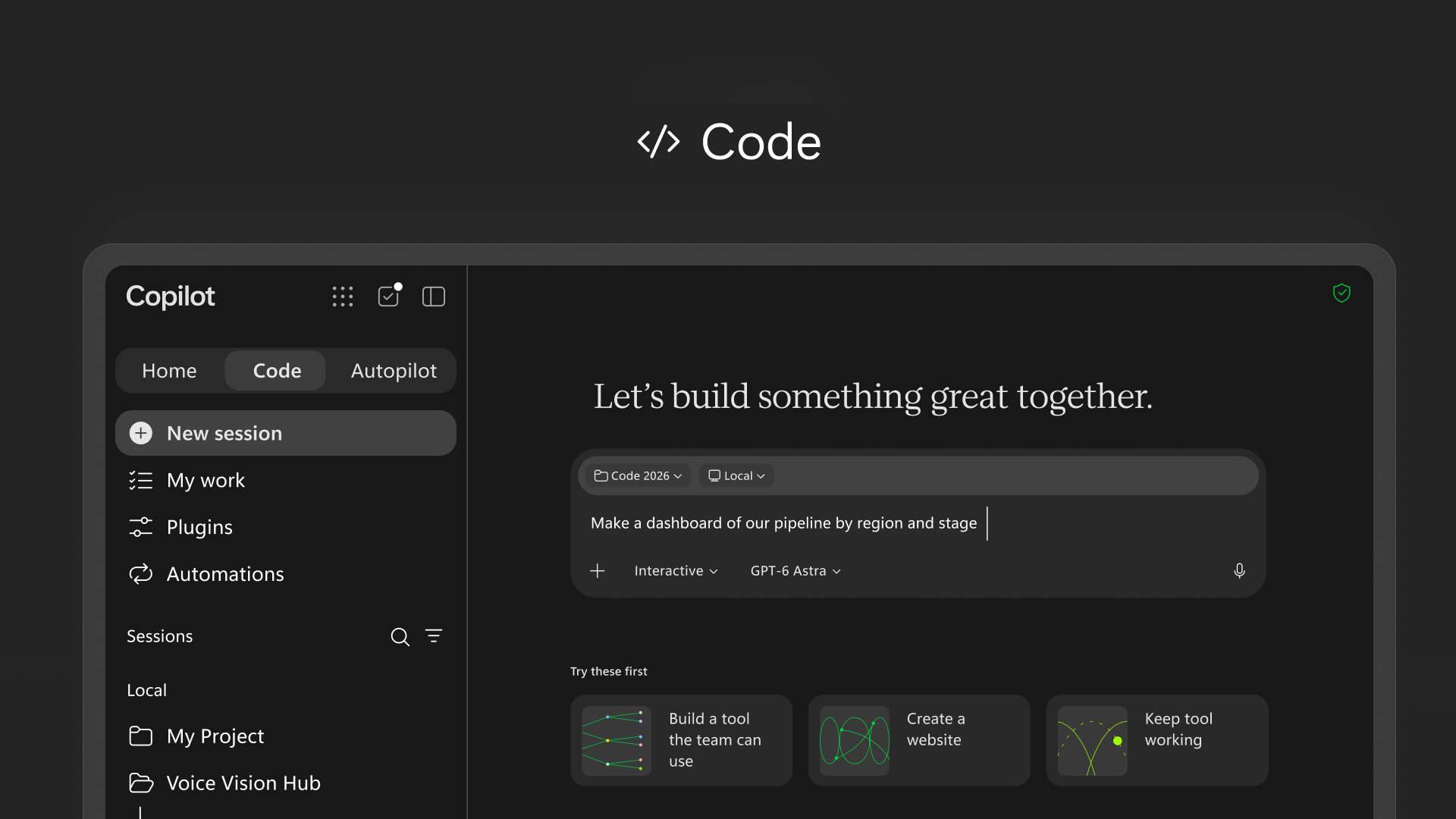
Code is the interesting one for non-developers. You describe what you want—a tracker, a dashboard, an internal tool—and Copilot builds it. It runs on the same technology as GitHub Copilot, but it's designed for business users who've never touched a code editor. The solutions run in a sandboxed environment within your Microsoft 365 tenant, so IT keeps control.
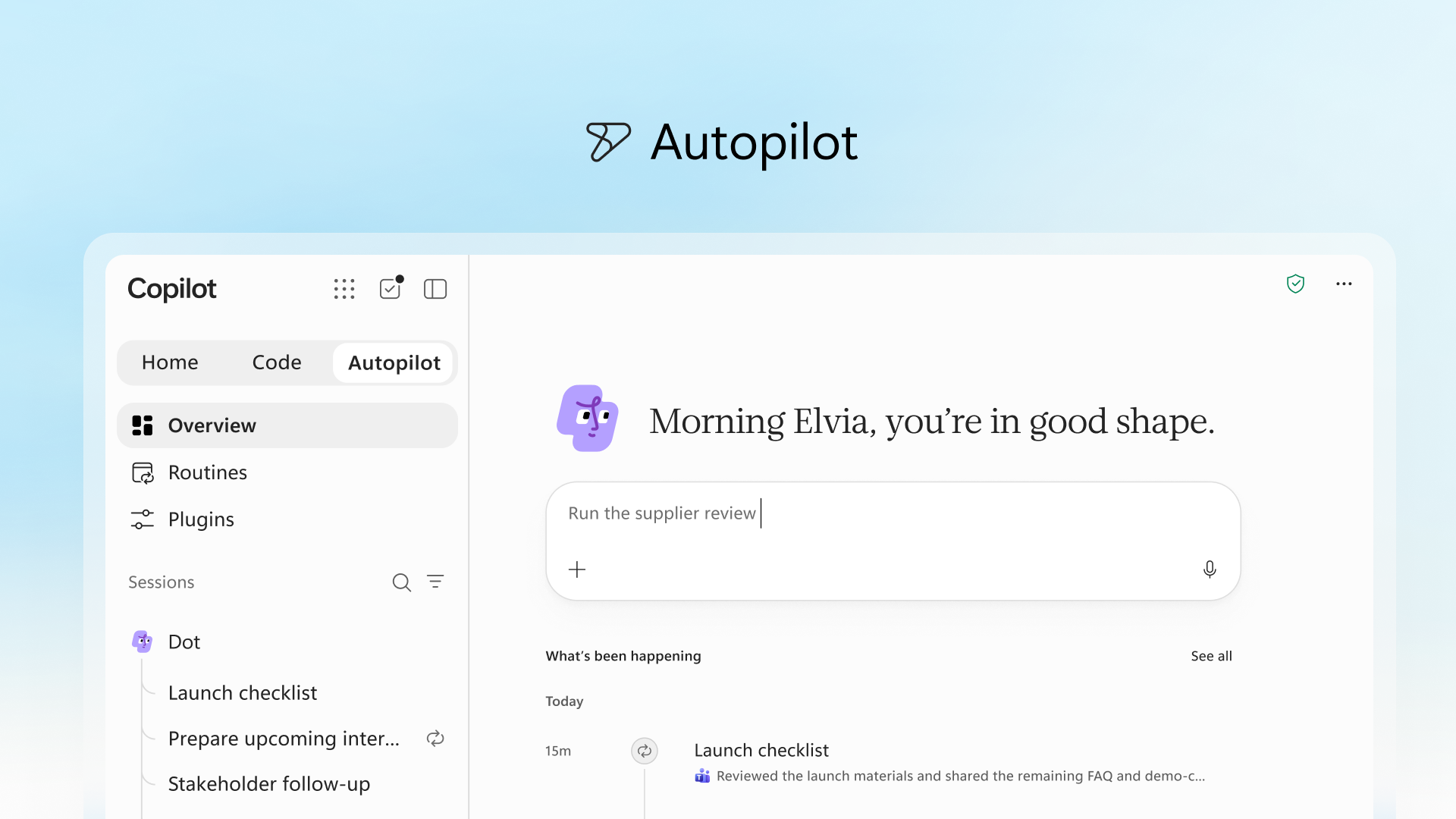
Autopilot (previously called Scout) is a persistent AI agent. You give it a name, a role, and a goal, and it runs in the background—following up on threads, managing recurring tasks, preparing meeting materials. It's cloud-hosted, so it continues working outside your active sessions.
How does Office in Copilot work?
This is a practical improvement. Word, Excel, and PowerPoint now work directly inside the Copilot interface. You can ask Copilot to draft a document, model a budget, or build a presentation—and it creates a real, editable file that syncs with your team in real time.
No more exporting AI-generated content into a separate app and fixing the formatting. The document lives in both places, and edits from teammates appear as they make them.
PowerPoint now applies your brand templates automatically. Excel shows you exactly what Copilot changed and why, which helps when you're reviewing AI-assisted calculations. Both apps also support "Skills"—specialised capabilities like financial modelling in Excel or legal drafting in Word that organisations can customise for their teams.
What does this mean for IT teams?
Microsoft is introducing Copilot Managed Runtime, which provides the hosting infrastructure for apps built in Code, Cowork, and Copilot Studio. IT departments govern the environment, but end users can share apps, connect to live data, and access tools without submitting development requests.
There's also new FinOps for AI capabilities to help organisations track spending and measure value from Copilot and agents. Useful for budgeting conversations.
If you're already managing Microsoft 365 deployments, these changes will roll out through the Frontier programme first, with broader availability following.
When can you access these features?
Here's the rollout timeline Microsoft has shared:
- Home and Code begin rolling out to Frontier programme participants in the coming weeks
- Autopilot expands to private preview at the end of September 2026
- Code will enter preview for Microsoft 365 Premium and Pro subscribers later in 2026
- Copilot Managed Runtime is currently in preview
Frequently asked questions
Do I need a separate licence for Home, Code, or Autopilot?
These capabilities are part of the Copilot experience within Microsoft 365. Specific licensing requirements for Code are expected to be clarified as it moves from Frontier to general availability.
Can I build apps with Code if I don't know how to programme?
Yes. Code is designed for business users. You describe what you want in plain language, and Copilot handles the technical implementation. Solutions run in a sandboxed environment managed by your IT team.
Will Autopilot have access to all my company data?
Autopilot operates within your Microsoft 365 tenant and follows your organisation's existing security and access policies. It can only access data you're authorised to use.
How is Code different from Power Apps or Copilot Studio?
Code is positioned as a simpler entry point for quick, purpose-built solutions. Power Apps and Copilot Studio remain available for more complex application development and agent building.
Ready to make the most of Microsoft 365?
Blue Chip Technologies Ltd. helps businesses worldwide get more from their Microsoft 365 investment—from initial setup to ongoing support. If you're wondering how these Copilot updates fit into your organisation's workflow, we're happy to talk it through.
Get in touch: