Reliable NAS Storage Starts With the Drives You Choose
For many businesses, a NAS is treated as a simple box for shared files, backups, camera footage, accounting data, and project documents.
But reliable storage is not just about the box. It is also about the drives inside it, the firmware they run, the way they behave under load, and how quickly a support problem can be diagnosed when something goes wrong.
That is the useful business lesson from Synology’s article on system-level integration for Synology hard drives. Synology’s point is straightforward: a drive can be physically compatible with a NAS and still create reliability, performance, or support problems if it has not been validated properly for that environment.
For Trinidad and Tobago SMBs, that matters because storage downtime is rarely convenient. If the NAS is holding company files, backups, surveillance footage, or application data, a storage issue can quickly become a business continuity issue.
Compatibility Is Not the Same as Reliability
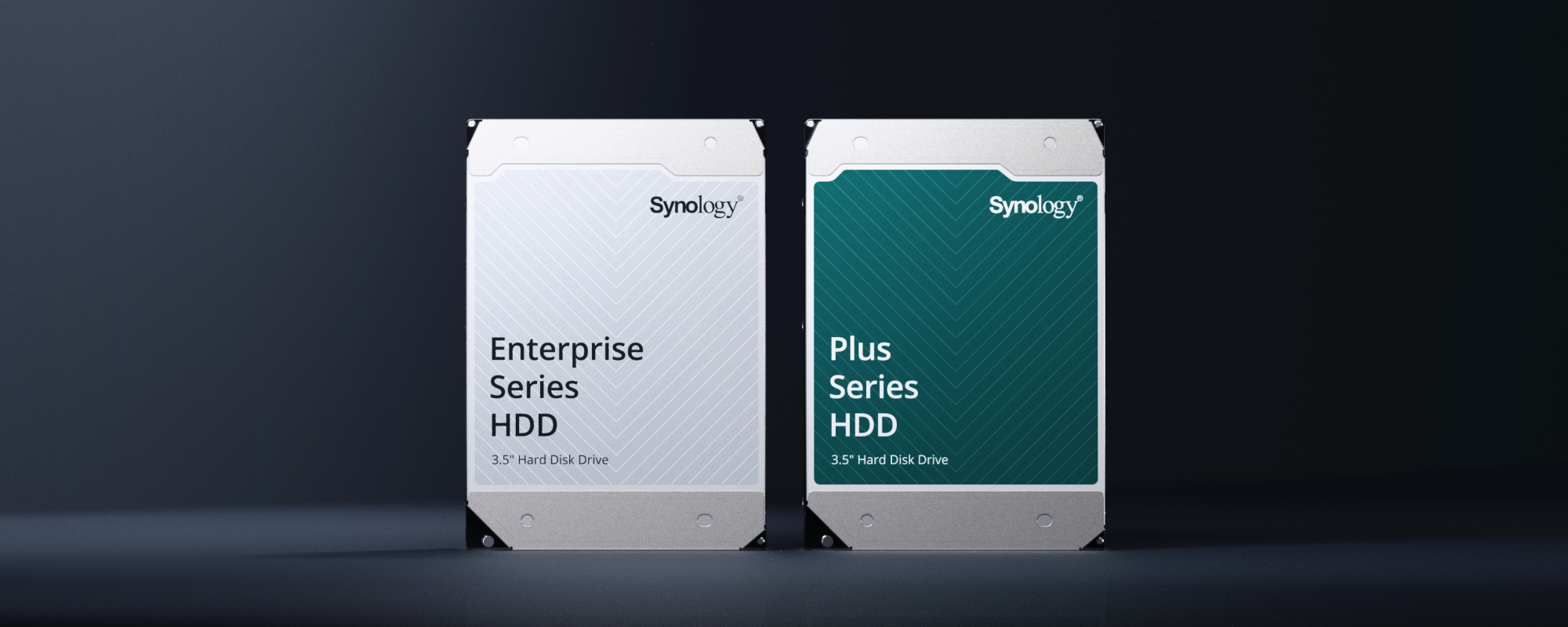
It is easy to assume that any drive with the right size and interface will work.
In practice, business storage is more sensitive than that. A NAS runs 24/7. Multiple users may access files at the same time. Backup jobs may run overnight. Surveillance systems may write continuously. RAID rebuilds and drive repairs can put sustained pressure on the storage pool.
Synology highlights several risk areas that can appear when drives and storage systems are not properly aligned, including recognition failures, unstable connections, firmware timeouts, poor performance, RAID degradation, and longer troubleshooting paths.
The important takeaway is not that every third-party drive is bad. The point is that storage decisions should be made deliberately. A drive that looks cheaper on paper can become expensive if it causes downtime, difficult support cases, or avoidable recovery work.
The Real Cost Is Operational Risk
For a small business, the cost of a storage problem is not limited to the price of a replacement drive.
The bigger costs are often operational:
- Staff cannot access shared files
- Backup jobs fail silently or repeatedly
- Camera footage is unavailable when needed
- Virtual machines or applications slow down
- IT support spends hours isolating the cause
- Warranty and support questions bounce between vendors
- Management loses confidence in the backup or storage platform
That is why we prefer to design storage around the workload, not only around raw capacity.
A NAS used for simple file sharing has different needs from a NAS used for virtualization, surveillance, high-volume backup, or long-term archive. Drive selection should match that use case.
Why Validated Drives Help
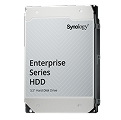
Synology positions its own drives as part of a more integrated storage ecosystem: hardware, firmware, DSM management, health monitoring, firmware updates, and support are designed to work together.
That integration can simplify several practical areas:
- Drive health visibility: DSM can report and manage drive health from one familiar interface.
- Firmware management: Updates can be handled through the Synology environment instead of being tracked separately.
- NAS workload tuning: Drives can be optimized for multi-user, RAID, and always-on storage patterns.
- Support clarity: If there is a problem, one vendor owns more of the stack, reducing finger-pointing.
- Deployment consistency: Standardizing drives across client sites makes support easier for managed IT teams.
Synology also states that its validation process includes long-duration testing across real-world stress conditions such as RAID rebuilds, power events, SMART diagnostics, hot-swap behavior, high-load access, and data integrity checks.
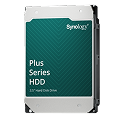
For businesses, that type of validation matters because it reduces uncertainty. Storage should be boring in the best possible way: predictable, monitored, documented, and recoverable.
Where This Fits in a Managed IT Plan
A reliable NAS is only one part of a wider infrastructure plan.
Blue Chip typically looks at storage in the context of the full environment:
- What data is stored on the NAS?
- Is the NAS the primary file server, backup target, surveillance store, or all three?
- How many users and devices rely on it daily?
- Are backups following a 3-2-1 or 3-2-1-1-0 strategy?
- Are snapshots, offsite copies, and restore testing in place?
- Are alerts monitored, or do they sit unseen in an inbox?
- Is the hardware still under warranty and sized for future growth?
- Are drives standardized and documented?
Drive choice is one practical piece of that plan. It affects performance, replacement planning, supportability, and how confidently the system can recover when something fails.
Small Offices Still Need Enterprise Discipline
Many local businesses do not need a large enterprise storage array. But they do need enterprise discipline in how storage is selected and managed.
That means using appropriate drives, monitoring drive health, documenting warranty and serial information, testing backups, keeping DSM updated, reviewing storage capacity before it becomes urgent, and planning replacement before hardware ages out.
It also means understanding that “the NAS is working today” is not the same as “the NAS is protected, monitored, and recoverable.”
A storage system can appear healthy until a drive fails, a rebuild is slow, a backup is incomplete, or a restore is needed under pressure.
The Blue Chip View
For Blue Chip clients, the decision is not simply “Synology drive or third-party drive.” The better question is: what storage design gives the business the lowest operational risk?
In many Synology deployments, validated drives make sense because they reduce uncertainty and simplify support. In other cases, the right answer may involve a different NAS model, more bays, SSD cache, larger backup capacity, offsite replication, a dedicated backup appliance, or a full business continuity review.
The key is to make the decision intentionally.
If your business relies on a NAS for files, backups, surveillance, or application data, Blue Chip Technologies can review the current setup, check drive health and warranty status, assess backup coverage, and recommend a practical storage plan for business continuity.
Reliable storage starts before something fails.
Source: Synology Blog — Beyond compatibility: How Synology hard drives deliver system-level integration.