

SharePoint Knowledge Hubs: Make Business Information Easier to Find
Most businesses already have the raw material for better teamwork: policies, proposals, contracts, HR forms, maintenance records, meeting notes, project documents, vendor information, and customer procedures.
The problem is that this knowledge is often scattered. Some files are in email, some are in Teams chats, some are saved on desktops, and some live in old shared folders that only one person understands.
Microsoft's SharePoint 25-year update is a useful reminder that SharePoint is no longer just a place to store files. In Microsoft 365, SharePoint is becoming the knowledge layer that helps Copilot, Teams, search, and business users understand where important information lives and how it should be used.
For small and medium-sized businesses in Trinidad and Tobago, the opportunity is practical: build a cleaner business knowledge hub before AI starts answering questions from messy information.
Why SharePoint matters more in the Copilot era
AI tools are only as useful as the information they can safely use. If company documents are outdated, duplicated, poorly named, or open to the wrong people, Copilot-style assistance can become confusing or risky.
SharePoint helps because it can give business information structure:
- department sites for HR, finance, operations, sales, and management
- project workspaces for current jobs and client engagements
- controlled document libraries with version history
- permissions that follow business roles
- publishing workflows for announcements and procedures
- search and discovery across Microsoft 365
That structure is what turns "we have the file somewhere" into "the team can find the approved version when they need it."
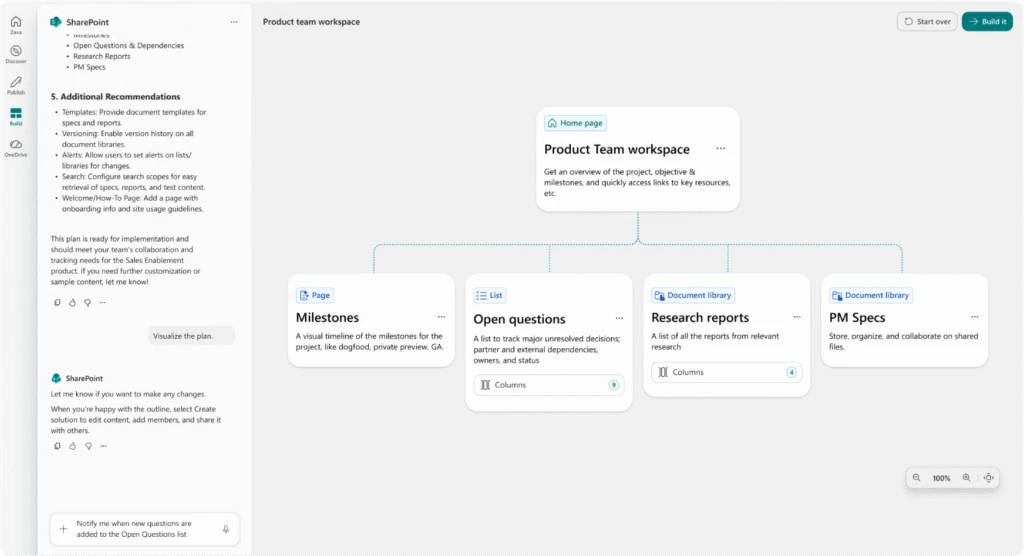
A SharePoint workspace can organize project knowledge around tasks, questions, reports, and specifications.
Better workflows start with better information design
A good SharePoint setup should match how the business actually works. It should not be a dumping ground with prettier folders.
For example, a local construction, retail, distribution, or professional services company may need clear spaces for:
- staff policies and onboarding documents
- supplier and vendor procedures
- sales templates and price lists
- project files and approvals
- maintenance logs and equipment records
- management reports and board documents
- client deliverables and handover files
When these areas are planned properly, staff spend less time asking "where is the latest copy?" and more time getting work done. Managers also get better control over which documents are official, who can edit them, and when content needs review.
Publishing is part of governance
Many businesses think of SharePoint only as storage. The stronger use case is communication.
A managed intranet can give staff one trusted place to find announcements, forms, procedures, contact lists, service updates, and internal guidance. That reduces the flood of repeated WhatsApp messages, email attachments, and informal instructions that change from person to person.
The key is governance. Someone must own the content, review it, archive old material, and make sure users know where to go first.
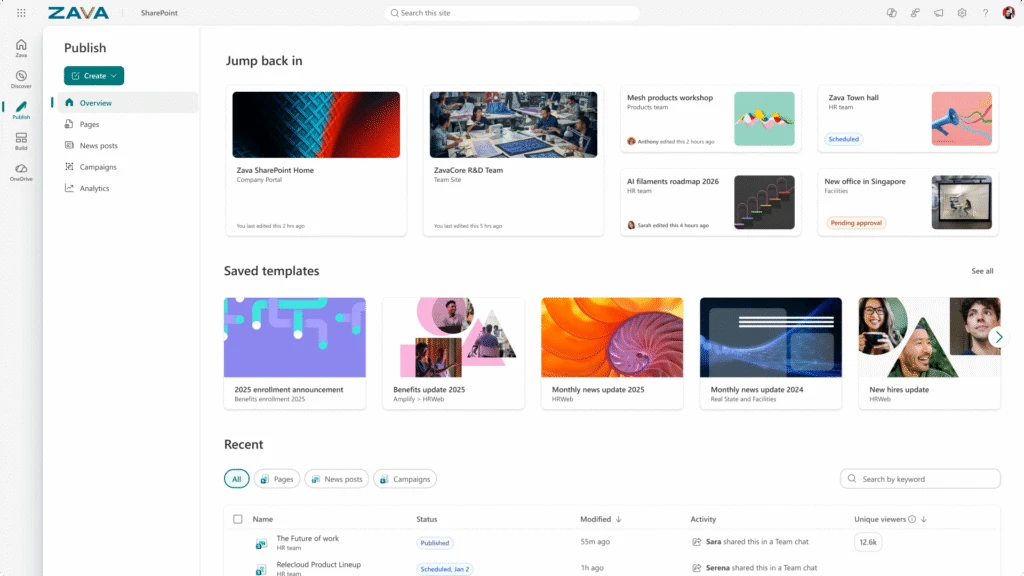
SharePoint publishing helps teams manage announcements, templates, drafts, and approved content in one place.
What Blue Chip looks for before enabling AI over documents
Before a business leans heavily on Microsoft 365 Copilot or AI agents, Blue Chip recommends cleaning up the information foundation.
That usually means checking:
- whether SharePoint sites are named and structured clearly
- whether old document libraries should be archived or reorganized
- whether permissions expose sensitive HR, finance, or management files
- whether Teams, OneDrive, and SharePoint are being used consistently
- whether file naming, versioning, and retention rules are documented
- whether staff know where approved procedures and templates live
- whether Microsoft 365 security settings, MFA, conditional access, and audit logs are in place
This is not just an IT housekeeping exercise. It directly affects productivity, compliance, onboarding, customer service, and the quality of future AI assistance.
A practical starting point for SMBs
You do not need to redesign everything at once. Start with one high-value area where scattered information is already slowing the team down.
Good candidates include HR onboarding, management procedures, sales templates, recurring project documentation, or service/maintenance records. Build one clean SharePoint site, migrate the right documents, set permissions, agree on naming rules, and train users on the new process.
Once the business sees the benefit, repeat the pattern.
For Blue Chip clients, the goal is simple: Microsoft 365 should not just hold files. It should help staff find trusted information, work from the right version, collaborate securely, and prepare the business for AI tools that depend on clean knowledge.
SharePoint can do that, but only when it is planned as a business system — not just another folder location.
Source: Microsoft 365 Blog — SharePoint at 25: How Microsoft is putting knowledge to work in the AI era.


