UniFi Access Retrofits Can Modernize the Front Door Without Rewiring
Many businesses want better access control, but the hardest part is not always the software. It is the building.
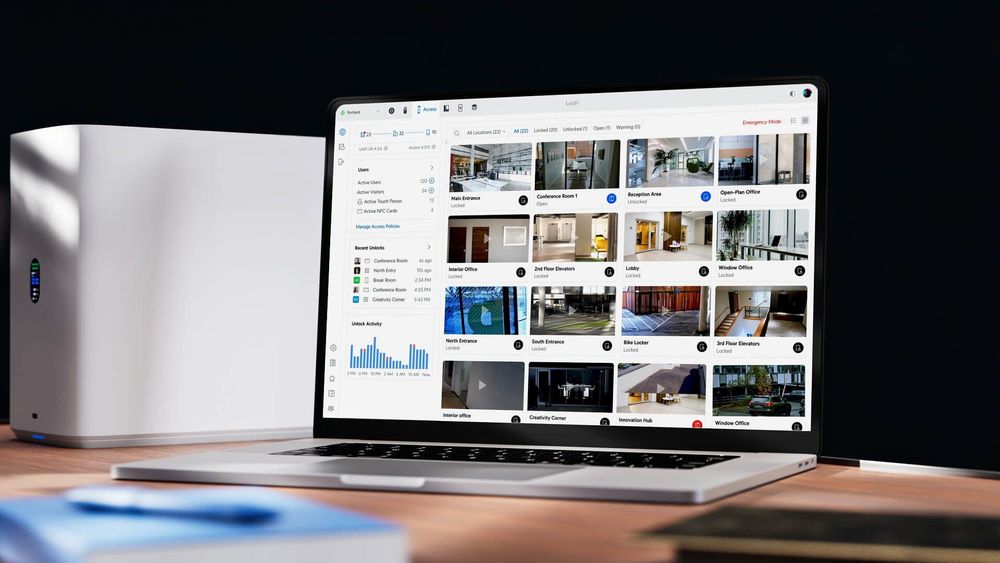
Older door systems often have usable wiring, readers, locks, backup batteries, and panels already in place. Replacing everything can turn a practical security upgrade into a messy cabling project. Ubiquiti's Retrofit Hub and UniFi Access 4.0 update are useful because they point to a more realistic path: modernize the control, credentials, visitor process, and visibility while reusing more of the installed infrastructure where it makes sense.
For Trinidad and Tobago SMBs, that matters. Offices, clinics, warehouses, schools, apartment properties, retail locations, and branch sites often need stronger access control without weeks of disruption.
The Front Door Is Part of the Network
Access control used to be treated as a separate facilities system. That approach is no longer good enough. The front door affects staff safety, visitor records, after-hours access, contractor access, incident response, and audit trails.
Once door access is connected to a managed platform, the IT and operations questions become practical:
- Who can enter each area?
- How is access approved and removed?
- Are shared PINs still being used?
- Can managers review door events quickly?
- Is visitor access recorded properly?
- Are mobile credentials supported?
- What happens during a power or internet outage?
- Who can administer the system?
The upgrade is not just about replacing a reader. It is about making physical access easier to manage and harder to abuse.
Retrofit Hub Reduces the Rewiring Barrier
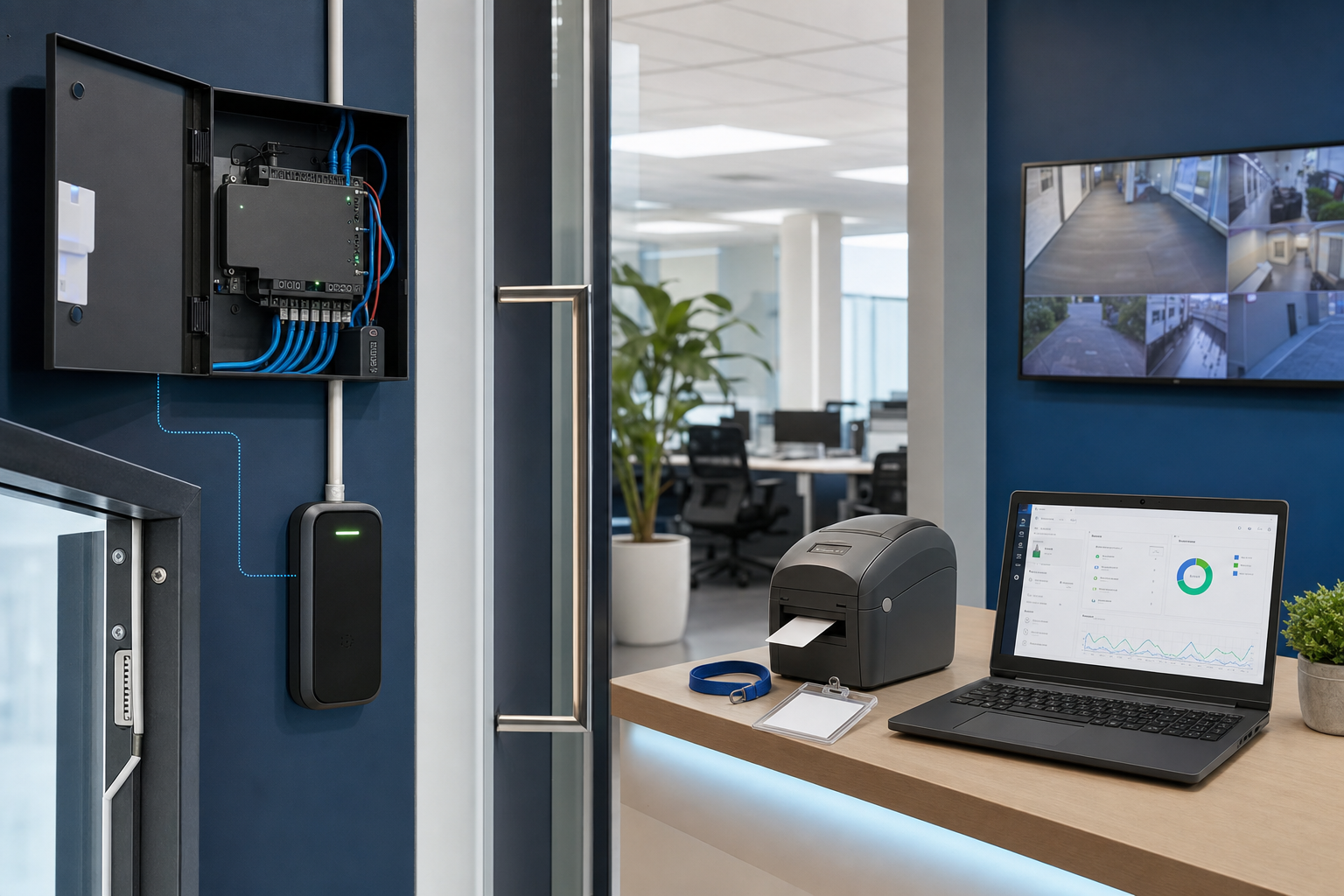
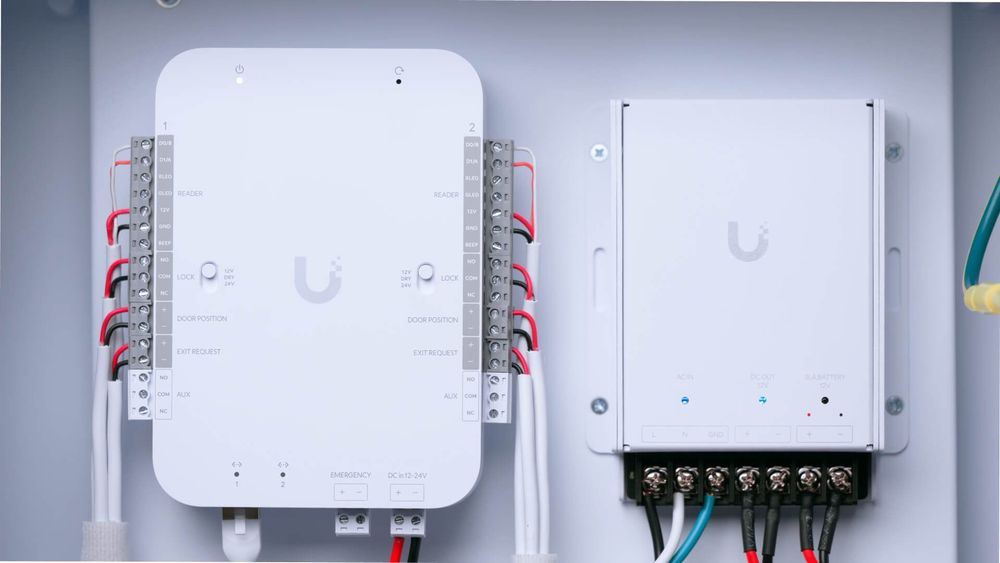
Ubiquiti says Retrofit Hub can work with existing Wiegand readers, existing wiring, and backup battery systems. That makes the conversation more practical for businesses with older access control already installed.
Reusing existing infrastructure can reduce cost, downtime, wall damage, and cabling complexity. It also makes phased upgrades possible: start with the most important doors, validate the workflow, then expand to other areas.
That does not mean every old component should stay. Before any retrofit, Blue Chip recommends checking cable condition, power, lock hardware, reader compatibility, door sensors, backup battery health, and physical tamper exposure.
Smartphone and NFC Access Need Proper Controls
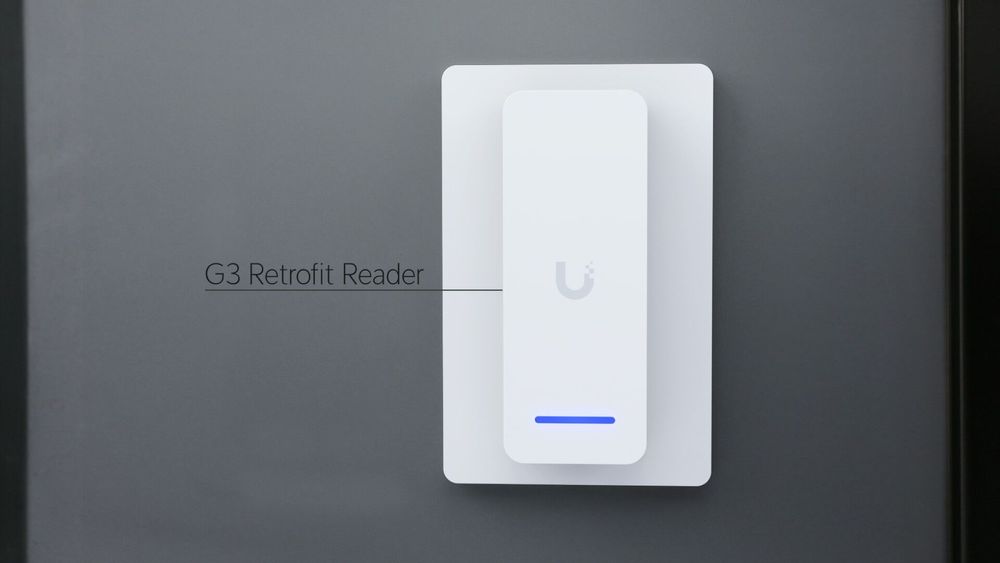
The G3 Retrofit Reader adds modern credential options such as BLE smartphone unlock, NFC cards and fobs, and TouchPass support while using existing wiring.
That can improve the experience for staff because access no longer depends only on old cards or shared codes. But it also increases the need for policy. A business should decide how credentials are issued, how lost phones are handled, whether personal devices are allowed, and how quickly access is removed when someone leaves.
Good access control should make daily work easier while still keeping administration disciplined.
Visitor Management Should Not Be an Afterthought
UniFi Access 4.0 includes Kiosk Mode for guest check-in, iPad app support, and badge printer workflows. This is useful for businesses that still manage visitors through a paper book, a receptionist's memory, or informal WhatsApp messages.
A visitor process should answer simple questions:
- Who arrived?
- Who approved them?
- Which area are they allowed to enter?
- Did they receive a badge?
- When did they leave?
- Is there a record if an incident occurs later?
For clinics, schools, professional offices, warehouses, and managed buildings, visitor records are part of the security posture.
Intercom and Viewing Integrations Need a Clear Response Plan
Access 4.0 also adds Call Manager for intercom directory workflows and broader third-party viewing-device support. These features can make entry requests easier to handle, especially across reception areas, gates, back offices, and remote sites.
The risk is enabling features before defining responsibility. If a doorbell call comes in after hours, who answers? If a visitor is denied, who follows up? If a manager unlocks a door remotely, is that logged and reviewed?
Access control works best when the technology and the human process are designed together.
What Blue Chip Recommends Before a Retrofit
Before modernizing an older door access system, review the full environment:
- Door count and access zones
- Existing reader type and cabling condition
- Lock hardware, sensors, and request-to-exit devices
- Backup battery and UPS requirements
- Network drops, PoE, VLANs, and firewall rules
- Admin accounts, MFA, and role-based permissions
- Staff onboarding and offboarding process
- Visitor check-in process and retention needs
- Mobile credential policy
- Emergency access and fail-safe/fail-secure behavior
- Logging, monitoring, and support escalation
A retrofit should not simply make an old system look newer. It should make access easier to administer, easier to audit, and easier to support.
Blue Chip Technologies designs, deploys, and supports managed UniFi networks, access control, cameras, Wi-Fi, switching, and security gateways for businesses across Trinidad and Tobago. If your doors, cameras, and network are becoming more important to operations, they should be managed as one environment.
Source: Ubiquiti - Introducing Retrofit Hub, published 25 September 2025.