UniFi Protect 7.1: Turn Cameras Into a Practical Operations View
Most businesses install cameras because they want evidence after something happens. The better goal is to make cameras useful while the business is operating: watching entrances, spotting activity across locations, checking who is on site, and responding faster when an incident starts.
Ubiquiti's UniFi Protect 7.1 update is useful because it pushes video security closer to that operations model. The release adds custom video walls in Site Manager, a second-generation UniFi NVR, local Edge AI capabilities, stronger detection, broader camera support, dispatch integrations, and remote site control options.
For Trinidad and Tobago SMBs, the practical point is simple: cameras should not be treated as a standalone recorder. They should be part of a managed network, with visibility, permissions, storage planning, and a clear response process.
Video Walls Help Teams See the Whole Site
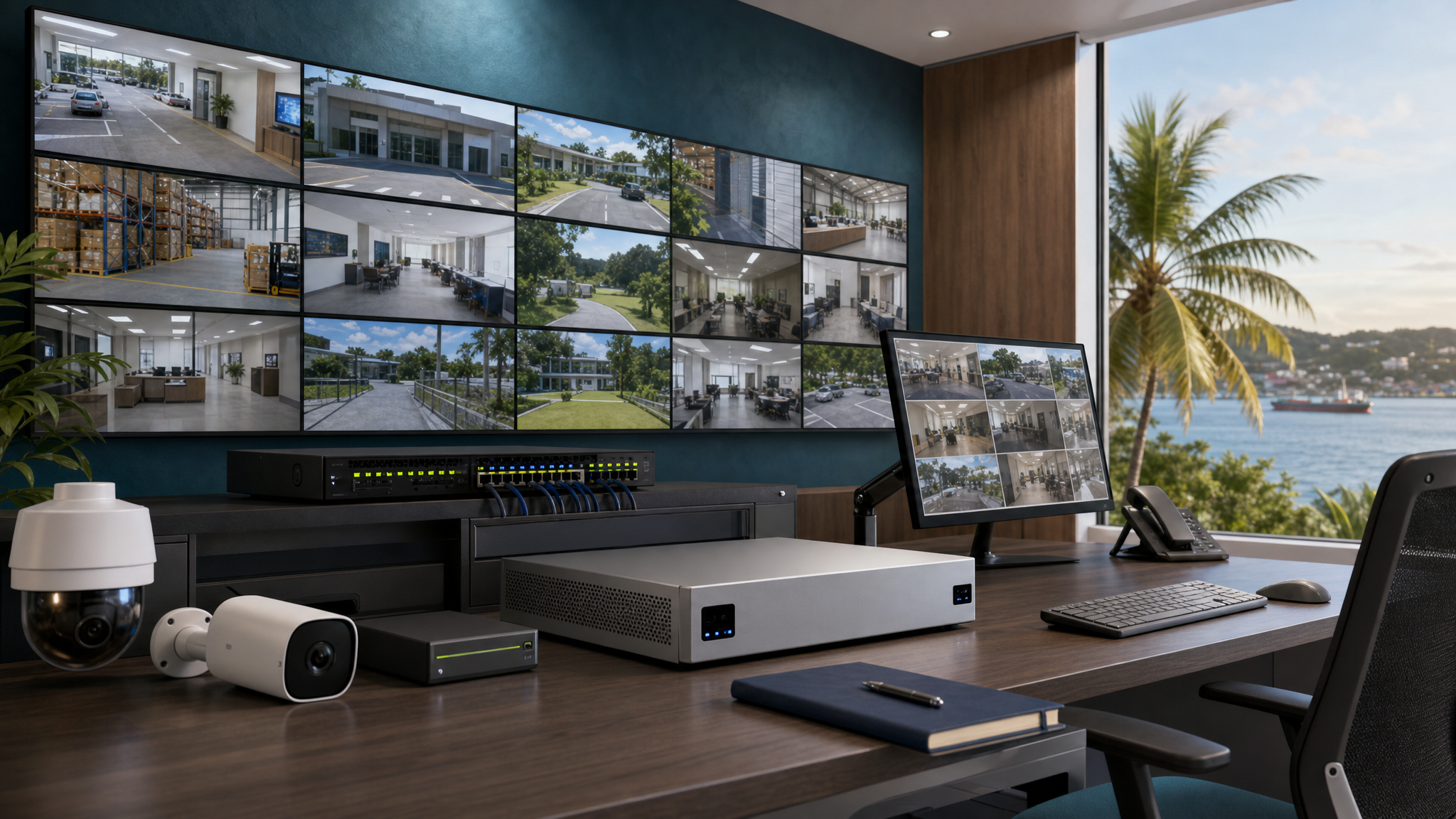
UniFi Protect 7.1 adds custom video walls in Site Manager. That matters for businesses with multiple cameras, multiple floors, multiple buildings, or more than one branch.
A video wall is not just a larger screen. It is a way to organize attention. A retail business may want entrances, stock rooms, POS counters, and parking areas visible together. A school may need gates, corridors, and public areas. A warehouse may care about loading bays, vehicle movement, and perimeter cameras.
When the view matches the way the site actually works, staff can respond faster and managers can make better decisions.
New NVR Capacity Changes the Planning Conversation
Ubiquiti also introduced the second-generation UniFi NVR with support for larger deployments, an integrated ViewPort for direct display, and built-in Edge AI features.
That is important because many camera systems outgrow their original design. A business may start with four cameras, then add entrances, storage areas, yards, workshops, customer areas, and branch sites. Eventually the original recorder, storage plan, and network design are no longer enough.
Before expanding cameras, Blue Chip recommends checking:
- Current and planned camera count
- Recording quality and retention requirements
- NVR capacity and disk health
- PoE switch capacity
- UPS runtime for cameras, switches, and recorder
- Network bandwidth between cameras and recorder
- Who can view, export, and delete footage
- Whether critical views need a direct display
The NVR is not just a box for hard drives. It is part of the evidence chain and the response workflow.
Local AI Search Can Reduce Investigation Time
Protect 7.1 includes built-in Edge AI for vector search and re-identification on supported hardware. In plain language, the system is moving toward faster local search through video evidence without depending on cloud processing for every task.
That can help when a business needs to find a person, vehicle, or event across many cameras. Instead of manually opening camera after camera, the system can help narrow the search.
This kind of capability needs governance. Businesses should decide who may search footage, when searches are appropriate, how exported clips are handled, and how long footage is retained. Camera search is useful, but access must be controlled.
Better Detection and ONVIF Support Help Mixed Sites
Ubiquiti says Protect 7.1 includes a retrained smart detection engine, PTZ vehicle tracking, immersive downloads for 360 cameras, and expanded ONVIF support including audio and motion detection.
That is useful for real environments where every camera may not be the same model or installed at the same time. Many businesses already have a mixture of older cameras, newer AI cameras, PTZ cameras, and third-party devices.
Improved support can make migrations more practical, but it does not remove the need for proper testing. Each camera should be checked for field of view, night performance, event accuracy, network stability, storage impact, and privacy requirements.
Dispatch and Integrations Need a Response Process
Protect 7.1 also expands beyond monitoring with dispatch services, DC-09 third-party integration support, and webhook actions from live views.
This is where camera systems can become more valuable, but also more sensitive. Once a camera alert can trigger a workflow, notify people, or integrate with another system, the business needs clear rules.
Good questions to answer before enabling integrations:
- Which events should trigger an alert?
- Who receives alerts during business hours?
- Who receives alerts after hours?
- What is considered urgent?
- Who is allowed to trigger a response?
- How are false alarms reviewed?
- Are police, security, management, or internal staff involved?
- Is there an audit trail?
Technology can shorten response time, but only if the process is designed before an incident happens.
SuperLink Controls Should Be Role-Based
The update also highlights SuperLink remote control for arm, disarm, panic, and custom site controls. For distributed sites, that can be useful. It can also create risk if access is handed out too broadly.
Remote control should be role-based, documented, and reviewed. A manager may need one level of control, security staff another, and IT administrators another. Lost devices, staff turnover, and shared accounts can all create problems if access is not managed properly.
What Blue Chip Recommends
Before treating UniFi Protect 7.1 as just another software update, review the full security environment:
- Camera layout and blind spots
- NVR sizing, storage health, and retention policy
- Switch, PoE, cabling, and UPS readiness
- VLANs and firewall rules for camera traffic
- User permissions and MFA
- Remote access controls
- Video wall layouts by role or site
- Alert routing and after-hours response
- Export rules for clips and evidence
- Documentation for support and audits
For many SMBs, the difference between a basic camera system and a managed security platform is not the number of cameras. It is whether the system is visible, maintained, searchable, secure, and tied to a response plan.
Blue Chip Technologies designs, deploys, monitors, and supports UniFi networks and video security environments for businesses across Trinidad and Tobago. If your cameras are important to operations, they should be managed like critical business infrastructure.
Source: Ubiquiti - Welcome to Protect 7.1, published 13 May 2026.