Gemini in Gmail: Turn Busy Inboxes Into Business Follow-Through
Email is still where a lot of business work actually happens.
A customer asks for an update. A vendor sends revised pricing. A project manager needs the latest status before a meeting. A finance team has to confirm which email thread contains the approved figure. The problem is not that the information is missing. The problem is that it is buried across long conversations, attachments, forwarded messages, Drive files, and side discussions.
Google's latest Gmail update for business users shows where Google Workspace is heading with Gemini: less manual searching, more useful context, and faster drafting inside the inbox. For small and mid-sized businesses in Trinidad and Tobago, that can translate into a practical productivity improvement when it is deployed with the right controls.
This is not about replacing judgment. It is about helping staff get from scattered email context to a clearer next action faster.
Why Gmail AI Matters for Daily Operations
Most teams already use email as a lightweight record of decisions, requests, approvals, quotations, documents, and customer conversations. That makes Gmail valuable, but also noisy.
The more active the business, the harder it becomes to answer simple questions quickly:
- What did the client approve last week?
- Which version of the quote did we send?
- What is the latest update on this issue?
- Did the supplier confirm availability?
- What did the customer ask us to change?
Traditional search helps if the user remembers the right keyword. In real work, people often remember the situation but not the exact phrase. That is where AI-assisted inbox search becomes useful.
AI Overviews: Ask the Inbox a Business Question
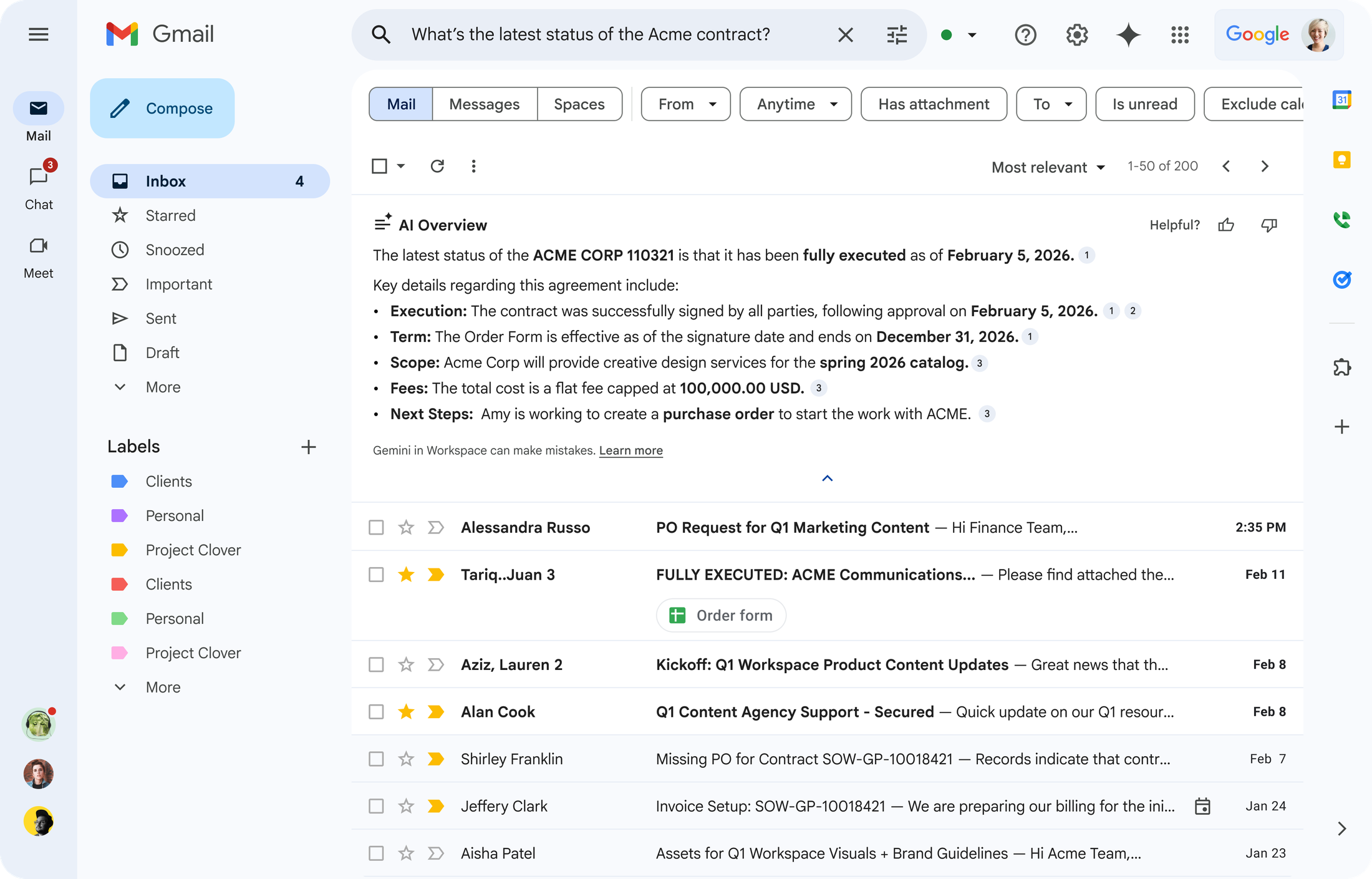
Google is bringing AI Overviews in Gmail search to business customers. Instead of only returning a list of matching messages, Gemini can summarize relevant information from email threads into a clearer answer.
For a busy manager, this can reduce the time spent opening multiple conversations just to rebuild the story. A user may ask a natural question about a customer, contract, shipment, project, or internal request, then use the overview as a starting point for action.
For Blue Chip clients, the best use cases are practical:
- Sales teams checking the latest customer request before replying
- Operations teams finding the last confirmed delivery or service date
- Managers preparing for a meeting without reading every old thread
- Finance or admin teams locating the email trail behind an approval
- Service teams reviewing prior customer context before responding
The gain is not only speed. It also helps reduce missed details. When staff are under pressure, important information is easy to overlook in a long thread. A useful summary can point them to the right facts faster, while the user still reviews the source messages before making decisions.
Personalized Help Me Write: Better Drafts With More Context
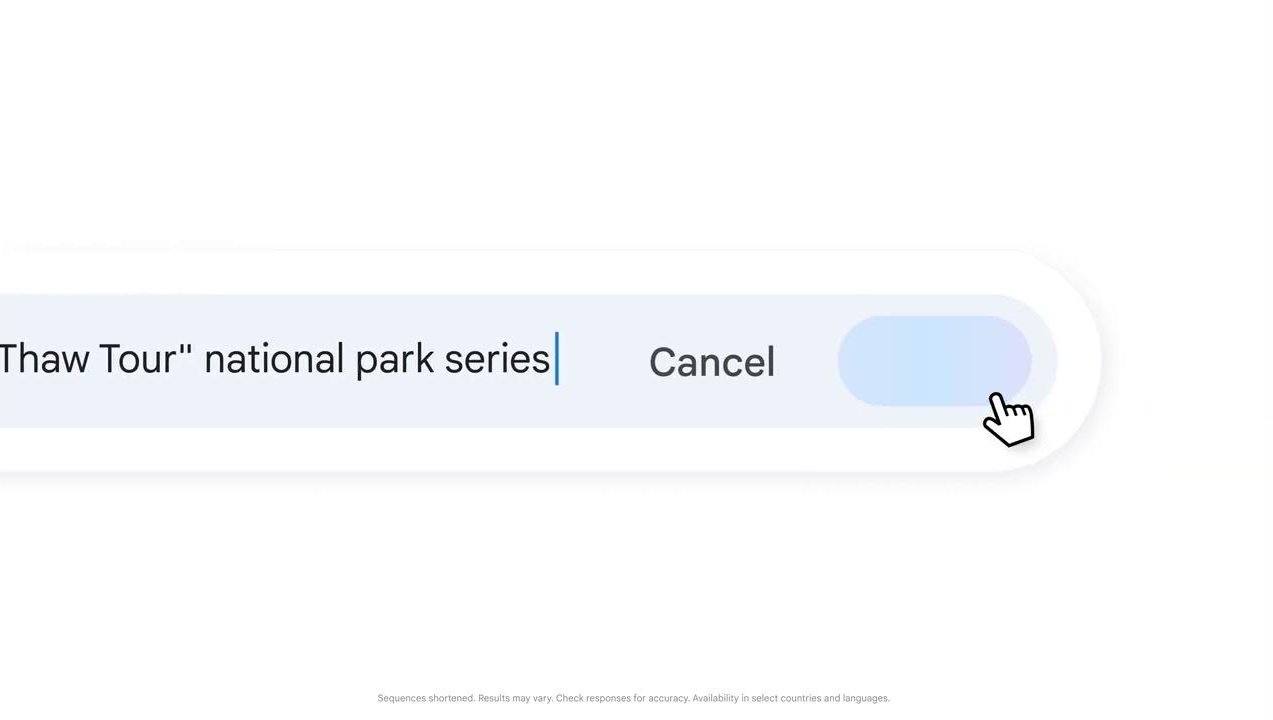
The other major improvement is personalized drafting in Gmail. Google's Help me write feature is being extended so Gemini can draw on broader Workspace context such as past emails, chats, and Drive files when preparing a draft.
That matters because a good business email is rarely created from one sentence of instruction. A useful response usually needs the right names, dates, figures, commitments, documents, and tone.
For example, a staff member may need to send a project update, customer follow-up, renewal reminder, internal handover, or vendor query. Instead of copying details from several places into a blank email, the user can ask Gemini to prepare a first draft using available work context.
This can help teams move faster in several ways:
- Reducing blank-page time when staff know what they need to say but not how to start
- Pulling relevant details into the draft so fewer facts are missed
- Helping less experienced users produce more professional first drafts
- Saving managers time on routine update emails and follow-ups
- Improving consistency across customer-facing communication
The important phrase is first draft. Staff should still review the message, confirm the details, and adjust the tone before sending. AI can speed up the preparation, but it should not become an unchecked send button for customer, financial, legal, HR, or sensitive operational messages.
A Better Workflow, Not Just a Smarter Inbox
The real value appears when businesses treat these features as workflow support.
A sales rep can review the last customer conversation, draft the follow-up, and send a more complete response with less switching between tabs. A manager can quickly prepare for a status meeting by asking Gmail what changed since the last update. An admin user can find the email trail behind a supplier agreement and draft the next step without manually reconstructing every detail.
That means fewer delays caused by searching, re-reading, and rewriting. For SMBs where the same people handle sales, operations, admin, and support, saving that context-switching time is meaningful.
It also helps reduce dependence on one person remembering everything. If business information is properly stored in Gmail, Drive, Chat, and Calendar, Workspace can help users find and reuse that knowledge more effectively.
Security and Governance Still Come First
AI inside email deserves careful handling because email often contains sensitive business data.
Google states that these capabilities are designed with enterprise-grade Workspace data protections, with business data remaining protected and under customer control. That is a strong foundation, but it does not remove the need for good administration.
Before enabling AI-assisted Gmail workflows broadly, businesses should review:
- Multi-factor authentication for all users
- Admin roles and account recovery controls
- Drive sharing permissions and folder structure
- Departing-user offboarding procedures
- Rules for customer, HR, finance, and confidential data
- Staff guidance on when AI output must be checked against source material
- Licensing fit for the users who will actually benefit
AI will follow the permissions and data quality of the environment underneath it. If files are overshared, mailboxes are poorly managed, or users lack security training, AI can make confusion happen faster. Good governance makes the productivity gains safer and more reliable.
Where Blue Chip Sees the Best Fit
Gemini in Gmail is a good fit for teams that already rely heavily on Google Workspace and want to reduce the time lost in email-heavy work.
Strong starting points include:
- Customer follow-up workflows
- Sales and quotation communication
- Project status updates
- Vendor and supplier coordination
- Internal management summaries
- Service request history review
- Meeting preparation from email context
The best rollout is focused. Start with one department or workflow, measure whether it reduces time spent searching and drafting, then expand once staff understand how to use it responsibly.
How Blue Chip Can Help
Blue Chip Technologies supports businesses with Google Workspace licensing, Gmail, Drive, Docs, Sheets, Meet, Chat, account security, and admin configuration.
For businesses considering Gemini-enabled Gmail workflows, we can help with:
- Google Workspace and Gemini licensing review
- Gmail and Drive readiness checks
- MFA and admin-security review
- User permission and sharing cleanup
- Staff guidance for safe AI-assisted email use
- Workflow selection for a small, practical pilot
- Ongoing support so users adopt the tools properly
Gemini in Gmail is useful because it meets users where they already work. If your team spends too much time searching old threads, rebuilding context, or drafting routine updates from scratch, this is a good time to review whether Google Workspace AI can help.
The goal is simple: clearer communication, faster follow-through, and better control over the information already sitting inside your business inbox.
Source: Google Workspace Blog — More personalized and proactive assistance in Gmail coming to business customers.