
If your team works with clients or partners who use Microsoft Outlook, Zoom, or Teams, you know the drill. Someone sends you a meeting invite, you open it, scroll through the description hunting for the video link, copy it, paste it into your browser... and hope the passcode is somewhere in there too.
Google just made that whole process a lot less painful.
One-Click Joining for Third-Party Video Calls
Starting late August 2026, Google Calendar is getting smarter about handling video meetings from other platforms. Here's what's changing:
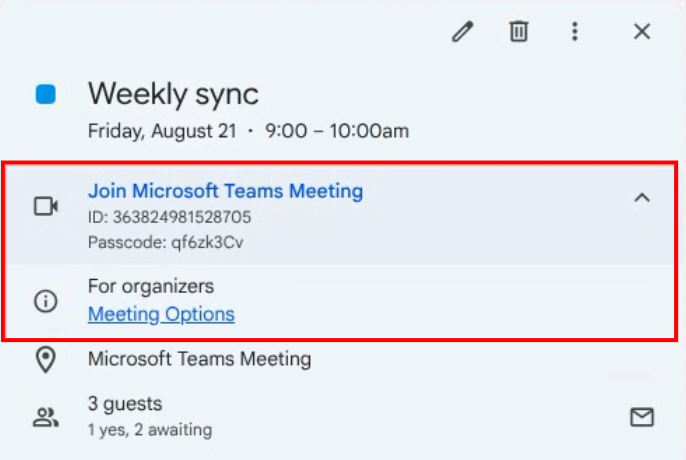
When you receive invites from Outlook users: Calendar now automatically pulls out the meeting URL, meeting ID, and passcode from the event description. Instead of digging through text, you'll see a proper "Join video call" button right on the event—same as you'd get with a Google Meet link.
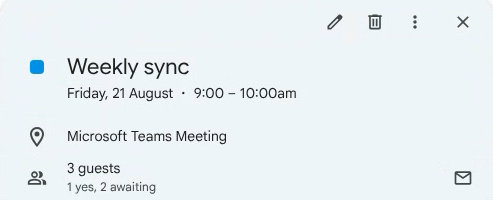
When you send invites to Outlook or Apple Calendar users: Google Calendar now automatically adds the video link to the Location field. Why does that matter? Because those apps display Location links as big, clickable buttons. Your external contacts won't have to open the full invite to find the join link.
Why This Matters for T&T Businesses
Think about how many meetings you have with people outside your organization. Government agencies, international suppliers, banking partners—they're not all on Google Workspace. Some use Microsoft 365. Some use Zoom. Some use Webex.
This update means less friction when you're coordinating across those different setups. No more "hold on, let me find the link" at 9:01 when the meeting started at 9:00.
Supported platforms:
- Microsoft Teams
- Zoom
- Cisco Webex
Works on Google Calendar web, Android, and iOS. No setup required—it just starts working.
Need Help with Google Workspace?
If you're running into challenges with your current setup, or you're thinking about moving your business to Google Workspace, we're here to help. Blue Chip is an authorized Google Workspace reseller right here in Trinidad.
📞 Call us: 1 (868) 609-2288
💬 WhatsApp: Send us a message
📧 Email: [email protected]
🌐 Contact form: bluechiptt.com/contact