If you've ever managed surveillance cameras at a site with limited internet—maybe a warehouse out in Chaguanas, a temporary construction site, or a retail branch where the ISP connection is... let's call it "inconsistent"—you know the frustration. You want clear footage. You also need your network to actually function for everything else. Usually, you're forced to pick one.
This gets even trickier when you're looking at cloud-based surveillance. All that video has to go somewhere, right? And if "somewhere" is the cloud, your bandwidth takes a hit.
Synology's Surveillance365 was built specifically to solve this problem. It's a cloud surveillance platform (VSaaS) that doesn't treat your internet connection like an unlimited resource. Here's how it actually works—and why it matters for T&T businesses dealing with real-world network constraints.
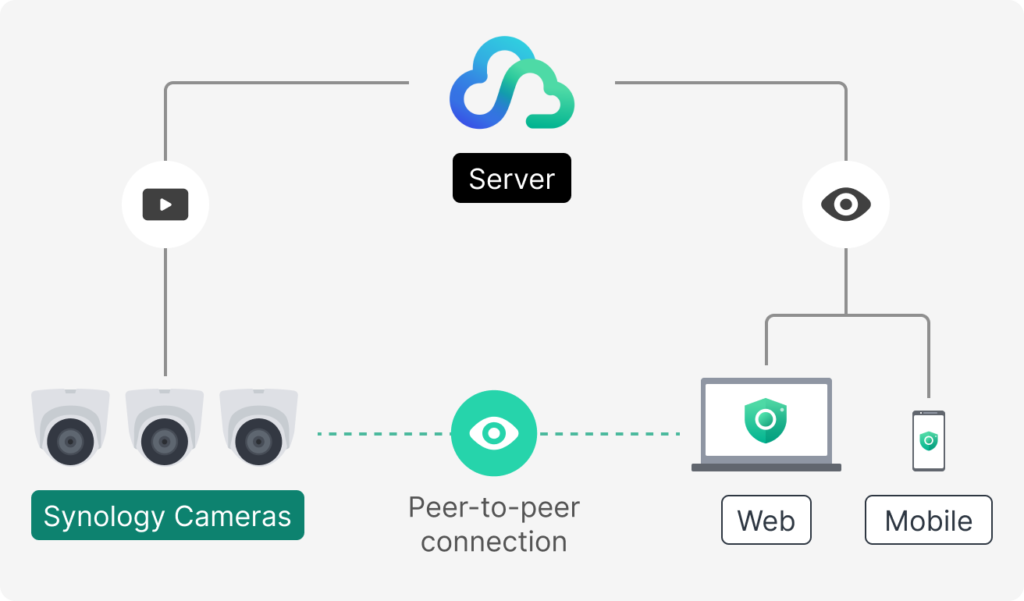
Direct Connections, Not Detours
Traditional setups route video through a central server, even when you're viewing a camera that's sitting on the same network as you. That's wasted bandwidth.
Surveillance365 uses peer-to-peer connections that stream video directly from camera to your device. No unnecessary hops through the cloud. This means your bandwidth usage doesn't balloon every time you add a new location.
Low Bandwidth Mode: Half the Data, Still Usable Footage
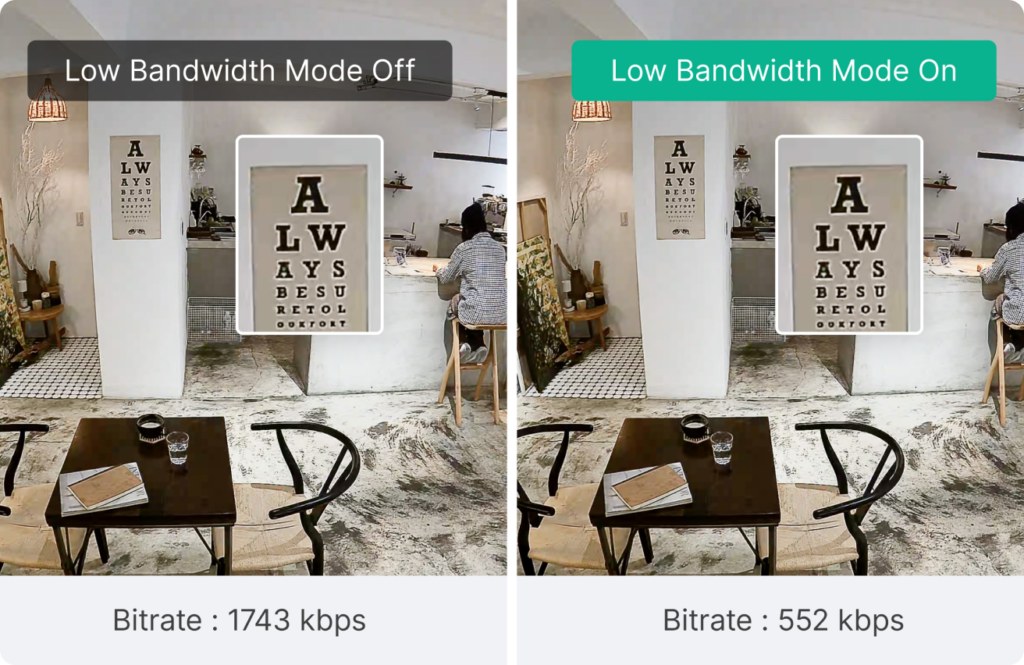
There's also a dedicated Low Bandwidth Mode. On a Synology TC510 camera (5MP), this drops the bitrate from 3 Mbps to 1.5 Mbps—literally cutting consumption in half. The footage stays clear enough for everyday monitoring. You're not going to miss that person walking through the door.
For a business running on a FLOW or Digicel mobile hotspot at a remote site? That's a big deal.
Edge-First Storage: Your Bandwidth Stays Quiet Until You Need It
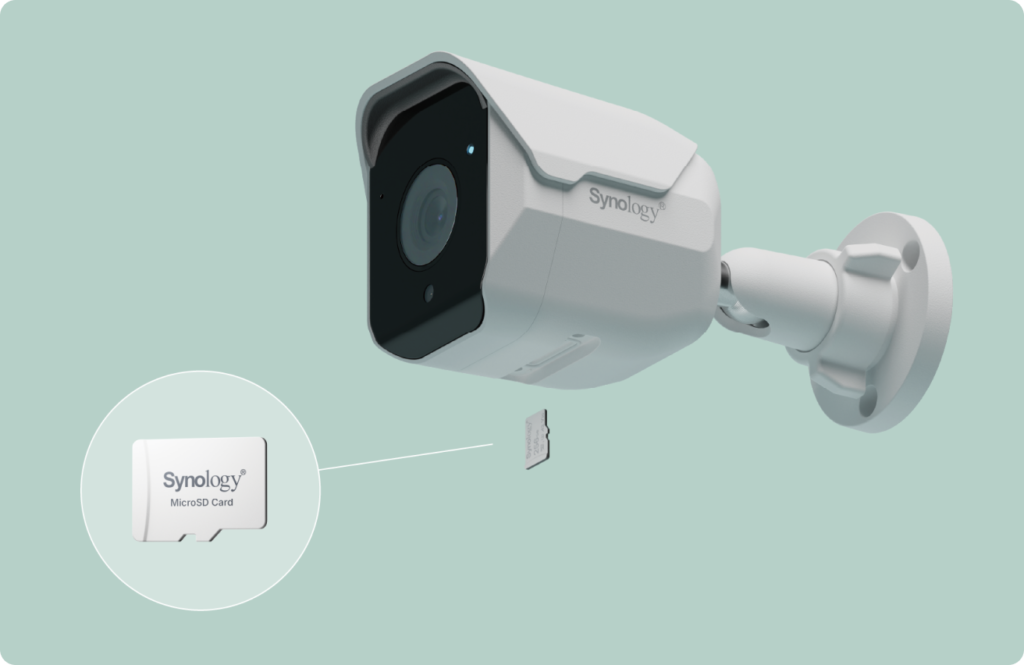
Here's something that might surprise you: Surveillance365 doesn't constantly upload footage to the cloud. Recordings stay on the camera's local microSD card. The cloud connection just idles in the background.
Bandwidth only gets used when someone actually views live footage or pulls up a recording. No 24/7 uploading eating into your connection.
Event Mode: Only Upload What Matters
Need cloud backups for compliance or peace of mind? You don't have to upload everything.
Event Mode only sends footage tied to actual motion or triggered events. Think about a server room or a warehouse at night—hours of nothing happening. Why upload all that dead air? Event Mode filters it out, so you're only backing up footage that's actually worth reviewing.
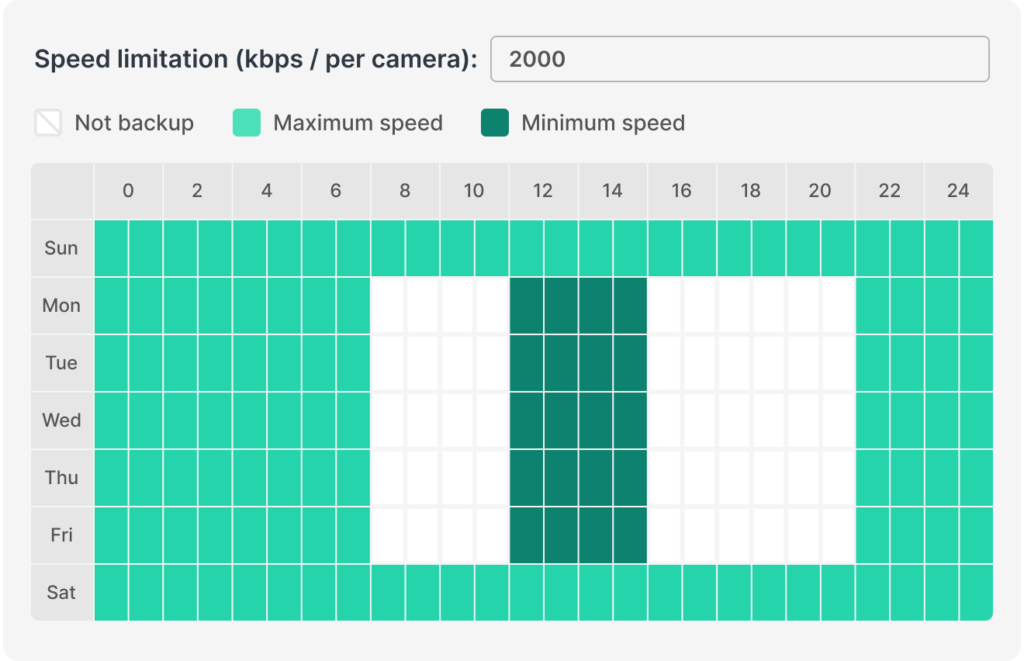
Schedule Backups for Off-Peak Hours
Large backup uploads competing with your staff's internet during business hours? That's a recipe for complaints.
Surveillance365 lets you schedule cloud backups for off-peak times and set upload rate limits. Your overnight backup runs quietly. Your daytime operations run smoothly.
Smart Features for Multiple Viewers
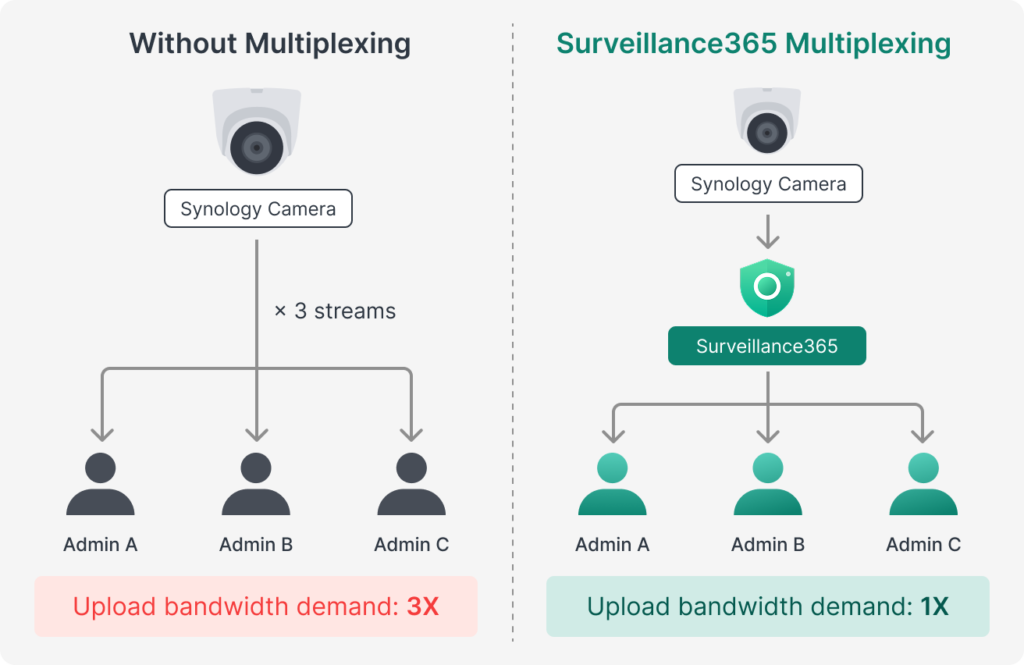
When an incident happens and three managers all want to watch the same camera feed at once, that could overwhelm your local network. Surveillance365 detects this and switches to sending one stream to the cloud, which then distributes to all viewers. The load shifts off your edge network.
There's also thumbnail timeline technology—when you're scrubbing through hours of footage looking for a specific moment, the system loads lightweight thumbnails first. You find what you need, then load the full video. Less waiting, less wasted data.
Ready to Talk Surveillance That Works With Your Network?
If you're running surveillance across multiple sites in Trinidad & Tobago—or even just one location with bandwidth limitations—Surveillance365 is worth a conversation. We can walk you through what it looks like for your specific setup.
Get in touch with Blue Chip:
- 📞 Call us: 1 (868) 609-2288
- 💬 WhatsApp: Chat with us
- 📧 Email: [email protected]
- 🌐 Contact form: bluechiptt.com/contact