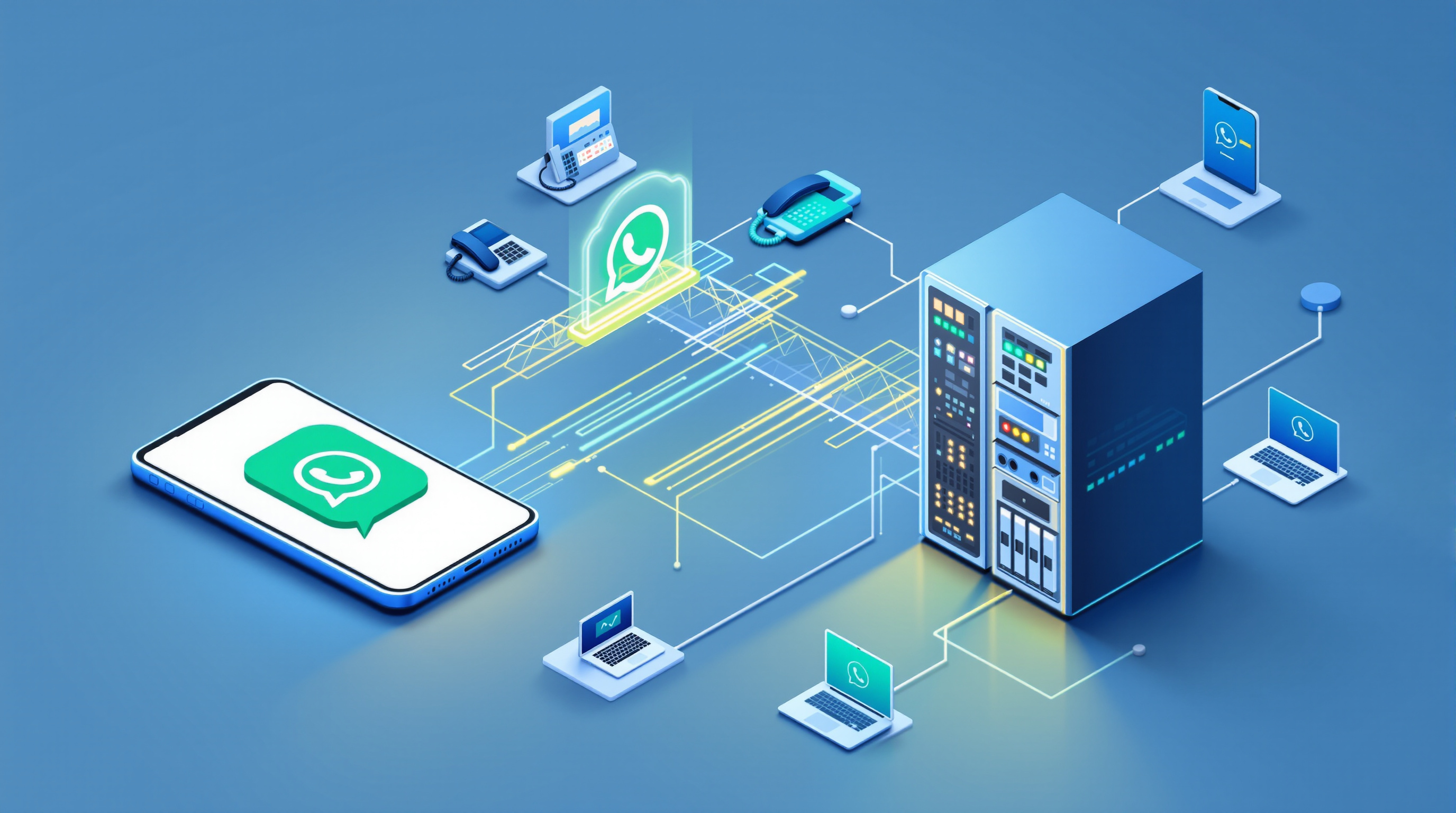
Yes, it works with your existing PBX—if your system speaks SIP, Blue Chip SIP for WhatsApp can connect to it. The bridge presents WhatsApp voice calls to your PBX as a standard SIP trunk, which means 3CX, Asterisk, FreePBX, PortSIP and similar platforms can treat those calls exactly like any other trunk traffic. You don't replace your phone system; you add a channel to it.
The short answer, if you run a SIP PBX
If your PBX supports SIP trunking—and most modern IP systems do—you can route WhatsApp voice calls through it. The bridge registers with your PBX as a trunk, not as a gateway that demands proprietary integration or a separate call-handling layer. From your PBX's perspective, an inbound WhatsApp call looks like an inbound SIP INVITE. Outbound works the same way: your dial plan sends calls to the trunk, and the bridge delivers them over WhatsApp.
This matters because plenty of businesses already take customer calls on WhatsApp, but on a single mobile handset. That's fine when one person handles everything. Once you need a team answering calls, queuing them, transferring between agents, or recording for compliance, a mobile app can't keep up. It handles one call at a time on a number. The fix isn't to ditch WhatsApp—customers already have that number saved. The fix is to bring those calls into the PBX you already run.
The SIP for WhatsApp solution from Blue Chip Technologies Ltd. does exactly that, and it scales: you can handle simultaneous calls on the same WhatsApp number, sized in blocks of two concurrent calls per number (minimum two). Three numbers would give you a minimum of six concurrent calls, for example.
What the bridge looks like from the PBX side
To your PBX, the bridge is a SIP trunk—nothing more exotic. You configure a trunk entry with credentials and a registrar address, just as you would for a telco SIP service. Inbound calls arrive with caller ID and can be routed by your existing inbound rules: to a ring group, a queue, a direct extension, or an AI receptionist. (Note there's no DTMF IVR menu on the WhatsApp side, so plan your routing accordingly.)
Outbound, you set up dial rules that send traffic to the trunk. The bridge includes auto-sensing: it checks whether the destination number is on WhatsApp and places the call there if it is. If the number isn't on WhatsApp, or the person is busy, or the call is rejected, the gateway signals your PBX to fail over to your secondary route—typically a landline or mobile trunk.
Your PBX's existing features apply automatically. Call recording policies, CDR logging, business-hours schedules, after-hours announcements, blind and attended transfers, presence—all of it works because the calls are ordinary SIP calls by the time they reach your extensions. The bridge doesn't bypass or duplicate those functions; it just delivers the media.
Protocols, codecs and transport
Here's what the bridge actually speaks:
| Layer | Supported options |
|---|---|
| Signalling | SIP, SIP-TLS, WebRTC |
| NAT traversal | ICE, STUN, TURN |
| Media | RTP, SRTP |
| Codecs | Opus (16 kHz HD), G.722, G.711 — automatic negotiation |
| Transport security | TLS 1.2 / 1.3, DTLS-SRTP for media, trusted SSL certificates |
If your PBX supports any of those codecs and can negotiate SRTP, you're set. Most 3CX and Asterisk installs handle this out of the box. Opus at 16 kHz gives you noticeably better voice quality than G.711 when bandwidth allows, but the bridge will fall back gracefully.
What you configure, and what stays as it is
On your PBX, you'll add:
- A SIP trunk pointing to the bridge, with authentication credentials.
- An inbound route that directs calls from that trunk to the destination you want—queue, ring group, extension, or AI receptionist.
- Outbound rules if you want agents to place calls via WhatsApp. You decide the dial pattern and priority relative to your other trunks.
What you don't change:
- Your extension numbering, voicemail, recording policies, CDR setup, or business-hours configuration. Those stay exactly as they are.
- Your WhatsApp number. The customer—your organisation—always owns and controls the number. You register your own WhatsApp or WhatsApp Business account on your own device, typically by scanning a QR code to link the app to the gateway. Blue Chip Technologies Ltd. provides and can manage the gateway, but the number itself never leaves your hands.
What the bridge doesn't do:
It doesn't give you a DTMF IVR menu on the WhatsApp side, so callers won't be pressing digits to navigate. Plan your routing to handle calls without that. It also doesn't change anything about your existing PSTN or mobile trunks—those keep working in parallel.
Questions worth asking before you start
How many concurrent calls do I actually need?
Think about your busiest periods. Capacity is sold in blocks of two concurrent calls per WhatsApp number. If you regularly have three people calling at once, you need at least two blocks on that number.
Do I want to self-host the gateway or have Blue Chip manage it?
Either option is available. Self-hosting gives you full control; managed service means Blue Chip handles updates and monitoring. Your WhatsApp number stays yours either way.
What happens to calls outside business hours?
Your PBX's time conditions apply. You can route after-hours calls to voicemail, an announcement, or a night-service queue—whatever you already do for other trunks.
Will my call recordings still work?
Yes. Because the calls are standard SIP by the time they hit your PBX, your recording policies apply as normal.
Frequently asked questions
Does the bridge work with 3CX specifically?
Yes. 3CX supports SIP trunking, so you configure the bridge as a trunk and route calls through your existing 3CX dial plan. Blue Chip Technologies Ltd. is an authorised 3CX reseller and can assist with configuration.
Who owns the WhatsApp number?
You do—always. You register your own WhatsApp or WhatsApp Business number on your own device. Blue Chip provides the gateway; the number and account stay with you.
Can I handle more than one call at a time on the same WhatsApp number?
Yes. The bridge supports simultaneous calls on the same number, sized in blocks of two. Regular WhatsApp and WhatsApp Business mobile apps typically handle only one call at a time.
What if someone calls and they're not on WhatsApp?
For outbound calls, the bridge's auto-sensing detects this and signals your PBX to fail over to your secondary trunk. Inbound, callers must be using WhatsApp to reach the WhatsApp number—there's no change there.
If your PBX already handles SIP trunks, adding WhatsApp as a channel is straightforward. Blue Chip Technologies Ltd., based in Trinidad & Tobago, provides the gateway, configuration support, and local assistance for organisations worldwide. Visit the SIP for WhatsApp solution page to see how it works and request a quote, or get in touch directly:
- Phone: 1 (868) 609-2288
- WhatsApp: wa.me/18686092288
- Email: [email protected]
- Contact page: bluechiptt.com/contact