If you've set up a 3CX AI Agent for your business, you've probably noticed something: it's only as helpful as the information you feed it. Give it messy documents, and you'll get messy answers. Your customers call in, the AI fumbles around, and suddenly you're dealing with frustrated callers who just want a straight answer about your opening hours or service rates.
Here's the thing — most of us have our company info stored in PDFs, Word docs, maybe some Excel spreadsheets. These formats work fine for humans. But when an AI tries to read them? That's where things get tricky.
Why Your Current Documents Might Be Causing Problems
Think about a typical PDF you might upload — maybe your service catalogue or pricing sheet. To you, it looks perfectly organized. But to an AI Agent, it can be a mess:
- Headings get separated from the content they're supposed to describe
- Tables fall apart and lose their structure
- Important context gets missed entirely
- The AI pulls the wrong section when answering a question
We've seen this happen with local businesses. A customer asks about a specific product, and the AI responds with information from a completely different section because the document structure confused it.
The Fix: Markdown Files
Markdown (.md) files are plain text documents with simple formatting markers. No fancy styling, no hidden code — just clean, structured content that both humans and AI can read properly.
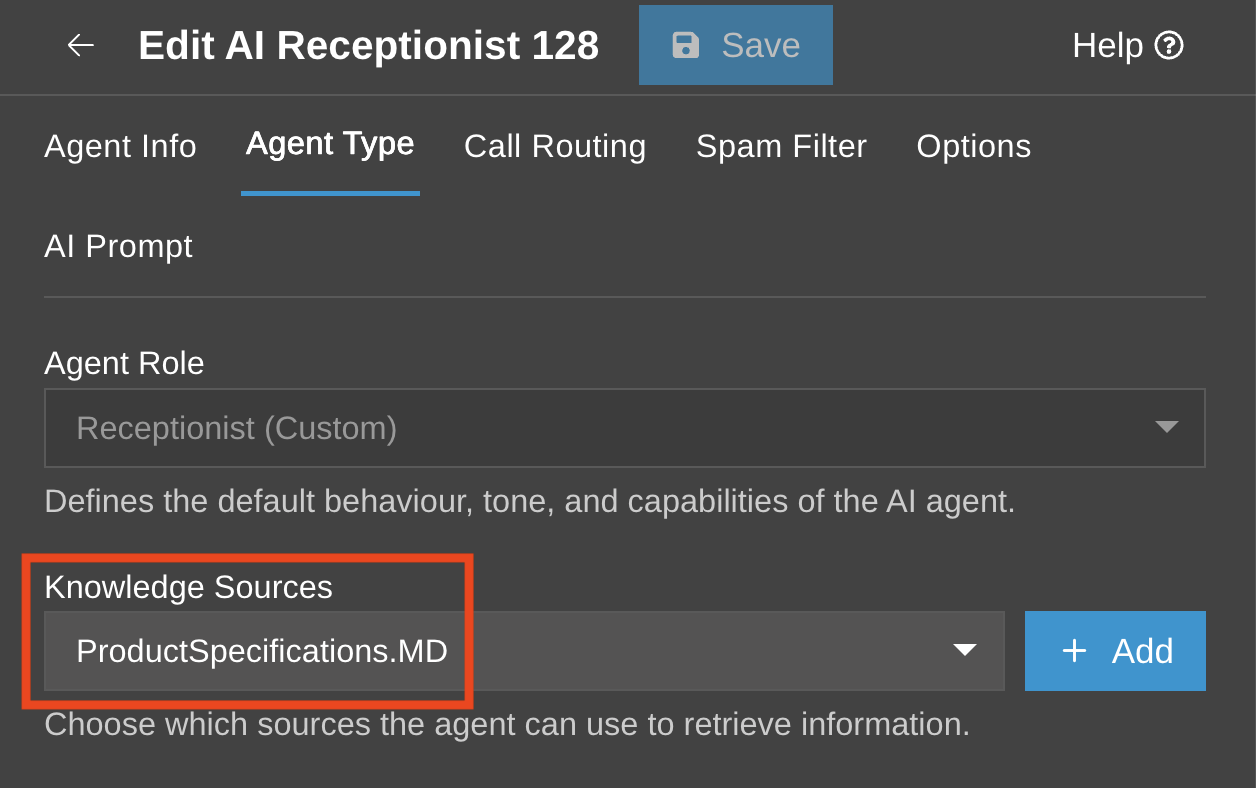
Here's why they work better:
- Clear headings — Simple markers like
#and##create obvious structure - Tables that stay intact — Rows and columns remain aligned and readable
- No hidden formatting — None of the background code that trips up AI processing
- Faster, more accurate answers — Your AI Agent finds the right information more reliably
You Don't Have to Start From Scratch
Good news — you don't need to manually rewrite every document your business has. There are free tools like MarkItDown and Docling that can convert your existing files:
- Word documents (.docx)
- PowerPoint presentations (.pptx)
- Excel spreadsheets (.xlsx)
- PDFs
The conversion preserves your content structure while cleaning up the formatting issues that cause problems.
A Few Tips for Better Results
When you're preparing Markdown files for your AI Agent:
- Keep headings in order — Don't jump from a main heading straight to a sub-sub-heading
- Add blank lines around tables — Gives the AI clear boundaries
- Include a quick summary at the top — A few lines explaining what the document covers helps the AI understand context
Something like:
```