When your storage goes down, the first question isn't "what happened?" — it's "how fast can we get back up?" For businesses in Trinidad & Tobago running on Synology NAS, backup appliances, or surveillance systems, that answer just got a lot better.
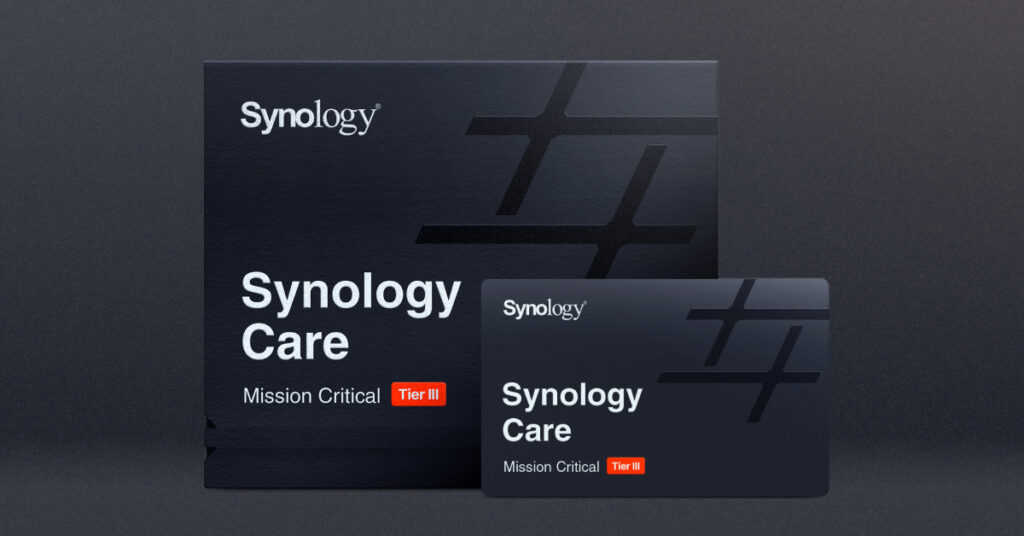
Synology recently launched Synology Care, a tiered support program that lets you match your level of support to how critical your infrastructure actually is. Think of it this way: the NAS holding your archived invoices from 2019 probably doesn't need the same response time as the storage running your production databases or your 24/7 CCTV system.
What This Means for Your Business
Let's be real — when you're dealing with a hardware failure at 2pm on a Tuesday and clients are calling, you don't want to hear "we'll get back to you in 3-5 business days." You need someone who understands your setup and can actually help.
Synology Care offers four service tiers:
- Essential – Included free with enterprise rackmount products (FS, SA, HD, XS series and more). Business support from day one.
- Core – Coming Q1 2027. Direct RMA and 8-hour response targets.
- Pro – Coming Q4 2026. 24/7 support, 4-hour response, plus a dedicated Technical Account Manager.
- Mission Critical – Available now. 2-hour response, 4-hour on-site hardware replacement, emergency hotline access.
The Features That Actually Matter
Faster response times — Mission Critical customers get a 2-hour first response target. And Synology's making a point that this isn't just a "we received your ticket" auto-reply. They're aiming to give you actual troubleshooting steps or next actions right away.
On-site hardware replacement — For Mission Critical environments, failed hardware can be replaced on-site within 4 hours. If you're running a 24-hour operation — say, a call centre, a hospital, or a manufacturing floor with active surveillance — this is significant.
Keep Your Hard Drive — Available as an add-on for Pro and Mission Critical tiers. If compliance or internal security policies require you to retain failed drives (and in some industries, they do), you can keep the defective drive while still getting your replacement.
Technical Account Manager — Pro and Mission Critical tiers include access to a dedicated TAM who knows your environment. No more explaining your setup from scratch every time you call.
Who Should Consider This?
If you're a small business with a single NAS for file sharing, the Essential tier (free with qualifying products) probably covers you fine.
But if you're running:
- Virtualization platforms backed by Synology storage
- ActiveProtect backup infrastructure
- Multi-site surveillance with Synology cameras
- Any system where downtime costs you real money
...then the higher tiers are worth a serious look.
Let's Talk About Your Setup
We've been deploying and supporting Synology solutions across Trinidad & Tobago for years — from small offices in San Fernando to enterprise environments in Port of Spain. If you're not sure which Synology Care tier makes sense for your infrastructure, or you want to discuss upgrading your current setup, give us a call.
Get in touch with Blue Chip Technologies:
- 📞 Call us: 1 (868) 609-2288
- 💬 WhatsApp: Chat with us
- ✉️ Email: [email protected]
- 🌐 Contact form: bluechiptt.com/contact